Information is scattered across different communication channels, Excel sheets, within CRM, documents, and other resources. Time is spent on repetitive data entry, checking, reviewing, documentation, approvals, and updates.
Workflow automation powered by artificial intelligence can help re-engineer collaborative processes. By combining business logic, software, and AI agents, companies can analyze information, help people make decisions, generate documents, and perform the most repetitive and error-prone follow-up tasks.
The goal of implementing such technology is not to embrace AI for its own sake but to standardize particular multi-step procedures, reduce costs, improve consistency, and free humans from routine drudgery.
The Challenge in Short
Many companies have established procedures and digital tools for managing sales, finances, operations, support, analytics, and more, but these are often still manual. For example, a customer’s request may come in the form of an email, get logged in CRM, processed by another team, tracked in a spreadsheet, double-checked using a chatbot, and so on. The same goes for many other processes with dozens or hundreds of steps. Regular BPMS and automation software may not be sufficient for such highly customized use cases that involve a significant amount of document review, natural language processing, and decision-making. AI agents can be useful in such scenarios to automate semi-structured work within a clearly defined set of actions.
How AI-Powered Workflow Automation Works
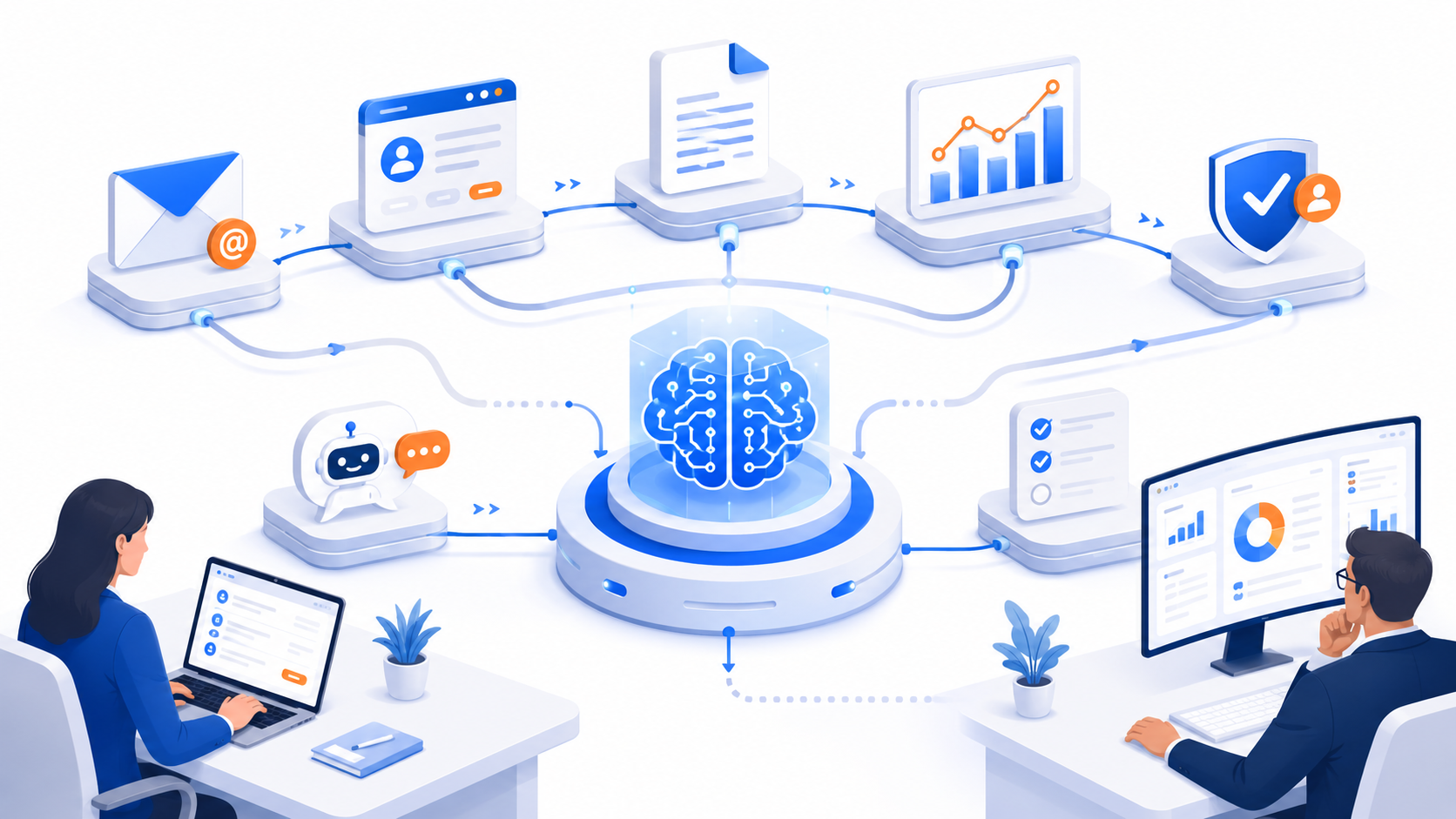
An AI-powered process starts with information in one form or another: a web form submission, email, attached files, updates in a database, recurring tasks, support tickets, etc. Once the automation tool receives a request, it can perform various actions:
- Gathering information from documents, digital forms, APIs, databases, etc.
- Classifying the request, extracting particular fields, values, or summaries
- Performing access control, permissions checks, or other validations
- Searching knowledge bases, CRM, databases, and other tools
- Routing the task to a person or waiting for their input at a certain step
- Storing, logging, or auditing the results, status, and other information
n8n can help design such a workflow, while custom AI components can perform document classification, knowledge base searches, and other operations without surrendering control to an external model.
Main Capabilities and Use Cases
Classification
AI can help classify and route tickets, emails, sales leads, and other requests based on their content. Similar methods can be used to prioritize, categorize, and score different documents.
Document Understanding
Combined with OCR, AI can help extract information from invoices, applications, orders, contracts, receipts, letters, and other documents. Such data can then be validated and stored in an ERP, CRM, or another database.
Enterprise Knowledge Assistant
A RAG (Retrieval-Augmented Generation) model can be trained to search through relevant documents before answering questions about policies, specifications, and other information, thus acting as an assistant and knowledge base for employees.
AI Agent and Tools
An AI agent can analyze the input information and perform several actions using different tools. For example, it can extract information about the account from the request, look for details in a database using that information, and prepare a response before updating the CRM record and routing the request to a human.
Reporting, Alerts, Approvals
AI can help generate reports with natural language summaries while highlighting issues or exceptions. Similar methods can be used to send reminders, request approvals, and log decisions.
Why Build It for Your Company
A well-designed solution can deliver considerable value to the organization. It can reduce the amount of paperwork and data entry, improve response rates for customers and employees, standardize and accelerate operations, reduce errors, and increase audit visibility. Moreover, such a system can help mine the company’s information and knowledge while eliminating substantial time expenditures on repetitive tasks at scale. It is vital to evaluate the potential benefits for each particular use case.
For example, a request-processing hub with high volumes and long resolution times may require significant customization, while a relatively straightforward but highly specialized procedure may only need basic tools. The following examples should serve as inspiration for different industries.
Industries and Use Cases Inspiration
Many fields have their own set of vertical challenges to address, such as finance, healthcare, education, retail, real estate, and manufacturing. However, some themes are universal and can be applied across different industries.
Healthcare
Doctors’ offices and hospitals can use such automation to manage requests, documents, knowledge, and other information to improve their operations and patient care. Critical decisions still have to be made by medical professionals.
Finance
The financial sector can benefit from this technology in document-intensive areas, such as request processing, reviewing, and routing, reporting, and others. It is especially important to establish rigorous auditing, data security, access control, and validation procedures.
Retail and E-Commerce
Companies can use AI to enrich product listings, triage support requests, detect and resolve order issues, manage inventory, and analyze reviews, among other use cases.
Education
Schools and universities can utilize this framework to establish a student support system, process applications, route requests, analyze queries, and more.
Real Estate
An agency can use this automation to qualify leads, collect information about properties for sale or rent, route requests, extract information from documents, and follow-up with clients.
Manufacturing and Operations
A factory can leverage document analysis, quality control, maintenance request processing, supplier document review, data-driven forecasting, and other operations to optimize its workflow.
The same principles can be applied to many other fields, including employee onboarding, purchase request management, invoice processing, sales research, regulatory auditing, and project management reporting.
When to Build a Custom AI Workflow Automation
Many companies are likely to benefit from readily available AI tools for brainstorming, summarizing, answering questions, and performing simple tasks. However, such solutions usually lack the flexibility, database connectivity, access control, document review, and auditing capabilities needed for complex business processes.
An organization may want to consider a custom solution if it needs to:
- Let AI agents access databases, CRMs, ERPs, APIs, cloud services
- Fine-tune the model’s behavior or decision-making logic
- Leverage private or specialized data and knowledge
- Establish role-based access, permissions, and responsibilities
- Store, track, and review information and decisions
- Process documents, transactions, or communication in a specific industry
- Standardize and scale logic around business processes
- Set up approval stages, escalation policies, auditing
A custom solution does not necessarily mean building everything from scratch. A combination of existing tools, n8n, databases, and a custom application UI built by developers can help design a powerful system without requiring substantial resources.