

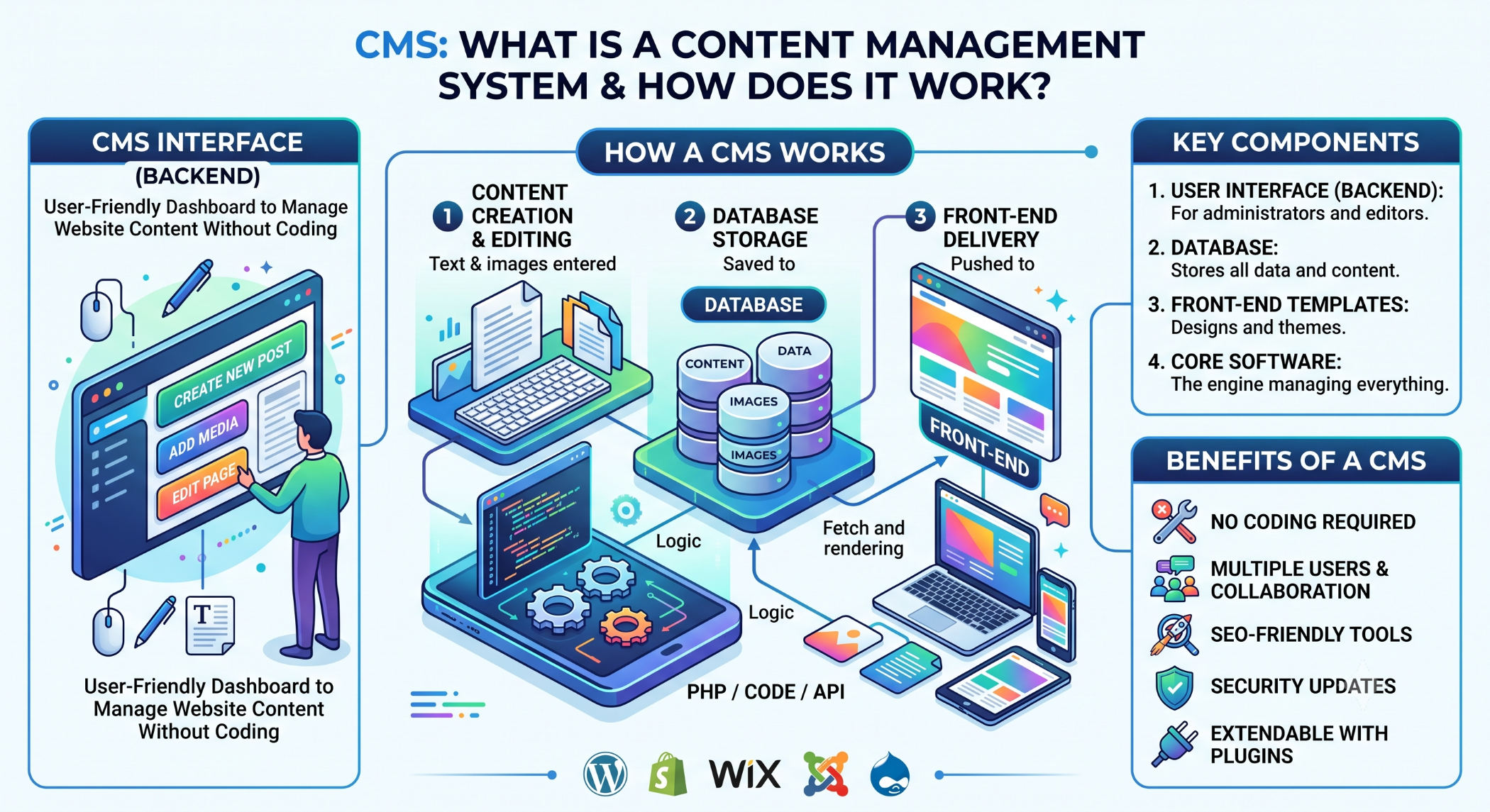
CMS: What Is a Content Management System?
Managing website content manually can become difficult as a business grows. A Content Management System (CMS) provides tools that help businesses create, organize, edit, and publish digital content through an administrative interface.
A CMS can reduce the technical effort involved in managing a website and allow content teams to make updates without modifying application code for every change.
What Is a CMS?
A Content Management System is software used to manage digital content on a website or web application.
Depending on the platform, a CMS can provide functionality for:
- Creating pages and articles.
- Managing images and other media.
- Organizing content into categories.
- Managing users and permissions.
- Controlling website navigation.
- Extending functionality through plugins or modules.
Popular CMS platforms include WordPress, Joomla, Drupal, Magento, and OpenCart, although some are focused more specifically on e-commerce.
How Does a CMS Work?
A typical CMS separates content management from the underlying presentation and application logic.
A simplified workflow is:
Content Creation
       ↓
CMS Administration
       ↓
Database / Content Storage
       ↓
Website / Application
       ↓
End User
An administrator can create or update content through the CMS, while the website retrieves and displays that information to visitors.
Benefits of Using a CMS
Easier Content Management
A CMS allows authorized users to update website content without depending on a developer for every small change.
Faster Content Publishing
Marketing and content teams can create and publish new pages, articles, and media more efficiently.
User Management
Many CMS platforms provide roles and permissions so different users can be given appropriate levels of access.
Customization
Themes, plugins, modules, extensions, and custom development can add functionality beyond the core CMS.
Scalability
A suitable CMS can provide a foundation for a growing website while allowing businesses to add content and functionality over time.
Types of CMS Platforms
Traditional CMS
A traditional CMS manages both website content and presentation. WordPress, Joomla, and Drupal are common examples.
Headless CMS
A headless CMS focuses primarily on content management and exposes content through APIs. This allows the same content to be delivered to websites, mobile apps, and other digital experiences.
The approach can be useful when businesses need content across multiple channels.
E-commerce CMS
E-commerce-focused platforms provide features for products, categories, carts, orders, customers, and payments.
Platforms such as Magento and OpenCart are examples of technologies used for e-commerce management.
How to Choose the Right CMS
The right CMS depends on the project's requirements.
Consider:
Ease of use: Who will manage the content?
Customization: How much functionality needs to be developed?
Security: How will the CMS, plugins, modules, and user access be maintained?
Scalability: Can the platform support future traffic and content growth?
Integration: Can it connect with CRM, ERP, payment, analytics, and other systems?
Total cost: Consider hosting, development, extensions, maintenance, and security in addition to the initial implementation cost.
CMS and SEO
A CMS can make ongoing SEO management easier by providing control over elements such as page titles, URLs, headings, metadata, internal links, and content.
However, using a CMS does not automatically make a website SEO-friendly. Technical implementation, content quality, website performance, and SEO strategy still matter.
CMS Security and Maintenance
A CMS should be regularly maintained. This may include updating the core platform, plugins, modules, themes, and dependencies.
Businesses should also use strong authentication, appropriate permissions, regular backups, and monitoring to reduce security and operational risks.
CMS at Solace Infotech
Solace Infotech works with CMS technologies including WordPress, Drupal, Magento, and OpenCart, supporting customization, development, integration, and maintenance according to project requirements.
This allows businesses to choose between an established CMS platform and custom development based on their content, functionality, and scalability needs.
Conclusion
A CMS provides businesses with a practical way to manage digital content while reducing the technical effort required for routine website updates.
Whether you choose WordPress, Joomla, Drupal, a headless CMS, or an e-commerce platform, the right decision should be based on business requirements, content complexity, customization, security, scalability, and long-term maintenance.


