

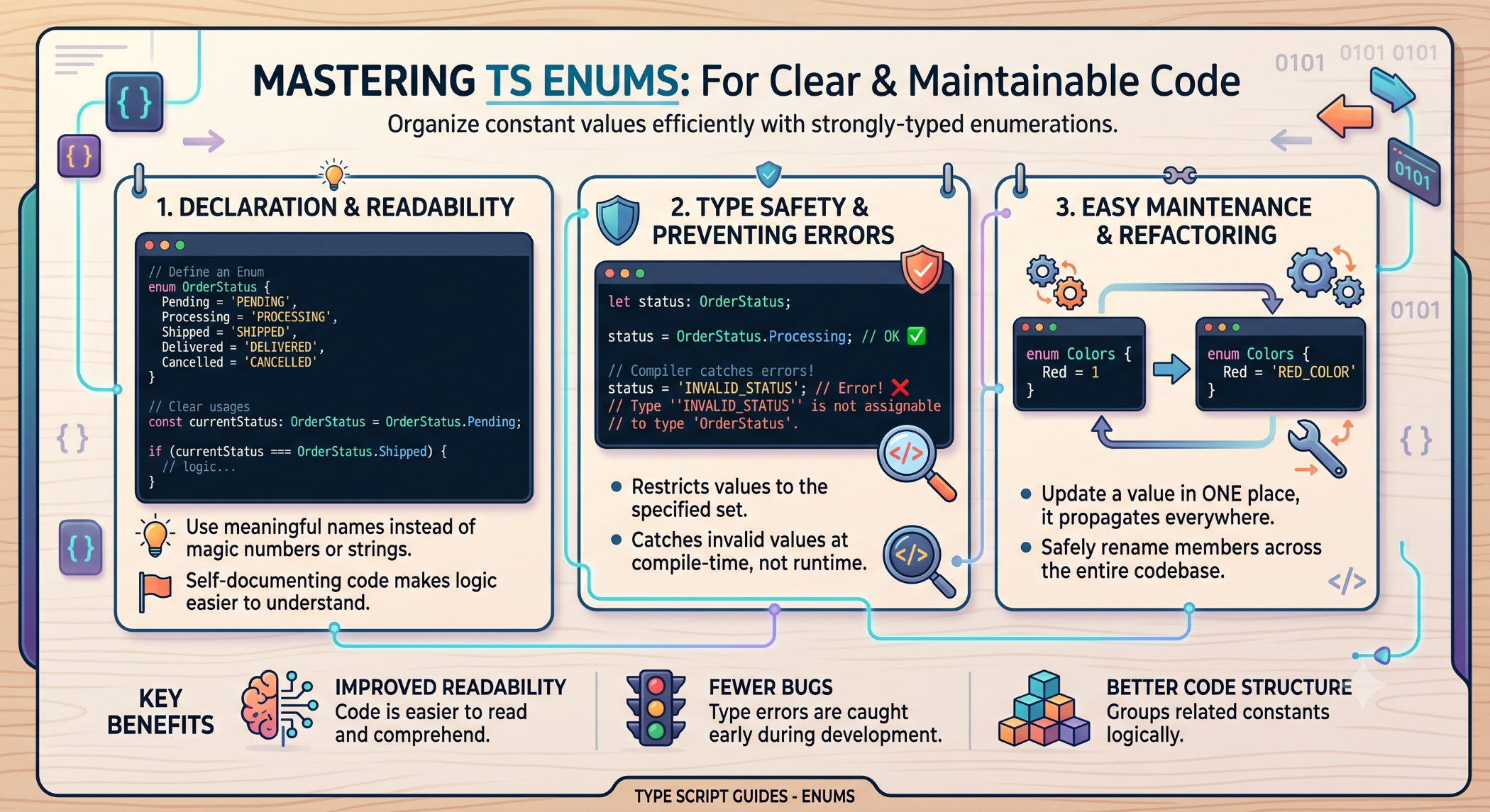
Enums in TypeScript: Create Clear and Maintainable Code
Modern applications often work with a fixed set of values such as user roles, order statuses, payment states, or application environments. Using plain strings or numbers for these values can make code harder to understand and easier to misuse.
TypeScript enums provide a way to define named constants that represent a known set of values.
What Is an Enum?
An enum is a TypeScript feature that allows developers to define a collection of named constants.
For example:
enum UserRole {
Admin,
Manager,
Customer
}
The application can then use:
const role = UserRole.Admin;
This is clearer than using arbitrary numeric values throughout the code.
Numeric Enums
By default, TypeScript assigns numeric values to enum members.
enum Status {
Pending,
Approved,
Rejected
}
The members are assigned values starting from 0.
You can also specify a starting value:
enum Status {
Pending = 1,
Approved,
Rejected
}
Subsequent members receive incrementing values unless explicitly assigned.
String Enums
String enums explicitly define the value of each member.
enum OrderStatus {
Pending = "PENDING",
Processing = "PROCESSING",
Completed = "COMPLETED",
Cancelled = "CANCELLED"
}
String enums are often easier to read when values are logged, serialized, or exchanged through APIs.
Using Enums in Functions
Enums can help make function parameters more explicit.
enum PaymentStatus {
Pending = "PENDING",
Paid = "PAID",
Failed = "FAILED"
}
function updatePayment(status: PaymentStatus) {
console.log(status);
}
The function communicates that only defined payment statuses should be passed.
Enums for User Roles
A common business use case is managing user roles.
enum Role {
Admin = "ADMIN",
Manager = "MANAGER",
User = "USER"
}
The application can then use the enum consistently:
if (currentUser.role === Role.Admin) {
// Admin functionality
}
This is more descriptive than comparing against scattered string literals.
Enums for Application States
Enums can also represent application or workflow states.
enum OrderState {
New = "NEW",
Confirmed = "CONFIRMED",
Shipped = "SHIPPED",
Delivered = "DELIVERED"
}
Using a defined set of states can make business logic easier to understand and maintain.
Enum vs Union Type
For many use cases, a union of string literals can provide a simpler alternative:
type OrderStatus =
| "PENDING"
| "PROCESSING"
| "COMPLETED"
| "CANCELLED";
Enums and union types are not identical.
A union type is often useful when you only need a restricted set of values without requiring a runtime enum object.
Choose based on how the values are used, whether runtime access is needed, and the conventions of the project.
Const Enums
TypeScript also supports const enum.
const enum Direction {
Up,
Down,
Left,
Right
}
Const enums have different compilation behavior and can introduce tooling or interoperability considerations. They should therefore be used intentionally rather than simply replacing every regular enum.
Enums and API Data
When applications communicate with APIs, string enums can make the expected values clearer:
enum AccountStatus {
Active = "active",
Suspended = "suspended"
}
However, TypeScript enums do not validate arbitrary runtime data received from an API. External values should still be validated before being trusted by the application.
Benefits of Enums
Enums can provide:
Readable code: Named values are easier to understand than unexplained numbers or strings.
Consistency: The same set of values can be reused throughout an application.
Maintainability: Changes to a defined set of values can be managed centrally.
Better developer tooling: Editors can provide autocomplete for enum members.
When Should You Use Enums?
Enums can be useful when an application has a clearly defined set of related values.
Examples include:
User roles
Order statuses
Payment states
Access levels
Notification types
Application environments
However, simple union types or constants may be more appropriate for smaller requirements.
Best Practices
Use descriptive names, prefer string enums when values need to be readable outside the application, and avoid numeric enums when the numeric values have no meaningful business purpose.
Do not use enums as a substitute for runtime validation of external data. Keep API contracts and application types aligned with actual backend behavior.
Enums at Solace Infotech
TypeScript enums can be useful in Solace Infotech projects involving Angular, React, Node.js, and other TypeScript-based applications.
They can help development teams manage business states, user roles, permissions, and other fixed-value requirements consistently across large application codebases.
Conclusion
Enums provide TypeScript developers with a structured way to represent a fixed set of related values. They can improve code readability, consistency, maintainability, and developer experience.
At the same time, enums are only one option. Union types and constants may be simpler for certain projects.
The best choice depends on the application's architecture and whether the project needs a runtime representation or simply a compile-time restriction on allowed values.


