

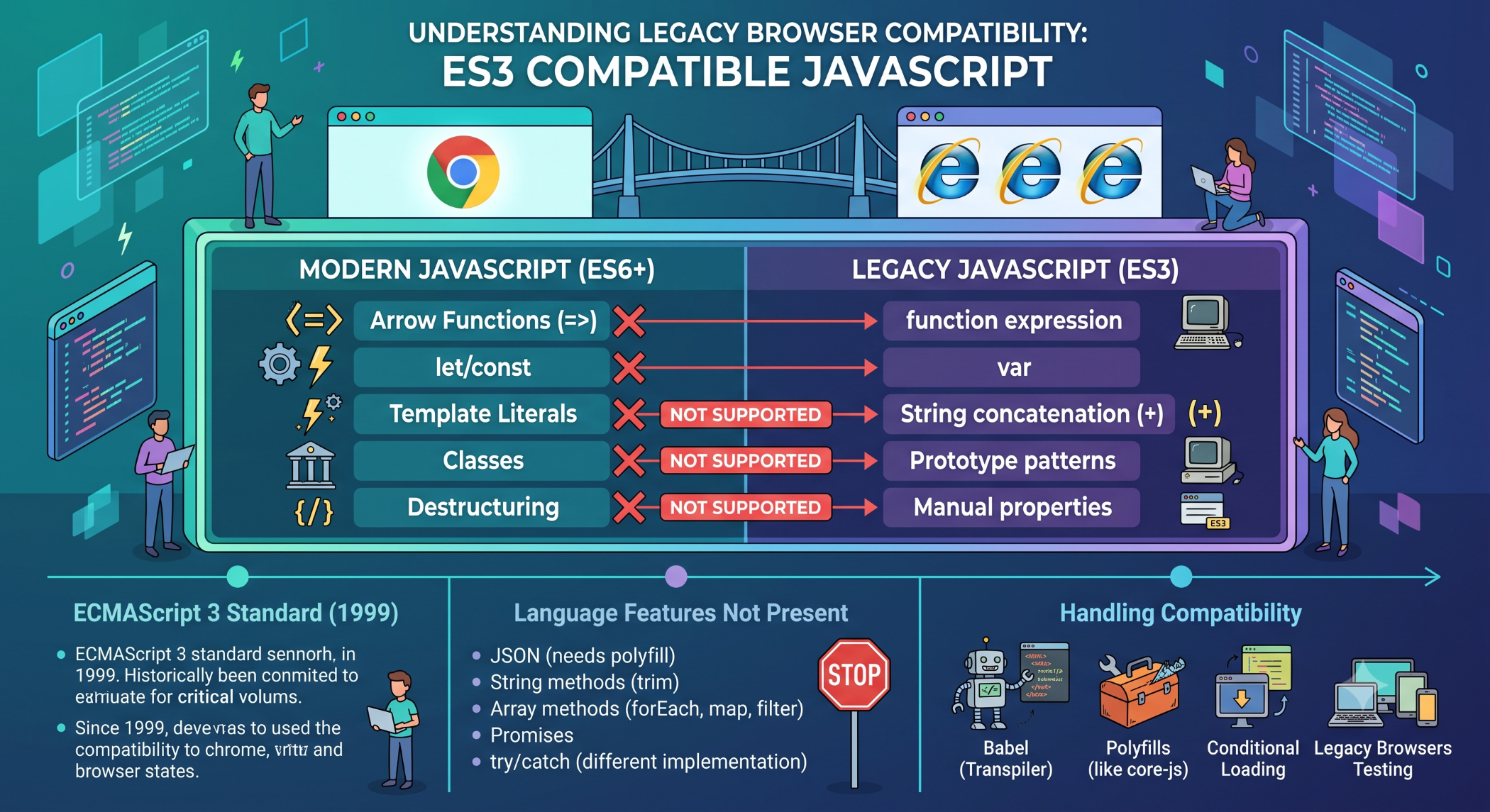
ES3 Compatible JavaScript: Understanding Legacy Browser Compatibility
JavaScript has evolved significantly over the years, with newer ECMAScript standards introducing improved syntax, APIs, and language features. However, some applications still need to support older browsers or legacy environments.
In such projects, developers may need to write or compile code that remains ES3 compatible.
What Is ES3?
ECMAScript 3 (ES3) was an early standardized version of the ECMAScript language specification and was widely implemented by older browsers.
Modern JavaScript has moved far beyond ES3, but legacy applications may still depend on environments with limited JavaScript support.
ES3 compatibility therefore refers to writing JavaScript in a way that avoids language features unavailable in ES3-era environments.
Why Was ES3 Compatibility Important?
When older browsers were widely used, modern JavaScript syntax could cause compatibility problems.
For example, newer syntax such as:
const name = "John";
was not available in ES3 environments.
Legacy-compatible code would instead use:
var name = "John";
Similarly, developers needed to avoid other language features that were introduced after ES3.
Common ES3 Restrictions
Legacy ES3-compatible code typically avoids modern syntax and features such as:
let
const
Arrow functions
Classes
Template literals
Destructuring
Promises
Modules
These features belong to later generations of JavaScript and are not available in ES3 itself.
ES3-Compatible Example
Modern JavaScript:
const users = ["John", "Sarah"];
users.forEach(user => {
console.log(user);
});
A more legacy-compatible approach could be:
var users = ["John", "Sarah"];
for (var i = 0; i < users.length; i++) {
console.log(users[i]);
}
The second example uses older JavaScript syntax that is more appropriate for legacy environments.
JavaScript Transpilation
Developers working with modern JavaScript do not necessarily need to write ES3-style code manually.
Build tools and transpilers can transform newer JavaScript syntax into code that is compatible with older targets.
For example:
Modern JavaScript
↓
Transpiler / Build Tool
↓
Legacy JavaScript
Tools such as Babel historically made it possible to write modern JavaScript and transform it for older browser environments.
However, transpilation does not automatically provide older browsers with APIs that do not exist. Additional polyfills or alternative implementations may still be required.
ES3 Compatibility and Legacy Applications
Older enterprise applications can sometimes contain JavaScript written specifically for legacy browsers.
When maintaining these systems, developers should understand the original browser requirements before replacing code with modern syntax.
A seemingly simple modernization can introduce compatibility problems if the application still depends on an outdated runtime.
Challenges of ES3 Compatibility
Supporting very old JavaScript environments can increase development complexity.
Developers may need to:
Avoid modern syntax.
Use older APIs.
Provide alternative implementations.
Test across legacy browsers.
Maintain additional compatibility code.
This can increase development and testing effort significantly.
Should Modern Applications Target ES3?
For most new applications, targeting ES3 is generally unnecessary because modern browsers support much newer ECMAScript standards.
Developers should identify the actual browsers and environments that need to be supported rather than maintaining legacy compatibility without a business requirement.
When legacy browser support is mandatory, a suitable build and compatibility strategy should be defined from the beginning.
ES3 and Browser Compatibility
Browser compatibility is not only about JavaScript syntax.
Even if JavaScript code has been transformed into older syntax, the application may still depend on newer browser APIs such as:
Fetch API
WebSockets
Web Storage
Service Workers
Modern DOM APIs
Those APIs may require separate compatibility solutions.
Best Practices
Define browser requirements before development. Use a build process that targets the required environments, transpile modern syntax where appropriate, and add polyfills only when necessary.
For legacy applications, test the complete application rather than assuming that syntactically compatible JavaScript guarantees full browser compatibility.
ES3 Compatibility at Solace Infotech
Legacy compatibility can become important when Solace Infotech teams maintain or modernize older web applications.
A practical modernization strategy should first identify the application's existing browser requirements and dependencies. Developers can then determine whether the project should continue supporting legacy environments or move toward a modern browser baseline.
Conclusion
ES3 compatibility represents an important part of JavaScript's legacy browser history. While ES3-era environments are largely obsolete for new development, some existing applications may still require compatibility with older JavaScript runtimes.
For modern projects, the better approach is to define realistic browser requirements and use appropriate transpilation and compatibility tools only where necessary.
This allows development teams to balance modern JavaScript capabilities with the actual compatibility needs of the application.


