

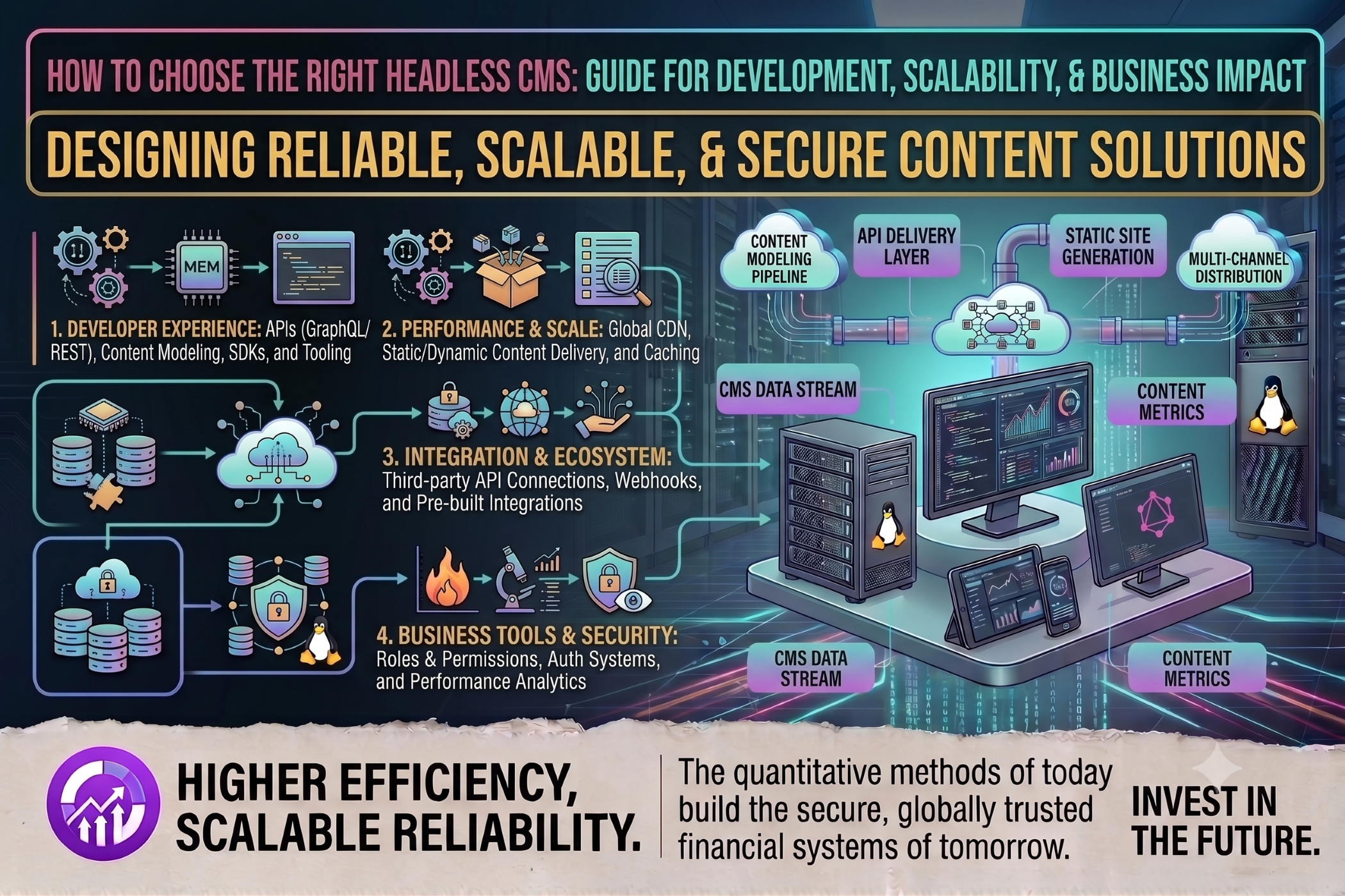
How to Choose the Right Headless CMS
Modern digital businesses often need to deliver content across websites, mobile applications, eCommerce platforms, digital displays, and other channels. Traditional content management systems can make this challenging when content needs to be reused across multiple platforms.
A headless CMS separates content management from the presentation layer, allowing developers to deliver content through APIs to different frontend applications. However, choosing the right headless CMS requires careful evaluation of technical, business, and operational requirements.
What Is a Headless CMS?
A headless CMS is a content management system that separates the backend content repository from the frontend presentation layer.
Instead of being tied to a specific website frontend, content can be delivered through APIs to:
Websites
Mobile applications
eCommerce platforms
Progressive web applications
IoT devices
Digital displays
Voice applications
This architecture provides greater flexibility for organizations building multi-channel digital experiences.
Why Choose a Headless CMS?
A headless CMS can provide several advantages for modern application development.
Omnichannel Content Delivery
Content can be created once and distributed across multiple digital channels through APIs.
Frontend Flexibility
Developers can use modern technologies such as React, Next.js, Vue, Angular, or mobile frameworks without being restricted by the CMS's frontend technology.
Scalability
Separating content management from presentation can make it easier to scale the frontend and backend independently.
Developer Experience
API-first CMS platforms can integrate with modern development workflows and technologies.
Reusable Content
Structured content can be reused across websites, applications, and other digital experiences.
Key Factors When Choosing a Headless CMS
1. Content Modeling
Start by understanding how your business content needs to be structured.
A good headless CMS should allow you to create content models that represent your actual business requirements.
Consider:
Content types
Relationships
Custom fields
Reusable components
Taxonomies
Localization
Versioning
A flexible content model becomes particularly important as the project grows.
2. API Capabilities
APIs are at the center of a headless CMS architecture.
Evaluate whether the CMS provides suitable REST, GraphQL, or other API capabilities.
Consider:
API performance
Authentication
Filtering
Pagination
Search
Webhooks
Rate limits
Documentation
The API should be reliable and easy for developers to integrate.
3. Scalability
Consider the expected content volume, traffic, number of users, and future growth of the platform.
Ask questions such as:
How many content items will the system manage?
How many editors will use the CMS?
What traffic levels are expected?
Can the platform scale as content and users increase?
Are there API or storage limitations?
Choosing a CMS based only on current requirements can create limitations later.
4. Developer Experience
Developers need efficient tools and clear documentation to integrate and maintain the CMS.
Look for:
Well-documented APIs
SDKs
Developer tools
Webhooks
Local development support
Framework compatibility
Testing capabilities
A strong developer experience can reduce development and maintenance effort.
5. Editorial Experience
The CMS should also work well for content editors and marketing teams.
Evaluate:
Content creation workflows
Media management
Preview functionality
Draft and publishing workflows
User roles
Approval processes
Scheduling
Version history
A technically powerful CMS may still be unsuitable if content teams find it difficult to use.
6. Security
Content management systems can contain sensitive business information and unpublished content.
Security considerations should include:
Authentication
Role-based access control
API security
Encryption
Audit logs
Access permissions
Data backups
Security monitoring
For enterprise projects, review the provider's security documentation and compliance capabilities.
7. Integrations
Your CMS may need to communicate with other systems.
Common integrations include:
CRM platforms
eCommerce platforms
Marketing automation
Analytics
Search services
DAM platforms
Authentication systems
Payment systems
Check whether the CMS provides native integrations, APIs, webhooks, or SDKs required for your architecture.
8. Localization
If your business operates across multiple countries or languages, localization should be considered early.
Look for support for:
Multiple languages
Regional content
Translation workflows
Locale-specific publishing
Localized media
Content fallback
A CMS with suitable localization features can simplify international content management.
9. Hosting and Deployment Options
Headless CMS platforms can have different hosting models.
Depending on the product, you may have options such as:
SaaS-hosted CMS
Self-hosted CMS
Cloud deployment
Private infrastructure
The appropriate option depends on your organization's security, compliance, operational, and infrastructure requirements.
10. Total Cost of Ownership
Pricing should not be evaluated only by the CMS subscription cost.
Consider the complete cost of ownership, including:
CMS licensing
API usage
Hosting
Storage
Development
Maintenance
Third-party services
Support
Migration
A platform with a lower starting price may have different costs as traffic, users, or API usage grows.
Popular Headless CMS Options
Depending on the project requirements, businesses may evaluate platforms such as:
Contentful
Sanity
Strapi
Storyblok
Directus
Hygraph
Payload
Each platform has different approaches to content modeling, hosting, APIs, customization, pricing, and editorial workflows.
Rather than choosing a platform based solely on popularity, evaluate each option against your specific project requirements.
Headless CMS for eCommerce
Headless architecture can be particularly useful for eCommerce businesses that want to separate content management from their storefront.
A headless CMS can manage:
Landing pages
Product-related content
Editorial content
Blogs
Promotional campaigns
Brand content
The storefront can then consume this content through APIs while using a separate eCommerce platform for products, inventory, orders, and payments.
Questions to Ask Before Selecting a Headless CMS
Before making a final decision, consider:
What types of content will we manage?
Which channels need access to the content?
Which APIs and integrations are required?
How many editors will use the CMS?
What level of scalability is required?
Do we need multiple languages?
What security and compliance requirements apply?
Do we need self-hosting?
What development frameworks will be used?
What is the expected total cost over several years?
Conclusion
Choosing the right headless CMS requires more than comparing features. Businesses should evaluate content modeling, API capabilities, scalability, security, integrations, editorial workflows, localization, hosting, developer experience, and total cost of ownership.
A suitable headless CMS should support the organization's current digital requirements while providing enough flexibility to evolve as new channels, applications, and business needs emerge.


