

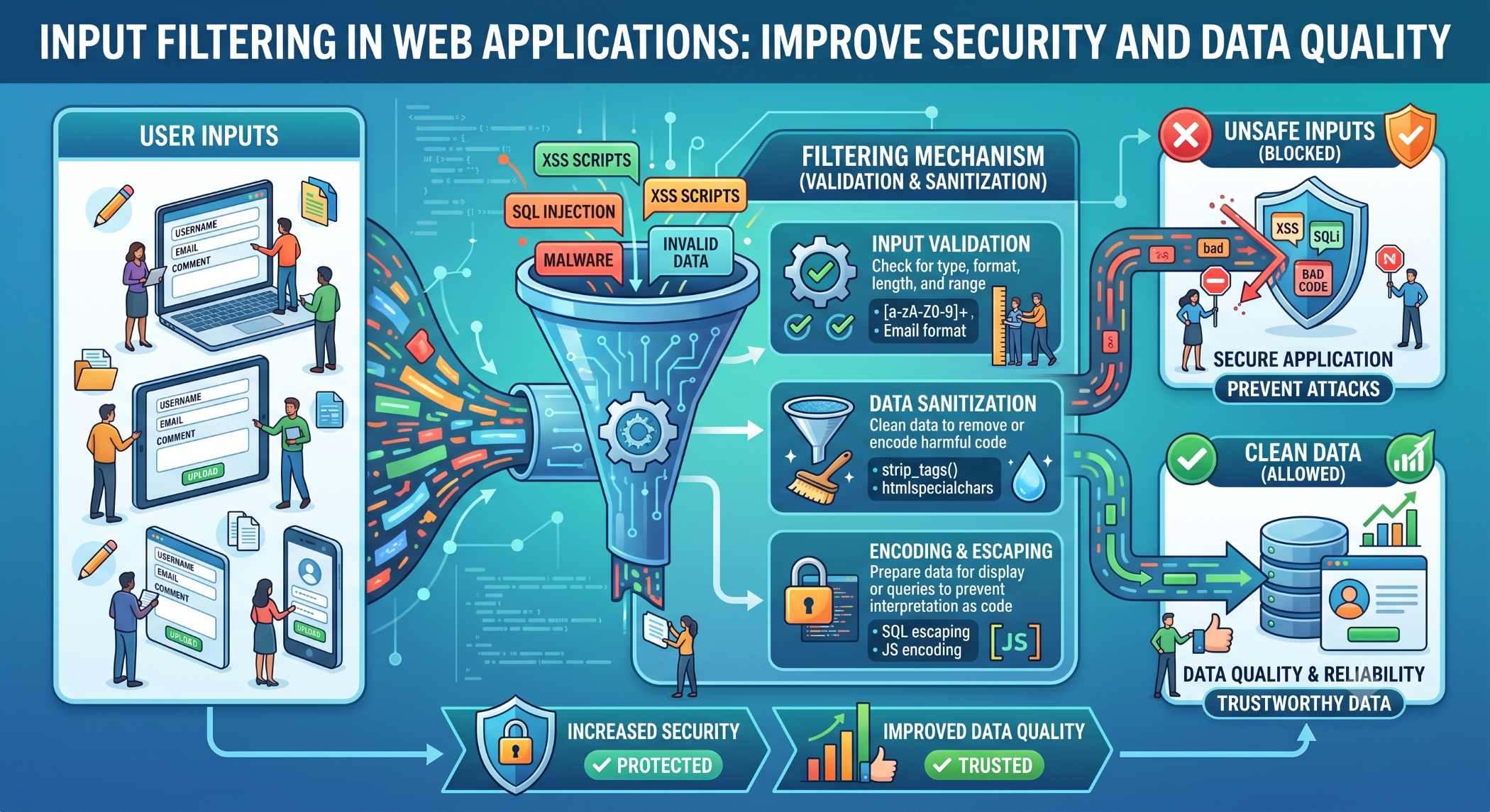
Input Filtering in Web Applications
Web applications receive data from many sources, including forms, APIs, query parameters, cookies, and uploaded files. Because this information may come from untrusted sources, applications should validate and safely process input before using it.
Input filtering is an important part of secure application development. It can help ensure that data meets expected requirements and reduce the risk of unsafe or unexpected input reaching application logic.
What Is Input Filtering?
Input filtering is the process of examining data received by an application and determining whether it meets defined requirements.
For example, an application may expect an age to be an integer:
$age = filter_input(INPUT_POST, 'age', FILTER_VALIDATE_INT);If the submitted value is not a valid integer, the application can reject it or handle the error appropriately.
Validation vs Sanitization
These two concepts are related but serve different purposes.
Validation checks whether data meets the application's expected rules.
For example:
$email = filter_input(
    INPUT_POST,
    'email',
    FILTER_VALIDATE_EMAIL
);
Sanitization attempts to transform or clean data into an acceptable form.
Developers should not assume that sanitizing input makes it safe for every context. Data should be properly encoded or escaped when it is eventually used in HTML, SQL, JavaScript, URLs, or other output contexts.
Why Input Filtering Is Important
Proper input handling can help protect applications from:
- Invalid data
- Unexpected application behavior
- Injection attacks
- Malformed requests
- Data-quality problems
Filtering should be applied at application boundaries, where external data enters the system.
Validate Data on the Server
Client-side validation can improve user experience, but it should never be the only layer of validation.
For example, a browser may validate an email field using HTML:
<input type="email" name="email">The server should still validate the submitted value because client-side checks can be bypassed.
Input Filtering in PHP
PHP provides the Filter extension with functions such as filter_input() and filter_var().
For example:
$url = filter_var(
    $url,
    FILTER_VALIDATE_URL
);
These functions can help validate common data types, but developers should select the appropriate validation rules for their specific requirements.
Use Prepared Statements for Database Input
Input filtering should not be treated as protection against SQL injection by itself.
When user input is used in database queries, use parameterized queries or prepared statements.
For example:
$stmt = $pdo->prepare(
    "SELECT id, name FROM users WHERE email = :email"
);

$stmt->execute([
    'email' => $email
]);
This separates data from SQL instructions and provides a stronger defense against SQL injection.
Escape Output for Its Context
Validated input can still require escaping before it is displayed.
For HTML output, for example:
echo htmlspecialchars(
    $name,
    ENT_QUOTES,
    'UTF-8'
);
The correct encoding method depends on where the value is being used.
File Upload Validation
Uploaded files require additional validation.
Do not rely only on the filename or client-provided MIME type. Check the file type, size, expected format, storage location, and application requirements before accepting an upload.
Uploaded files should also be stored securely and should not automatically be treated as executable content.
Do Not Trust HTTP Headers or Cookies
Request headers, cookies, URL parameters, and other client-controlled values should be treated as untrusted input.
For example:
$userId = $_GET['id'] ?? null;The application should validate $userId before using it.
Input Filtering Best Practices
Define expected input formats before development, validate data on the server, and use allowlists where practical.
Use prepared statements for database queries, context-appropriate output encoding, secure file-upload handling, and centralized validation where it improves consistency.
Do not rely on a single filter or sanitization function as a complete security solution.
Conclusion
Input filtering is an essential part of secure and reliable web development. Applications should treat data received from users and external systems as untrusted until it has been appropriately validated.
The strongest approach combines server-side validation, safe database access, context-aware output encoding, secure file handling, and clear application rules.
By handling input carefully at every application boundary, developers can improve both data quality and overall application security.


