

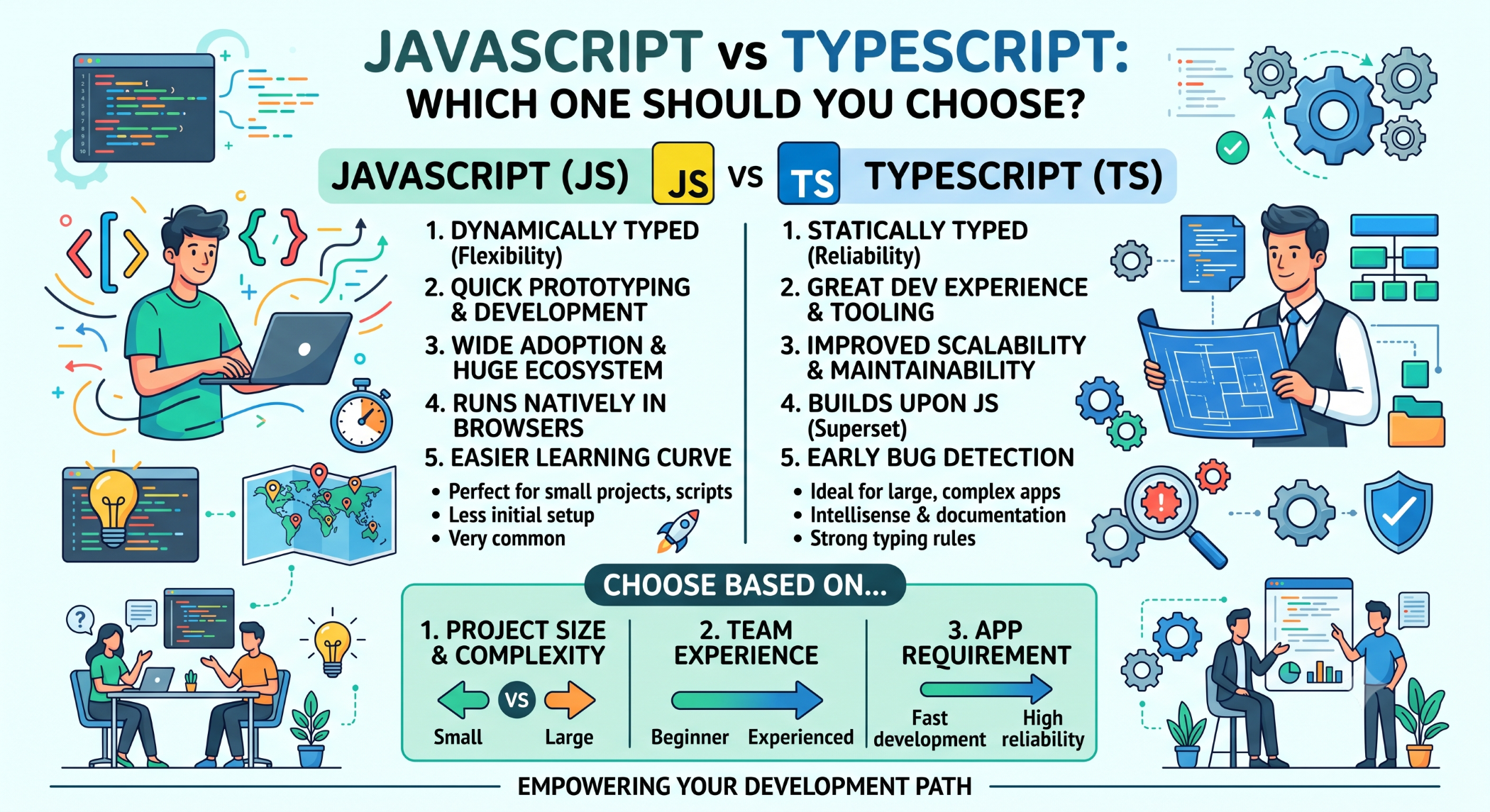
JavaScript vs TypeScript: Which One Should You Choose?
JavaScript is one of the most widely used programming languages for web development. As applications become larger and more complex, developers often look for additional tools that can improve code quality and maintainability. TypeScript addresses this need by adding static typing and other development features to JavaScript.
Both technologies are closely related, but they serve different development needs.
What Is JavaScript?
JavaScript is a programming language used to build interactive web applications. It runs directly in browsers and can also be used for backend development through runtimes such as Node.js.
A simple JavaScript example is:
const name = "John";
console.log(name);
JavaScript is commonly used for frontend interfaces, APIs, server-side applications, automation, and real-time functionality.
What Is TypeScript?
TypeScript is a programming language developed by Microsoft that builds on JavaScript by adding features such as static typing.
For example:
const name: string = "John";
const age: number = 30;
TypeScript code is compiled or transformed into JavaScript so that it can run in JavaScript environments.
JavaScript vs TypeScript
The main difference is type checking.
JavaScript is dynamically typed:
let value = 10;
value = "Hello";
TypeScript allows developers to specify the expected type:
let value: number = 10;
value = "Hello";
The TypeScript compiler can identify the incompatible assignment during development.
Static Typing
Static typing is one of TypeScript's biggest advantages.
Developers can define the expected types of variables, function parameters, and return values.
function calculateTotal(
price: number,
quantity: number
): number {
return price * quantity;
}
This makes the intended behavior clearer and can help identify certain mistakes before the application runs.
JavaScript Is Simpler to Start With
JavaScript has a lower initial learning requirement because developers can write and execute code without setting up a TypeScript compilation workflow.
For small scripts and simple websites, JavaScript can be sufficient.
TypeScript introduces additional concepts such as:
Types
Interfaces
Generics
Type annotations
Compiler configuration
These features become increasingly useful as application complexity grows.
TypeScript for Large Applications
Large applications can contain many modules, components, developers, and integrations.
TypeScript can help teams understand how different parts of an application are expected to interact.
For example:
interface Customer {
id: number;
name: string;
email: string;
}
This provides a clear structure that can be reused throughout the application.
Error Detection
JavaScript errors related to incorrect types may only become visible when a particular code path executes.
TypeScript can catch many type-related errors during development or the build process.
This can reduce debugging effort and provide additional confidence when modifying large codebases.
JavaScript and TypeScript Performance
TypeScript itself does not run in the browser as a separate runtime. It is transformed into JavaScript.
Therefore, application performance depends on the JavaScript output, application architecture, runtime behavior, browser, backend, and other factors.
Using TypeScript does not automatically make an application faster.
Its primary advantages are related to development safety, tooling, and maintainability.
JavaScript vs TypeScript for Frontend Development
Both technologies can be used with popular frontend frameworks and libraries.
For example:
JavaScript → React / Vue / Node.js
TypeScript → Angular / React / Node.js
TypeScript is particularly common in larger frontend applications where strong typing and structured development provide value.
JavaScript vs TypeScript for Backend Development
Both JavaScript and TypeScript can be used with Node.js.
JavaScript can provide a simpler development setup, while TypeScript can add stronger contracts and compile-time checking to larger backend applications.
For APIs and enterprise applications with multiple developers, TypeScript can make interfaces and data structures easier to manage.
TypeScript Interfaces and APIs
When a frontend communicates with a backend, TypeScript types can describe the expected structure of API data.
For example:
interface Product {
id: number;
name: string;
price: number;
}
This improves developer understanding and tooling.
However, TypeScript types do not validate actual network responses at runtime. External data should still be validated before it is trusted.
Which One Should You Choose?
Choose JavaScript When
JavaScript can be a good choice for smaller projects, simple websites, scripts, prototypes, and applications where a minimal development setup is preferred.
Choose TypeScript When
TypeScript is especially useful for larger applications where codebase size, team collaboration, refactoring, maintainability, and compile-time type checking are important.
Can JavaScript and TypeScript Work Together?
Yes. TypeScript is designed to work with JavaScript, and existing JavaScript projects can be migrated gradually.
A practical migration can start with selected modules or features rather than converting the entire application at once.
Existing JavaScript
↓
Add TypeScript Configuration
↓
Convert Selected Files
↓
Add Types
↓
Gradually Expand
This approach can reduce migration risk for large applications.
JavaScript and TypeScript at Solace Infotech
Solace Infotech works with JavaScript and TypeScript technologies across modern web and application development, including Angular, React, Node.js, APIs, and other JavaScript-based solutions.
Technology selection depends on project size, application complexity, team expertise, development timeline, and long-term maintenance requirements.
Best Practices
Choose JavaScript or TypeScript based on the needs of the project rather than treating one as universally better.
For TypeScript projects, use meaningful types, enable strong compiler checks where appropriate, avoid unnecessary use of any, and validate external data at runtime.
For JavaScript projects, use modern syntax, modular architecture, testing, linting, and clear coding conventions to maintain code quality.
Conclusion
JavaScript and TypeScript are closely connected, but they offer different development experiences.
JavaScript provides simplicity and flexibility, while TypeScript adds static typing and stronger development tooling that can be particularly valuable for large and complex applications.
For a small project, JavaScript may be all that is required. For a growing application with multiple developers and a long-term maintenance lifecycle, TypeScript can provide a stronger foundation for managing complexity.
The best choice ultimately depends on the project requirements, team structure, application size, and long-term development strategy.


