max_connections in MySQL
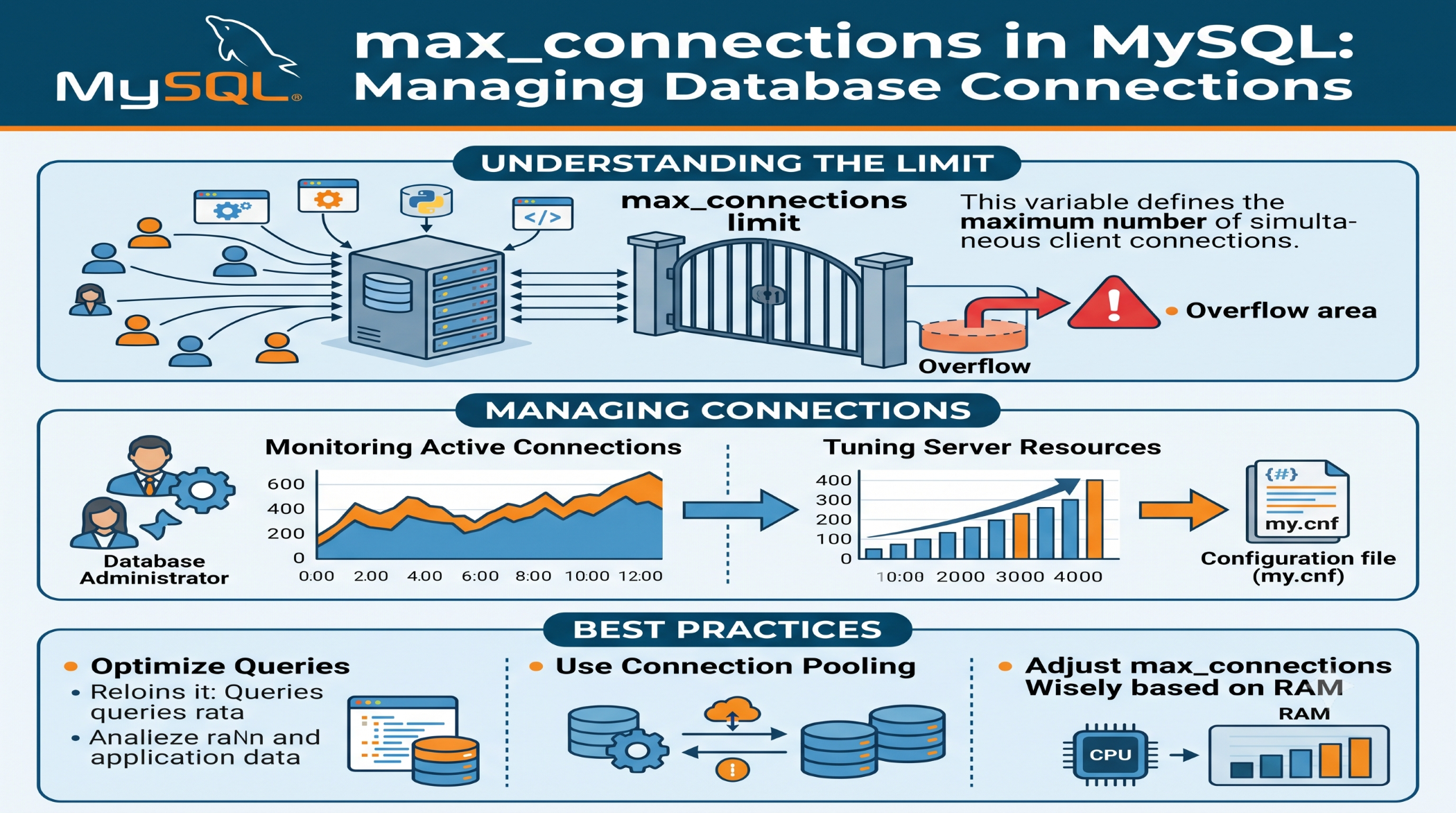
A MySQL server can receive requests from websites, mobile applications, APIs, background jobs, and other services at the same time. To handle these requests effectively, MySQL limits the number of simultaneous client connections.
The max_connections system variable defines the maximum number of client connections allowed at once.
What Is max_connections?
You can check the current value with:
SHOW VARIABLES LIKE 'max_connections';For example:
max_connections 151The actual default depends on the MySQL version and configuration.
Why Is max_connections Important?
If an application tries to create more connections than the configured limit, MySQL can reject additional connections with a "Too many connections" error.
This can happen when:
- Traffic increases suddenly.
- Applications do not close connections properly.
- Connection pooling is misconfigured.
- Background jobs create too many simultaneous connections.
- The server is undersized for the workload.
Check Current Connections
You can see the number of currently active client threads with:
SHOW STATUS LIKE 'Threads_connected';You can also check the highest number of simultaneous connections since the server started:
SHOW STATUS LIKE 'Max_used_connections';These values help determine whether the configured limit is actually being approached.
Increase max_connections
The setting can be configured in MySQL:
[mysqld]
max_connections=300
The correct value should depend on the server's available resources and application workload.
Simply increasing the number does not necessarily improve performance. Every connection consumes server resources, so setting the value unnecessarily high can increase memory pressure.
Don't Increase It Blindly
A better approach is to investigate why connections are being exhausted.
Check:
- Connection usage.
- Slow queries.
- Long-running transactions.
- Application connection handling.
- Connection-pooling settings.
- Server memory.
Often, improving connection management or query performance is better than simply raising the limit.
Best Practices
Keep max_connections appropriate for the server's capacity. Monitor Threads_connected and Max_used_connections, and make sure applications release unused connections properly.
For high-traffic applications, connection pooling and efficient database access can help prevent unnecessary connection growth.
Conclusion
max_connections is an important MySQL setting that controls the maximum number of simultaneous client connections.
A properly configured value helps balance application availability with server resource usage. Instead of increasing the limit automatically, monitor real connection demand and optimize the application and database workload alongside the configuration.