MemFree in Linux: Understanding Free Memory
Memory monitoring is an important part of Linux system administration. When troubleshooting server performance, developers often need to understand how much RAM is available and how it is being used.
MemFree is one of the memory statistics provided by Linux through /proc/meminfo.
What Is MemFree?
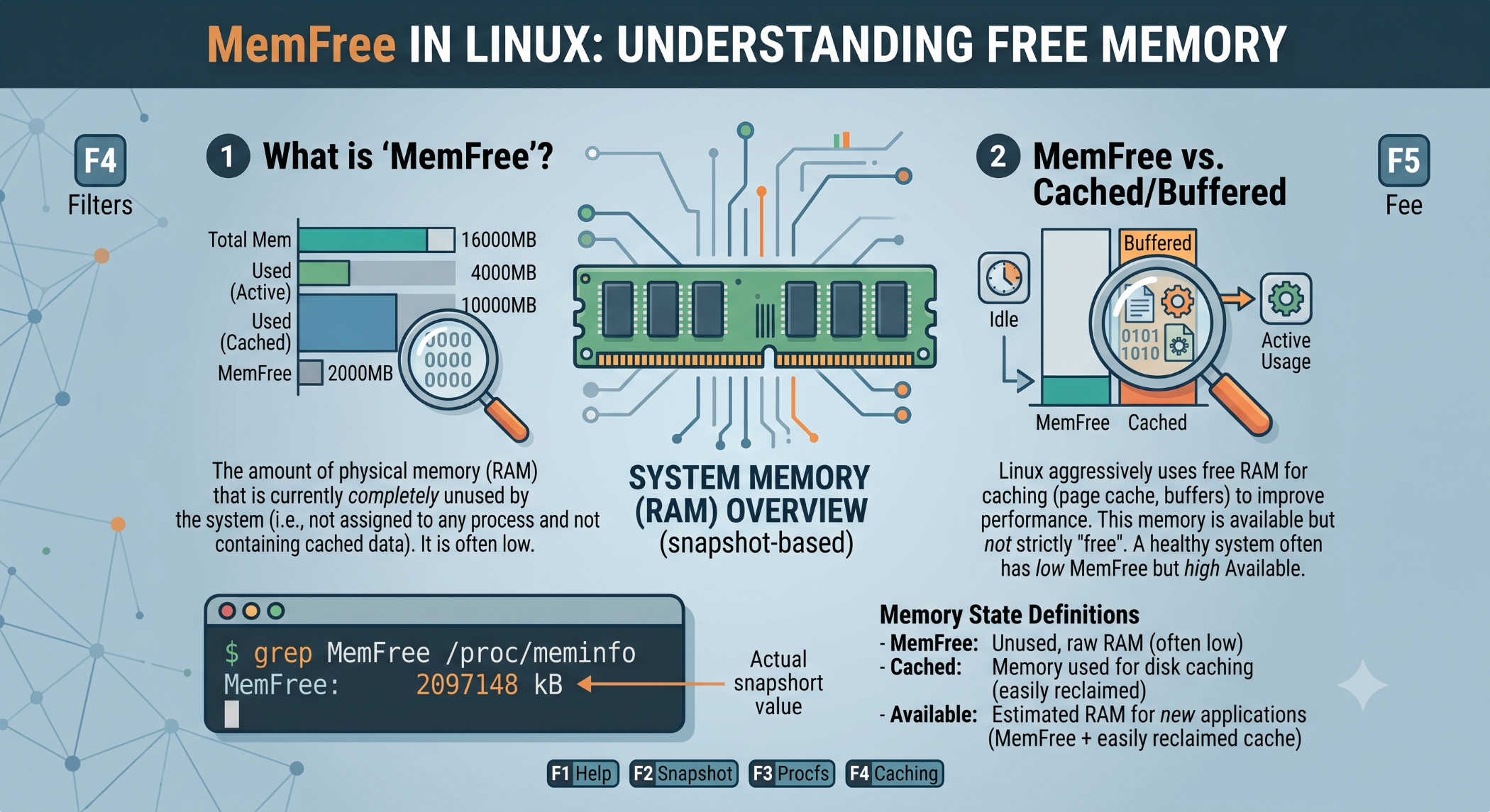
MemFree represents the amount of physical RAM that is currently unused by the Linux system.
You can check it with:
cat /proc/meminfoTo display only MemFree:
grep MemFree /proc/meminfoThe value is typically reported in kilobytes.
Is High MemFree Always Better?
Not necessarily.
Linux uses available memory for useful purposes such as filesystem caching and buffers. Therefore, a low MemFree value alone does not automatically mean the system is running out of memory.
A more useful metric for many practical checks is:
MemAvailableThis estimates how much memory can be made available to applications without significant swapping.
Check Memory With free
The free command provides a more convenient memory summary:
free -hIt reports values such as total, used, free, and available memory.
For detailed analysis, you can combine it with:
cat /proc/meminfoWhy Monitor Memory?
Memory monitoring can help identify:
- Applications consuming excessive RAM.
- Memory pressure.
- Heavy swap usage.
- Server performance problems.
- Potential memory leaks.
If a system frequently runs low on available memory, further investigation may be necessary.
Best Practices
Do not judge Linux memory health using MemFree alone. Consider MemAvailable, swap usage, application behavior, and overall system activity together.
For regular monitoring, free -h is convenient, while /proc/meminfo is useful when detailed memory statistics are required.
Conclusion
MemFree is a useful Linux memory statistic that shows currently unused physical memory. However, it should not be treated as the only measure of system health.
Understanding MemFree along with MemAvailable, swap, and overall memory usage gives developers and system administrators a better view of Linux memory conditions.