

Modules Support in JavaScript: Build Scalable and Maintainable Applications
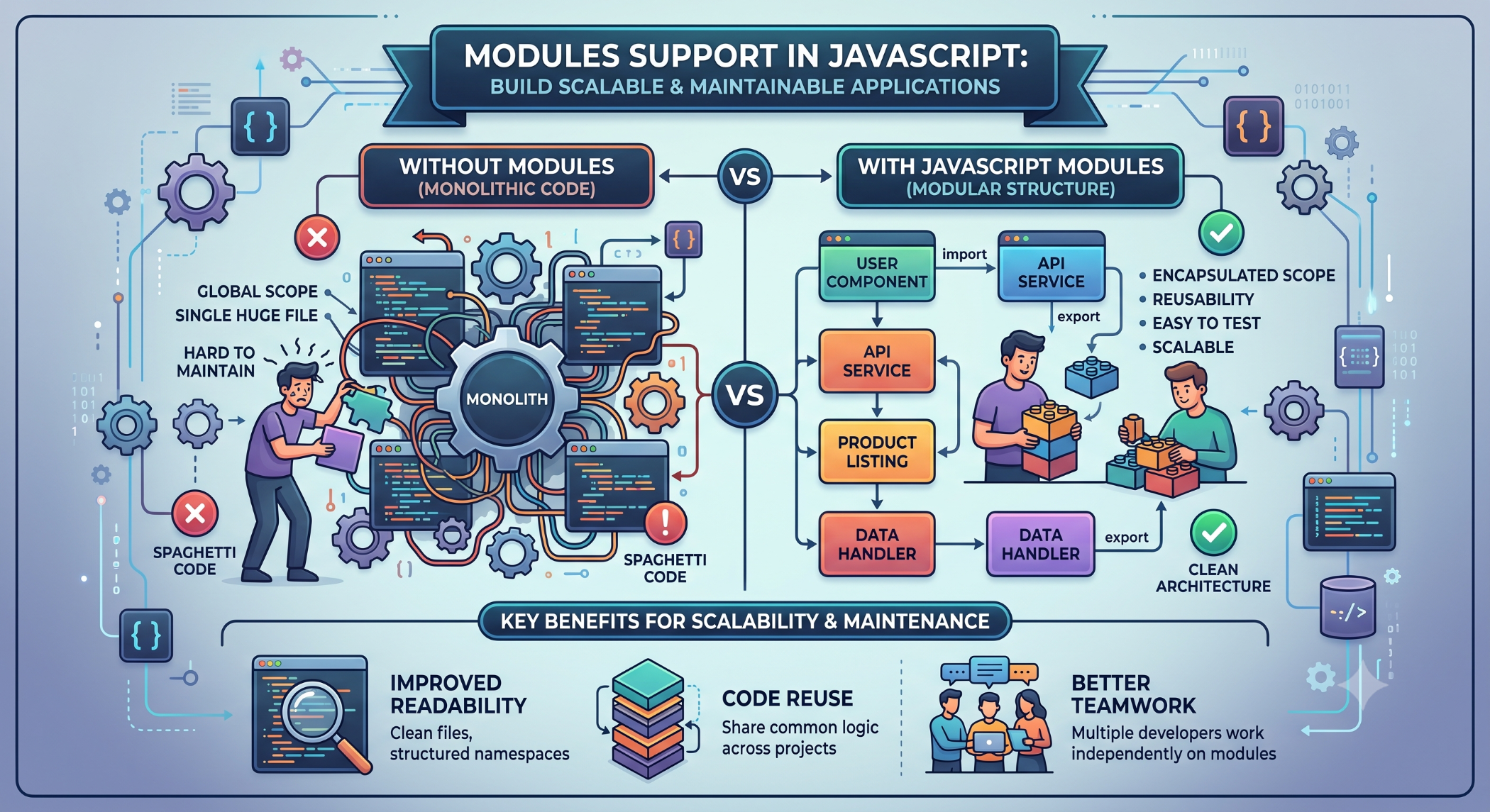
As JavaScript applications grow, keeping all functionality in a single file can make the code difficult to understand, test, and maintain. Modules support provides a structured way to divide an application into smaller, reusable files and components.
Modern JavaScript includes native module support through ECMAScript Modules (ES Modules), while server-side ecosystems such as Node.js have also supported module systems such as CommonJS.
What Are JavaScript Modules?
A module is a separate piece of code that encapsulates related functionality and can expose selected variables, functions, classes, or objects to other parts of an application.
A simple module might look like:
export function add(a, b) {
return a + b;
}
Another file can import the function:
import { add } from "./math.js";
console.log(add(10, 20));
This separation makes the application easier to organize.
Why Use Modules?
Modules can help developers:
Organize large codebases.
Reuse functionality.
Reduce global variables.
Improve maintainability.
Make testing easier.
Define clear dependencies between components.
For large development teams, modular code can also make it easier for multiple developers to work on different parts of an application.
ES Modules
ES Modules (ESM) are the standardized module system in modern JavaScript.
The main keywords are:
export
import
For example:
export const company = "Solace Infotech";
You can import it into another module:
import { company } from "./config.js";
console.log(company);
This provides a standardized way to share functionality between JavaScript files.
Named Exports
Named exports allow multiple values to be exported from a module.
export const name = "John";
export function greet() {
return `Hello ${name}`;
}
They can then be imported by name:
import { name, greet } from "./user.js";
This is useful when a module contains several related functions or values.
Default Exports
A module can also define a default export:
export default function greet(name) {
return `Hello ${name}`;
}
The importing file can choose its own local name:
import greetUser from "./greet.js";
console.log(greetUser("John"));
Default exports can be useful when a module has one primary responsibility.
Modules in Node.js
Node.js supports both CommonJS and ECMAScript Modules, with behavior determined by project configuration and file conventions.
CommonJS uses:
const fs = require("fs");
and:
module.exports = myFunction;
ES Modules use:
import fs from "node:fs";
and:
export default myFunction;
When starting a new Node.js application, developers should choose a module system deliberately and keep the project configuration consistent.
Modules and Code Organization
A modular application can separate functionality into logical areas.
For example:
src/
├── users/
│ ├── user.service.js
│ └── user.controller.js
├── products/
│ ├── product.service.js
│ └── product.controller.js
├── config/
│ └── database.js
└── app.js
This structure makes it easier to locate and modify functionality as the application grows.
Modules and Reusability
One of the biggest advantages of modules is code reuse.
For example, a validation utility can be written once:
export function isValidEmail(email) {
return /^[^\s@]+@[^\s@]+\.[^\s@]+$/.test(email);
}
It can then be reused across different parts of the application.
This reduces duplicated logic and makes maintenance easier.
Modules and Dependency Management
Modules make dependencies explicit.
Instead of relying on globally available functions, a file can clearly declare what it requires:
import { calculateTotal } from "./cart.js";
This improves readability and makes relationships between different parts of the application easier to understand.
Modules in Frontend Frameworks
Modules are fundamental to modern frontend development.
Frameworks and libraries such as Angular, React, and Vue commonly rely on modular application structures.
A frontend application can separate components, services, utilities, configuration, and business logic into individual modules or files.
This supports cleaner architecture as the application grows.
Modules and TypeScript
TypeScript builds on JavaScript's module system.
For example:
export interface User {
id: number;
name: string;
}
Another module can import the interface:
import { User } from "./models";
This combination of modules and types can provide a clear structure for large applications.
Benefits for Large Applications
Modular architecture becomes particularly valuable when applications contain many features and developers.
Well-defined modules can provide:
Separation of concerns: Related functionality stays together.
Reusability: Common functionality can be shared.
Maintainability: Smaller files are generally easier to understand and modify.
Testing: Individual modules can be tested independently.
Scalability: New application features can be added without placing everything into one large codebase.
Best Practices
Keep modules focused on a clear responsibility. Avoid creating modules that contain unrelated functionality.
Use consistent naming and directory structures, define dependencies explicitly, and avoid unnecessary circular dependencies.
Export only what other modules actually need and keep internal implementation details private where practical.
Modules Support at Solace Infotech
Modular architecture is valuable across Solace Infotech's modern development work involving JavaScript, TypeScript, Angular, React, Node.js, APIs, and web applications.
Breaking large applications into manageable modules can help development teams improve maintainability, testing, collaboration, and long-term scalability.
Conclusion
Modules support is an essential part of modern JavaScript development. By dividing applications into small, reusable, and independent pieces, developers can create codebases that are easier to understand, test, maintain, and extend.
With native ES Modules and established server-side module systems, JavaScript provides flexible options for organizing both frontend and backend applications.
A well-designed modular architecture can help teams manage application complexity while keeping development more structured and scalable.


