

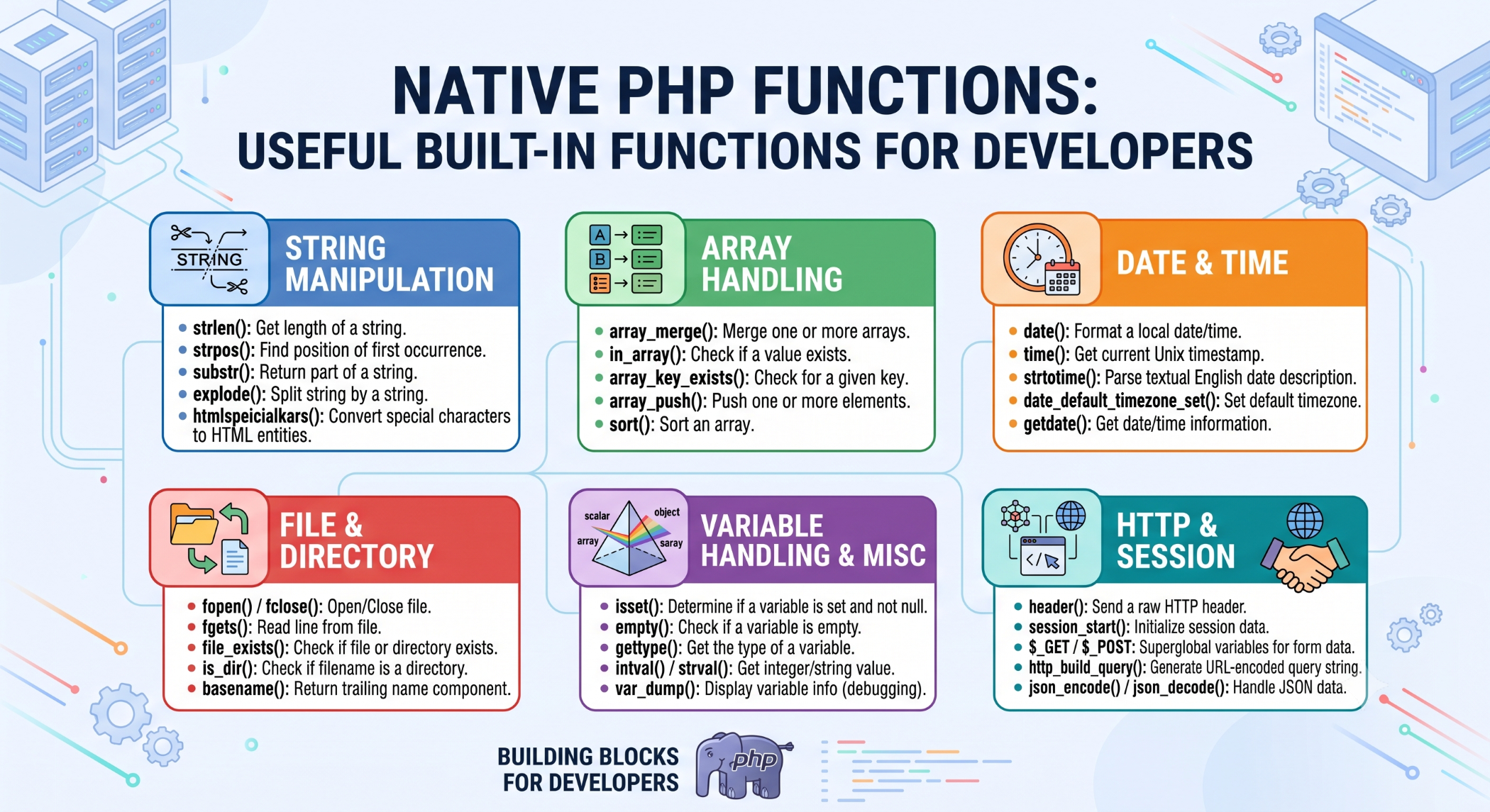
Native PHP Functions: Useful Built-In Functions for Developers
PHP provides a large collection of native or built-in functions that developers can use to perform common programming tasks. These functions can simplify application development, reduce duplicated code, and make solutions easier to maintain.
Instead of creating a custom function for an operation that PHP already supports, developers can often use an existing native function.
What Are Native PHP Functions?
Native PHP functions are functions provided by the PHP language itself.
They cover many common programming requirements, including:
- String manipulation
- Array processing
- File handling
- Date and time operations
- Mathematical calculations
- Data validation
- JSON processing
For example:
$name = "john";

echo strtoupper($name);
The strtoupper() function converts the string to uppercase.
Common String Functions
PHP includes many functions for handling text.
$text = "Hello World";

echo strlen($text);
echo strtolower($text);
echo strtoupper($text);
Other useful functions include strpos(), substr(), str_replace(), and trim().
These functions are useful for validating, formatting, and processing text without writing the underlying logic from scratch.
Common Array Functions
Arrays are frequently used in PHP applications, and PHP provides many functions for manipulating them.
For example:
$items = ["Apple", "Banana", "Orange"];

echo count($items);

sort($items);
Functions such as count(), sort(), array_merge(), in_array(), and array_filter() can simplify common array operations.
File Handling Functions
PHP also provides native functions for working with files.
For example:
$content = file_get_contents("data.txt");

echo $content;
Other functions can be used to write files, check whether files exist, and work with directories.
File operations should always be combined with appropriate permissions and security controls.
Date and Time Functions
PHP provides functions for working with dates and times.
echo date("Y-m-d");Date and time functionality can be useful for generating timestamps, formatting dates, scheduling operations, and displaying information to users.
Applications should also consider time zones carefully when working with users across different regions.
JSON Functions
Modern PHP applications frequently exchange data using JSON.
Native functions make this straightforward:
$data = [
    "name" => "John",
    "status" => "active"
];

$json = json_encode($data);
JSON data can also be converted back into PHP values using json_decode().
Why Use Native PHP Functions?
Using built-in functions can provide several benefits:
Less development effort: Developers do not need to implement common functionality themselves.
Cleaner code: Established functions can make code shorter and easier to understand.
Better maintainability: Other PHP developers are more likely to recognize standard functions immediately.
Reliable functionality: Native functions are part of the PHP language and are documented as part of its standard functionality.
Don't Reinvent Existing Functionality
Before writing a custom implementation, check whether PHP already provides a suitable function.
For example, instead of manually looping through an array to count elements:
$count = count($items);Using the native function is simpler and communicates the intent clearly.
Use Functions Appropriately
Native functions should still be used carefully. Always understand their behavior, expected parameters, return values, and security implications.
For example, functions that process user input should not be treated as a substitute for proper validation and security practices.
Conclusion
Native PHP functions provide developers with a powerful collection of ready-to-use functionality for everyday programming tasks.
By making effective use of functions for strings, arrays, files, dates, JSON, and other common operations, developers can write cleaner code and reduce unnecessary development effort.
Understanding PHP's built-in functions is therefore an essential skill for anyone developing modern PHP applications.


