

Operating Systems: Understanding the Foundation of Modern Computing
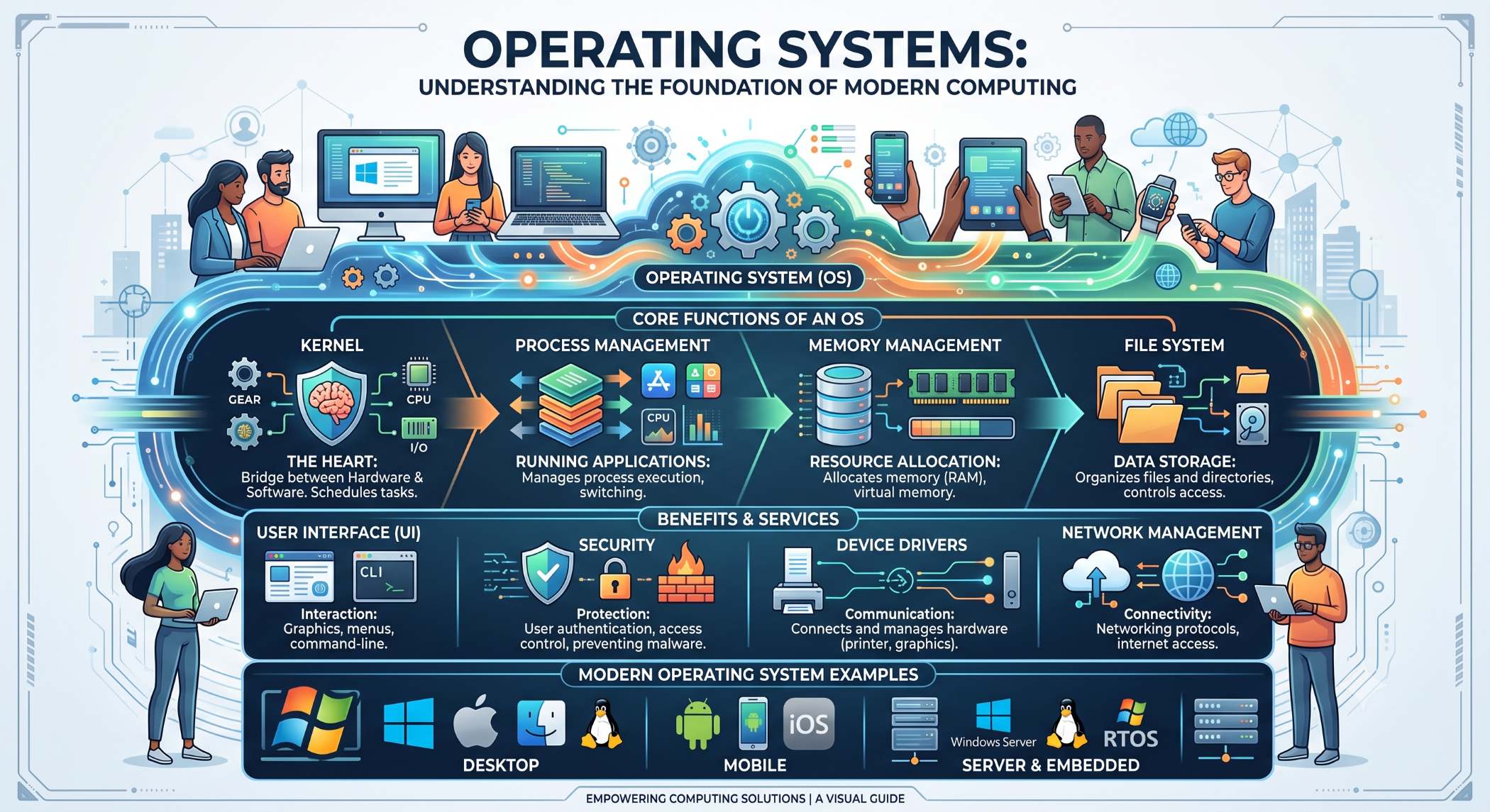
Every computer, server, smartphone, and many other digital devices requires software that manages hardware and provides an environment for applications to run. An operating system (OS) performs these essential tasks and acts as an interface between users, applications, and hardware.
From Windows and Linux to Android and iOS, operating systems are a fundamental part of modern computing.
What Is an Operating System?
An operating system is system software that manages computer hardware and provides common services for applications.
It manages resources such as:
CPU
Memory
Storage
Network
Input and output devices
A simplified architecture looks like:
User
↓
Applications
↓
Operating System
↓
Hardware
The operating system coordinates these layers so applications can use hardware without needing to directly manage every hardware operation themselves.
Core Functions of an Operating System
Process Management
The operating system manages running programs and processes.
It allocates CPU time, manages process states, and helps multiple applications run concurrently.
For example, a server can run a web server, database service, background jobs, and monitoring tools at the same time.
Memory Management
The operating system manages RAM and allocates memory to applications and processes.
Linux administrators can inspect memory information using commands such as:
free -h
and:
cat /proc/meminfo
Effective memory management helps applications operate reliably while preventing unnecessary resource consumption.
File Management
Operating systems provide file systems for storing and organizing data.
They manage files, directories, permissions, metadata, and storage operations.
Linux administrators can use commands such as:
df -h
to check filesystem space and:
du -sh /var/log
to investigate directory usage.
Device Management
The operating system communicates with hardware devices through drivers and system interfaces.
This includes devices such as storage drives, keyboards, displays, network interfaces, printers, and other peripherals.
Types of Operating Systems
Desktop Operating Systems
Desktop operating systems are designed for personal computers and workstations.
Examples include:
Windows
macOS
Linux
They provide graphical interfaces, application support, networking, file management, and hardware management.
Server Operating Systems
Server operating systems are designed to run services and applications reliably in server environments.
Linux is widely used for web servers, application servers, databases, cloud infrastructure, and development environments.
Server operating systems typically emphasize stability, security, resource management, and remote administration.
Mobile Operating Systems
Mobile operating systems are designed specifically for smartphones and tablets.
Examples include:
Android
iOS
They provide support for touch interfaces, mobile hardware, applications, notifications, sensors, and device-specific capabilities.
Embedded Operating Systems
Embedded operating systems are used in specialized devices such as industrial systems, networking equipment, automotive systems, appliances, and IoT devices.
These systems are often designed around specific hardware and resource constraints.
Operating System Security
Security is one of the most important responsibilities of an operating system.
Operating systems provide mechanisms for:
User authentication
File permissions
Process isolation
Access control
Security updates
Network security
Linux, for example, uses file and directory permissions to control who can read, modify, or execute resources.
Operating Systems and Application Development
Developers interact with the operating system through system APIs, libraries, runtimes, and development tools.
For example, a web application may depend on:
Operating System
↓
Web Server
↓
Runtime
↓
Application
↓
Database
Understanding the underlying operating system can help developers troubleshoot performance, networking, storage, permissions, and deployment problems.
Linux for Server Management
Linux is particularly important in web and cloud development because it provides powerful command-line tools for managing applications and infrastructure.
Commands such as:
top
htop
free -h
df -h
du -ah
reboot
can help administrators monitor and manage system resources.
Choosing the Right Operating System
The appropriate operating system depends on the device and business requirements.
Consider:
Application compatibility: Does the required software support the operating system?
Performance: Does it provide the required resource efficiency?
Security: Are appropriate security controls and update mechanisms available?
Hardware support: Does it work reliably with the target hardware?
Administration: How easy is it to manage, monitor, and maintain?
Cost: Consider licensing, infrastructure, support, and maintenance costs.
Operating Systems at Solace Infotech
Operating-system knowledge is an important part of software development and server management at Solace Infotech.
Development and deployment environments may involve technologies such as Linux, Apache, PHP, MySQL, cloud infrastructure, web applications, and mobile platforms, depending on the project requirements.
Understanding the operating environment helps development teams build, deploy, troubleshoot, and maintain reliable applications.
Conclusion
An operating system provides the foundation on which modern software runs. It manages processes, memory, files, hardware, networking, and security, while providing applications with the services they need to operate.
Whether developing a website, managing a Linux server, building a mobile application, or deploying cloud infrastructure, understanding the operating system helps technology teams make better technical decisions and troubleshoot problems more effectively.


