

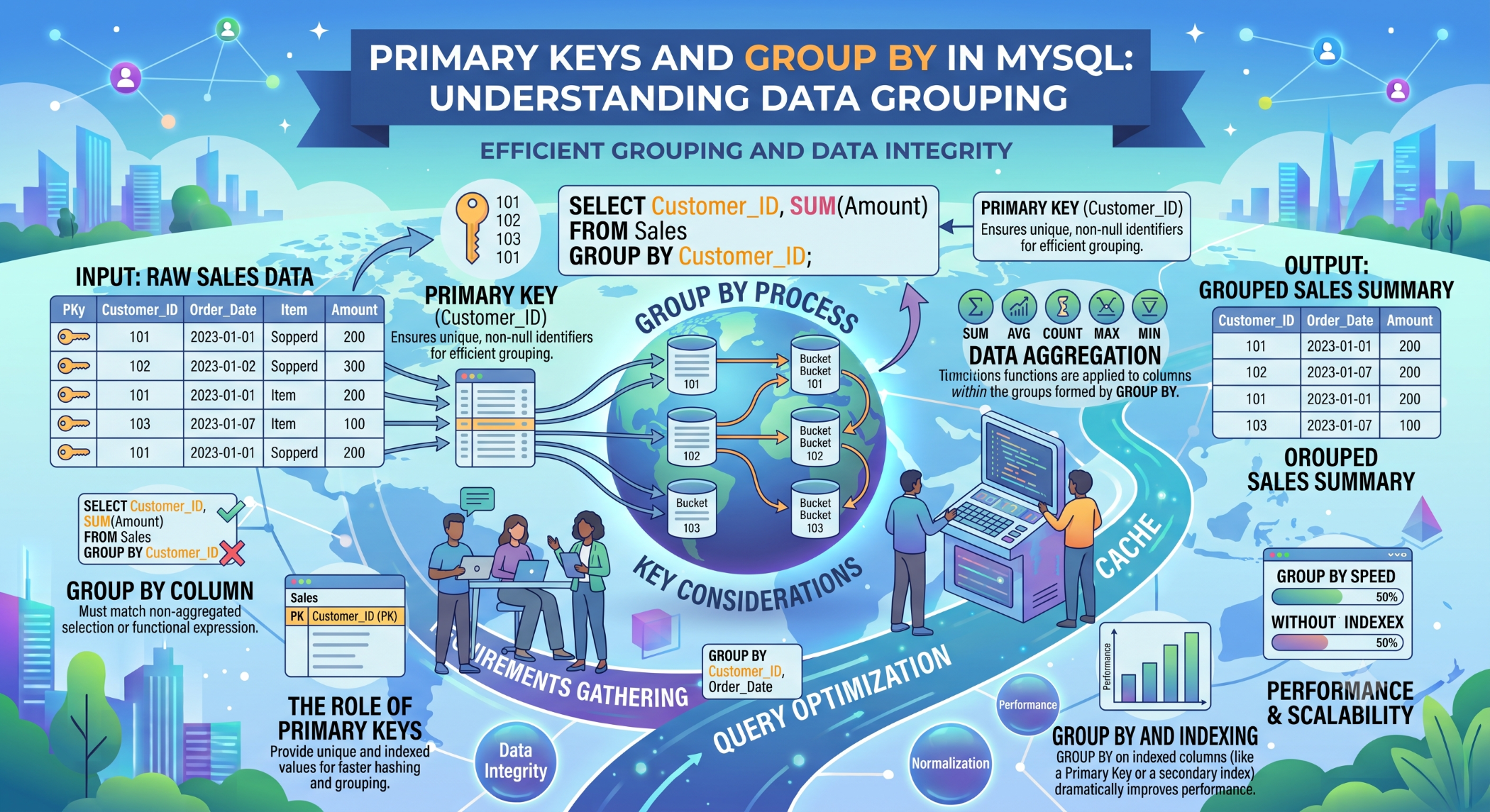
Primary Keys and GROUP BY in MySQL
MySQL databases use several important concepts to organize and retrieve data efficiently. Primary keys uniquely identify records, while the GROUP BY clause allows developers to combine rows with similar values for reporting and aggregation.
Understanding both concepts is essential when designing relational databases and writing efficient SQL queries.
What Is a Primary Key?
A primary key is a column, or combination of columns, that uniquely identifies each row in a table.
For example:
CREATE TABLE customers (
id INT PRIMARY KEY AUTO_INCREMENT,
name VARCHAR(100),
email VARCHAR(150)
);
Here, id acts as the primary key for the customers table.
A primary key must uniquely identify each row and cannot contain NULL values.
Why Are Primary Keys Important?
Primary keys help databases maintain data integrity and provide a reliable way to reference individual records.
For example, an order can refer to a customer using the customer's primary key:
Customer
↓
customer_id
↓
Order
This relationship is commonly implemented using a foreign key.
What Is GROUP BY?
The GROUP BY clause is used to group rows that have the same values in one or more columns.
It is commonly used with aggregate functions such as:
COUNT()
SUM()
AVG()
MIN()
MAX()
For example:
SELECT status, COUNT(*) AS total
FROM orders
GROUP BY status;
This can produce a summary such as:
active 150
completed 425
cancelled 20
The actual results depend on the data in the table.
GROUP BY With Multiple Columns
You can group data using more than one column.
For example:
SELECT customer_id, status, COUNT(*) AS total
FROM orders
GROUP BY customer_id, status;
This produces groups based on each unique combination of customer_id and status.
Primary Key With GROUP BY
A primary key uniquely identifies every row, so grouping by a primary key generally creates one group per row.
For example:
SELECT id, COUNT(*)
FROM customers
GROUP BY id;
Since each id is unique, each customer forms its own group.
GROUP BY becomes more useful when grouping by columns that contain repeated values, such as status, category, or customer ID in a related table.
GROUP BY With Aggregate Functions
One of the most common uses of GROUP BY is generating business reports.
For example, to calculate the total value of orders for each customer:
SELECT
customer_id,
SUM(total_amount) AS total_sales
FROM orders
GROUP BY customer_id;
Here, multiple order records are grouped by customer_id, and SUM() calculates the combined order value for each customer.
GROUP BY With JOIN
GROUP BY can also be used with related tables.
For example:
SELECT
customers.name,
COUNT(orders.id) AS order_count
FROM customers
LEFT JOIN orders
ON orders.customer_id = customers.id
GROUP BY customers.id, customers.name;
This can provide the number of orders associated with each customer.
GROUP BY vs DISTINCT
GROUP BY and DISTINCT can sometimes appear to produce similar results, but they serve different purposes.
DISTINCT is generally used to remove duplicate rows from the selected result.
SELECT DISTINCT status
FROM orders;
GROUP BY is designed to create groups, particularly when aggregate calculations are needed:
SELECT status, COUNT(*)
FROM orders
GROUP BY status;
Choose the feature that best expresses the purpose of the query.
HAVING With GROUP BY
The HAVING clause filters groups after aggregation.
For example:
SELECT
customer_id,
COUNT(*) AS order_count
FROM orders
GROUP BY customer_id
HAVING COUNT(*) > 10;
This returns customers with more than 10 orders.
WHERE filters individual rows before grouping, while HAVING filters the resulting groups.
GROUP BY and Query Performance
Grouping large datasets can require significant database resources.
Appropriate indexes, efficient filtering, and retrieving only required columns can help improve query performance.
For example, filtering before grouping can reduce the amount of data that needs to be processed:
SELECT customer_id, COUNT(*)
FROM orders
WHERE status = 'completed'
GROUP BY customer_id;
Always use tools such as EXPLAIN and actual workload measurements when investigating query performance.
Common GROUP BY Mistakes
A frequent mistake is selecting columns that are neither aggregated nor appropriately included in the GROUP BY clause.
For example:
SELECT customer_id, status, COUNT(*)
FROM orders
GROUP BY customer_id;
Depending on MySQL's SQL mode, this may be rejected because status is not uniquely determined by customer_id.
A clearer query is:
SELECT customer_id, status, COUNT(*)
FROM orders
GROUP BY customer_id, status;
Best Practices
Use primary keys to uniquely identify records and foreign keys to establish relationships between tables.
Use GROUP BY when you need summaries or aggregations, filter rows with WHERE before grouping when appropriate, and use HAVING to filter aggregated results.
Test queries with realistic datasets and use EXPLAIN when performance is important.
Conclusion
Primary keys and GROUP BY serve very different purposes in MySQL, but both are fundamental to effective database development.
A primary key provides unique identification and supports relationships between tables, while GROUP BY organizes related rows into groups so that developers can generate useful summaries using aggregate functions.
Understanding how these concepts work together can help developers build better database structures, write clearer SQL queries, and create more useful reports and application features.


