

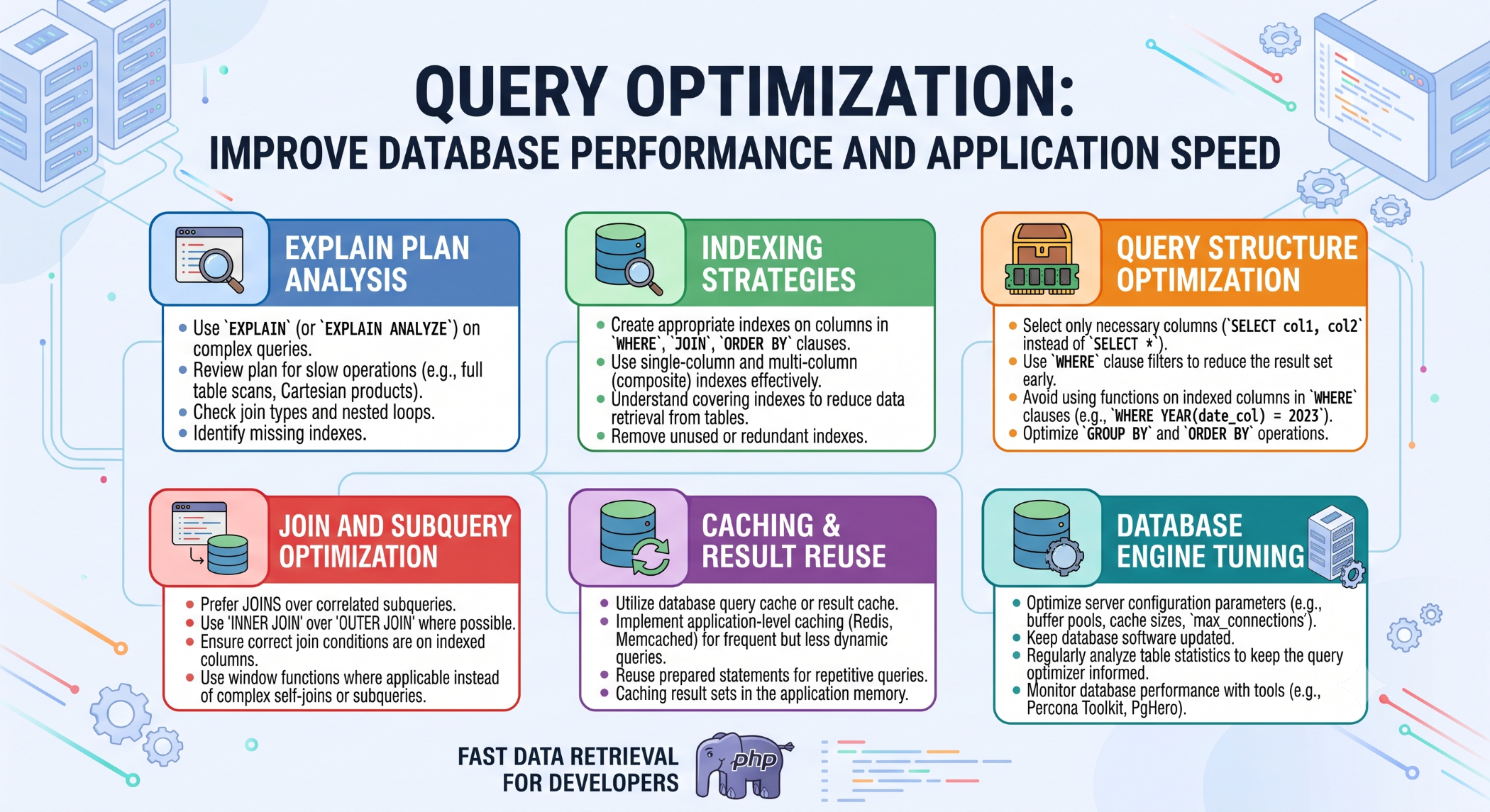
Query Optimization: Improve Database Performance and Application Speed
Database queries are at the core of many web and business applications. As data volumes grow and more users access an application, inefficient queries can become a major performance bottleneck.
Query optimization is the process of improving SQL queries so that databases can retrieve and process data more efficiently. A well-optimized query can reduce execution time, lower server resource usage, and improve the overall application experience.
Why Query Optimization Matters
Poorly optimized queries can cause slow page loads, increased CPU and memory usage, unnecessary disk activity, and database bottlenecks.
Query optimization helps businesses:
- Improve application response time.
- Reduce database resource consumption.
- Handle larger datasets efficiently.
- Improve scalability.
- Provide a better user experience.
Retrieve Only the Required Data
One of the simplest ways to improve a query is to retrieve only the columns the application actually needs.
Instead of:
SELECT *
FROM users;
use:
SELECT id, name, email
FROM users;
Fetching only required data reduces unnecessary processing and data transfer.
Use Appropriate Indexes
Indexes help databases locate records more efficiently.
For example:
CREATE INDEX idx_users_email
ON users(email);
Indexes are particularly useful for columns frequently used in WHERE, JOIN, and ORDER BY conditions.
However, excessive indexing can increase storage requirements and add overhead to insert and update operations. Indexes should therefore be created according to real application query patterns.
Use EXPLAIN
The EXPLAIN statement helps developers understand how the database executes a query.
EXPLAIN
SELECT id, name
FROM users
WHERE email = 'john@example.com';
It can help identify inefficient scans, missing indexes, join issues, and other potential bottlenecks.
Optimize Joins
Applications often need to retrieve information from multiple related tables.
For example:
SELECT orders.id, customers.name
FROM orders
JOIN customers
    ON orders.customer_id = customers.id;
Proper join conditions and indexes on commonly joined columns can improve performance, especially when tables contain large amounts of data.
Avoid Unnecessary Database Queries
Applications sometimes execute the same query repeatedly or make multiple database calls when fewer requests could provide the required information.
Reducing unnecessary queries can improve both application and database performance.
Caching can also help reduce repeated queries for data that does not change frequently.
Optimize WHERE Conditions
Filtering large datasets requires careful query design.
For example:
SELECT id, name
FROM products
WHERE status = 'active'
AND category_id = 10;
Frequently used filtering conditions should be reviewed when designing indexes.
Limit Large Result Sets
Applications should avoid retrieving thousands of records when the user only needs a small number.
SELECT id, name
FROM products
ORDER BY created_at DESC
LIMIT 20;
Pagination can also improve performance when displaying large datasets.
Monitor Slow Queries
Query optimization should be based on actual performance data.
Identify queries that execute frequently or consume significant resources. Optimizing high-impact queries generally delivers better results than spending time on queries that have little effect on overall application performance.
Balance Performance and Maintainability
An extremely complex query is not automatically a better query.
Optimization should maintain a balance between performance, readability, reliability, and maintainability. Developers should avoid unnecessary complexity simply to achieve a small performance improvement.
Best Practices for Query Optimization
Use indexes based on real query patterns, retrieve only necessary columns, optimize joins and filtering conditions, limit large result sets, and use tools such as EXPLAIN to investigate execution plans.
Always test query changes with realistic data volumes and workloads before applying them to a production environment.
Conclusion
Query optimization is an essential part of database and application performance. Efficient SQL queries can reduce execution time, lower resource usage, and help applications handle growing amounts of data and traffic.
The best optimization strategy is to measure database performance, identify the actual bottleneck, make targeted improvements, and validate the results.


