

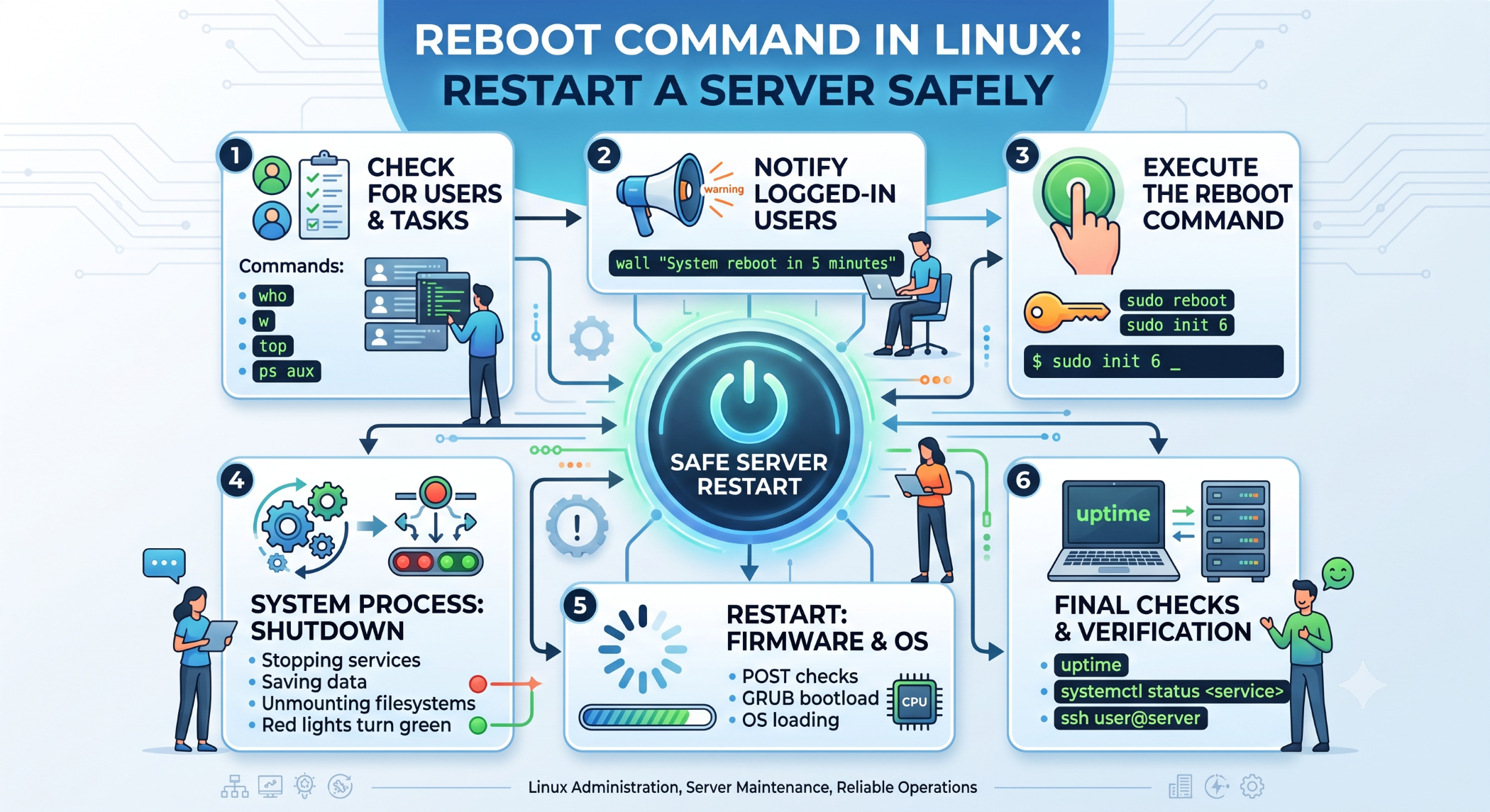
reboot Command in Linux: Restart a Server Safely
Linux provides several command-line utilities for managing system operations. The reboot command is used to restart a Linux system and is commonly used by system administrators during maintenance, configuration changes, and troubleshooting.
Because a reboot interrupts running processes and services, it should be performed carefully, especially on production servers.
What Is the reboot Command?
The basic command is:
rebootOn systems where elevated privileges are required, use:
sudo rebootThe command requests that the operating system restart the system.
When Should You Reboot a Linux Server?
A system reboot may be required after certain system-level changes or maintenance activities.
Common situations include:
- Applying some kernel updates.
- Completing operating-system maintenance.
- Troubleshooting persistent system issues.
- Restarting a system after major configuration changes.
- Recovering from certain system-level problems.
Not every configuration change requires a full reboot. Many services can be restarted independently.
Reboot vs Restarting a Service
A reboot restarts the entire operating system.
Restarting a service affects only a specific application or system service.
For example:
sudo systemctl restart apache2restarts Apache without rebooting the entire server.
Similarly:
sudo systemctl restart mysqlrestarts the MySQL service.
Use a service restart when the change only affects that service. A full reboot should be reserved for situations where it is actually necessary.
Check System Status Before Rebooting
Before rebooting a production server, check whether important applications or processes are running.
Useful commands include:
uptimeand:
topYou can also review running services with:
systemctl --type=service --state=runningThis helps you understand what is currently running before interrupting the system.
Schedule a Reboot
For planned maintenance, you may want to notify users or provide a maintenance window before restarting the server.
Linux also provides shutdown utilities that can schedule a restart:
sudo shutdown -r +5This schedules a reboot after five minutes.
To cancel a scheduled shutdown:
sudo shutdown -cThe exact behavior can vary slightly by Linux distribution.
Rebooting a Production Server
A production reboot should be planned carefully.
Before restarting, verify that:
- Important data has been saved.
- Active deployments are complete.
- Databases are in a safe state.
- Users or stakeholders have been informed when necessary.
- Monitoring is available after the reboot.
- Critical services are configured to start automatically.
For cloud servers, also make sure you understand how the provider handles instance restarts and persistent storage.
What Happens During a Reboot?
A simplified sequence is:
Reboot Request
      ↓
Stop Running Processes
      ↓
Unmount / Sync Resources
      ↓
System Restart
      ↓
Bootloader
      ↓
Linux Kernel
      ↓
System Services
The operating system shuts down running processes and then starts again through its normal boot process.
Verify Services After Reboot
After the system comes back online, verify that important services are running:
systemctl status apache2You can also check:
systemctl status mysqlReview application logs and monitoring dashboards to confirm that the server is operating normally.
Best Practices
Avoid rebooting production servers without a clear reason. Use maintenance windows for planned restarts, communicate expected downtime, and confirm that critical services will automatically start after boot.
Always distinguish between a full reboot and restarting a specific service. In many cases, a service restart is sufficient and causes significantly less disruption.
Conclusion
The Linux reboot command provides a simple way to restart a system from the command line. Although it is useful during maintenance and troubleshooting, a reboot affects the entire server and should therefore be used deliberately.
For production environments, the safest approach is to plan the restart, verify system dependencies, ensure services recover correctly, and monitor the server after it comes back online.


