

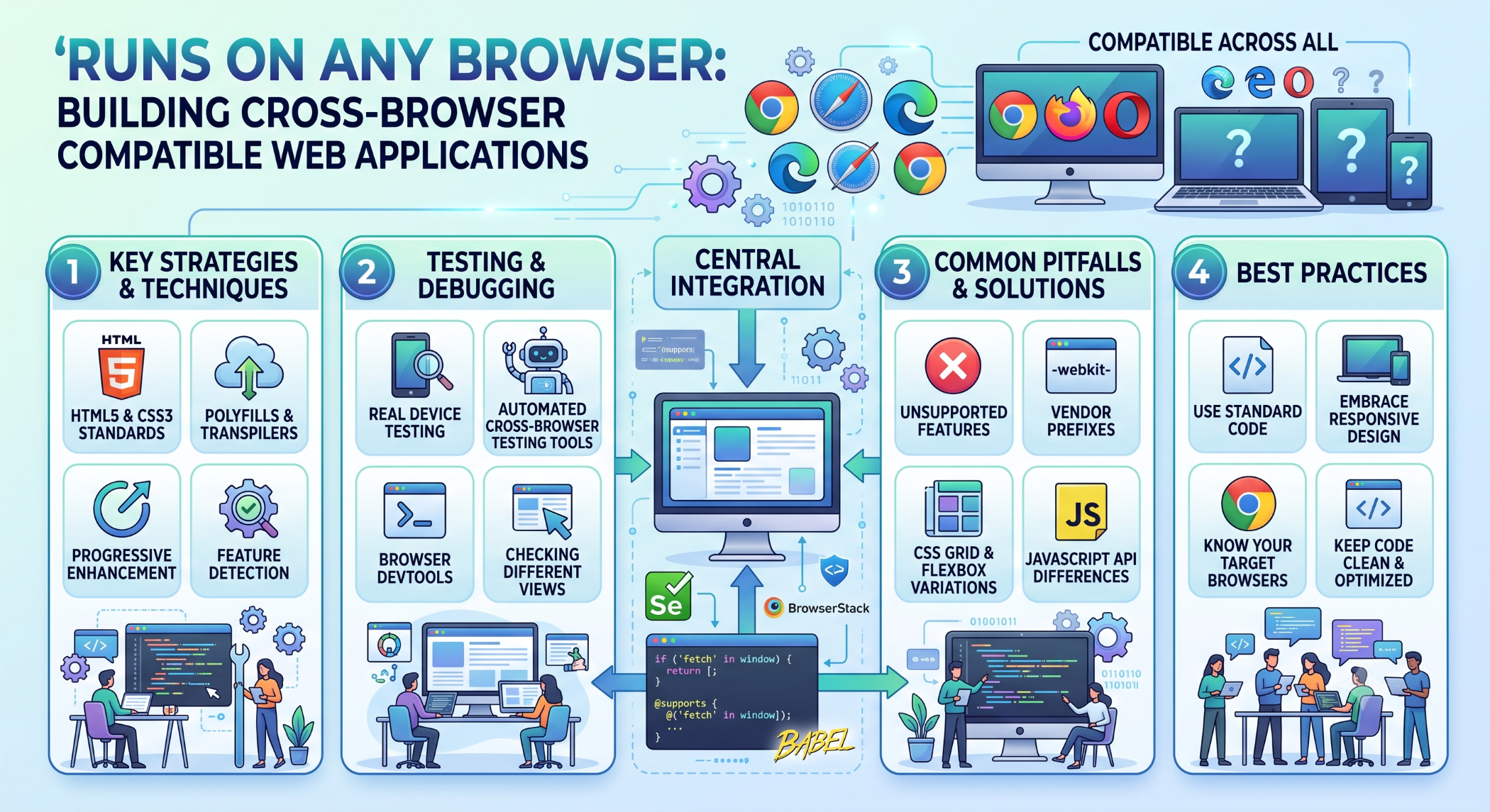
Runs on Any Browser: Building Cross-Browser Compatible Web Applications
Users access websites and web applications through a wide range of browsers, operating systems, screen sizes, and devices. A web application that works well in one browser but breaks in another can create usability problems and affect customer experience.
Cross-browser compatibility focuses on developing and testing web applications so that their core functionality and user experience work consistently across supported browsers.
What Does Cross-Browser Compatibility Mean?
Cross-browser compatibility means a website or web application behaves as expected across the browsers included in its support policy.
Common browsers include:
Google Chrome
Mozilla Firefox
Microsoft Edge
Safari
However, supporting every browser version is not always practical. Businesses should define a realistic browser-support matrix based on their users and application requirements.
Why Browser Compatibility Matters
Different browsers can vary in how they implement web standards, render content, handle APIs, and support newer features.
Compatibility testing helps businesses:
Provide a consistent user experience.
Reduce browser-specific defects.
Improve accessibility.
Prevent broken functionality.
Increase confidence before release.
For customer-facing applications, browser compatibility can directly affect conversions and customer satisfaction.
Use Web Standards
One of the best ways to improve browser compatibility is to use established web standards correctly.
HTML should provide a meaningful document structure, while CSS should handle presentation and JavaScript should provide application behavior.
Following standards reduces unnecessary dependence on browser-specific behavior.
Responsive Design
Browser compatibility also involves different screen sizes and device types.
A responsive design can adapt the interface to desktops, tablets, and smartphones using techniques such as:
@media (max-width: 768px) {
.container {
width: 100%;
}
}
Responsive layouts should be tested at different viewport sizes rather than only on one desktop resolution.
JavaScript Browser Compatibility
Modern JavaScript provides many powerful features, but browser support can vary depending on the feature and target environment.
Developers should confirm that the application's browser-support policy is compatible with the JavaScript features being used.
For projects supporting older browsers, build tools and transpilation may be used where appropriate.
Browser Feature Detection
Avoid relying solely on browser names or user-agent checks.
Feature detection is generally a better approach when an application needs to determine whether a particular browser capability is available.
For example:
if ("geolocation" in navigator) {
// Geolocation is available.
}
This allows the application to respond to actual browser capabilities.
CSS Compatibility
CSS features can also behave differently across browser versions.
Developers should test important layouts, animations, forms, and interactive elements in the browsers included in the support matrix.
Tools such as Autoprefixer can help add required vendor prefixes during the build process where appropriate.
Progressive Enhancement
A useful strategy for compatibility is progressive enhancement.
Start with a functional baseline experience and add enhanced functionality when the browser supports it.
For example:
Basic Functionality
↓
Browser Capability Check
↓
Enhanced Experience
This allows users on less capable environments to continue using essential functionality.
Testing Across Browsers
Cross-browser testing should be part of the development process rather than something performed only immediately before launch.
Test important functionality such as:
Forms
Navigation
Authentication
Payments
JavaScript interactions
Responsive layouts
File uploads
Media
Accessibility
Real-device testing is especially useful for mobile browsers.
Browser Compatibility and Legacy Systems
Older applications can contain browser-specific workarounds created for environments that are no longer widely used.
When modernizing a legacy application, first identify which browsers users actually need to support. Removing unnecessary compatibility code can simplify maintenance, while retaining genuinely required support avoids unexpected regressions.
Browser Compatibility Does Not Mean Identical Rendering
Different browsers may render fonts, controls, animations, or other visual elements slightly differently.
The goal should be consistent functionality and usability, not necessarily pixel-perfect identical rendering in every browser.
A defined support policy helps teams determine which differences are acceptable.
Performance Across Browsers
Performance can also vary between browsers and devices.
Optimize JavaScript execution, images, network requests, and rendering. Avoid assuming that good performance on a high-end desktop means the same experience will occur on a mobile device.
Measure performance on representative target environments.
Browser Compatibility at Solace Infotech
Solace Infotech develops websites, web applications, responsive interfaces, and JavaScript-based solutions with browser and device compatibility as important considerations.
Projects can be tested against a defined browser matrix based on the client's target audience and business requirements.
Best Practices
Define supported browsers before development starts, use web standards, prefer feature detection over browser-specific assumptions, build responsive interfaces, and test critical workflows across representative environments.
Use automated browser testing where practical and perform manual testing for important user journeys and device-specific behavior.
Conclusion
A web application cannot realistically be designed around every browser and every historical version. The better approach is to define a clear browser-support policy and build, test, and optimize the application for those environments.
By following web standards, using progressive enhancement, testing responsive behavior, and validating real browser capabilities, developers can create applications that provide a reliable experience across supported browsers


