

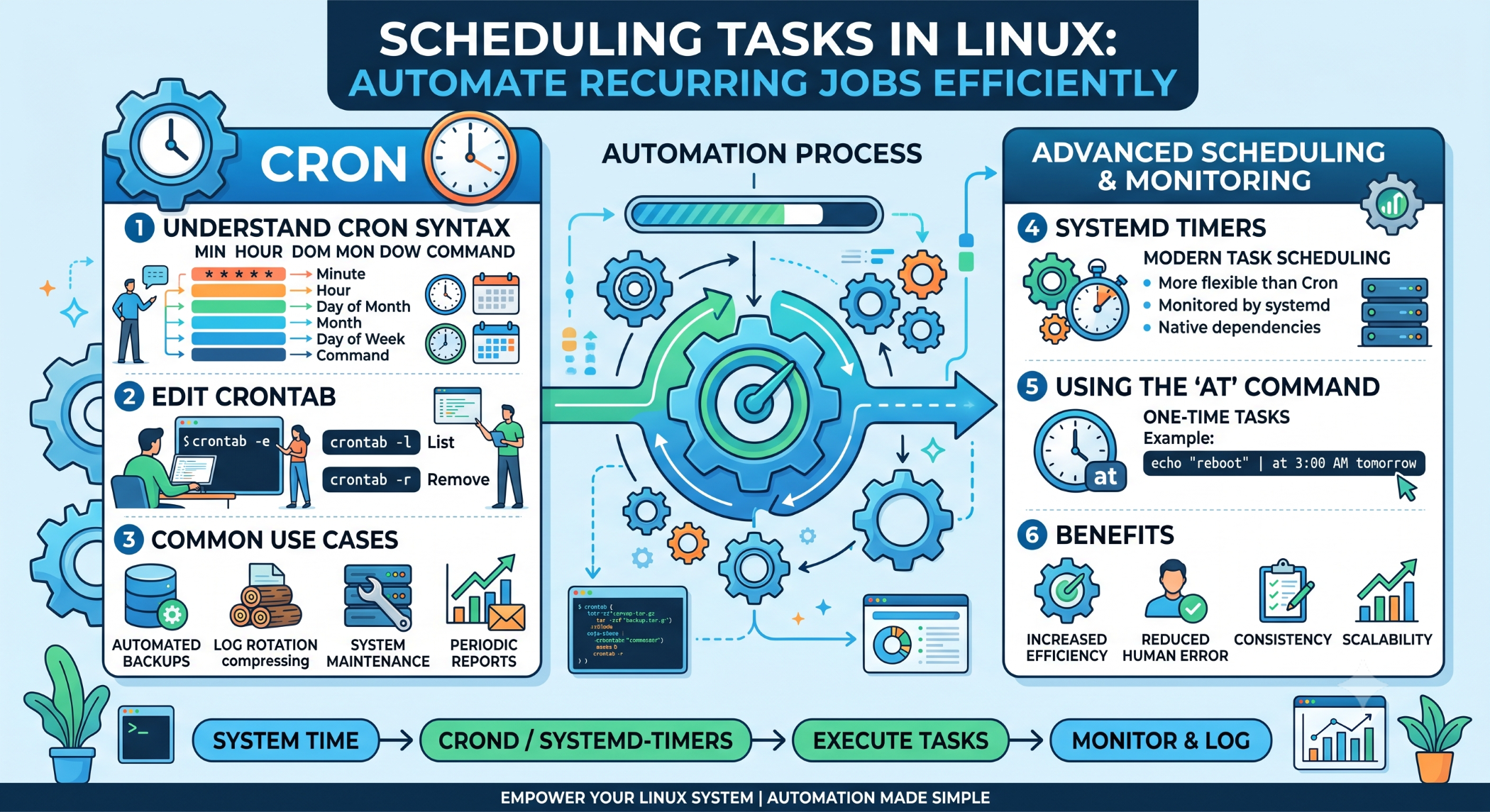
Scheduling Tasks in Linux: Automate Recurring Jobs Efficiently
Linux servers often need to perform repetitive operations at specific times or intervals. Running these tasks manually can waste time and increase the possibility of human error.
Scheduling tasks allows developers and system administrators to automate recurring operations such as backups, database maintenance, log cleanup, reports, monitoring, and application jobs.
Why Schedule Tasks?
Automation helps ensure that important operations run consistently without requiring manual intervention.
Scheduled tasks can help businesses:
Reduce repetitive manual work.
Improve operational consistency.
Run maintenance activities on time.
Automate backups and reports.
Monitor systems regularly.
For example, a server can automatically create a backup every night instead of relying on an administrator to remember to run the backup manually.
Cron for Task Scheduling
Cron is one of the most commonly used scheduling mechanisms on Linux.
A cron job defines a schedule and the command that should be executed.
A basic cron entry looks like:
* * * * * command
The five scheduling fields represent:
Minute Hour Day-of-month Month Day-of-week
Schedule a Daily Task
To run a backup script every day at 2:00 AM:
0 2 * * * /usr/local/bin/backup.sh
The command will execute automatically according to the defined schedule.
Run a Task at Regular Intervals
A task can also be scheduled at a specific interval.
For example, run a monitoring script every five minutes:
*/5 * * * * /usr/local/bin/check_status.sh
This can be useful for lightweight system or application checks.
Use Crontab
The crontab command is used to manage user-specific scheduled tasks.
To edit the current user's crontab:
crontab -e
To view existing jobs:
crontab -l
These commands make it easy to create and manage scheduled operations.
Schedule Shell Scripts
Scheduled jobs work well with shell scripts because multiple commands can be combined into a single repeatable process.
For example:
#!/bin/bash
tar -czf "/backup/home-$(date +%Y-%m-%d).tar.gz" /home/
The script can then be scheduled through cron.
Logging Scheduled Tasks
Automated tasks should produce useful logs, especially when they perform important operations.
For example:
0 2 * * * /usr/local/bin/backup.sh >> /var/log/backup.log 2>&1
This captures both standard output and errors, making it easier to troubleshoot failures.
Use Absolute Paths
Cron jobs may run with a different environment from an interactive shell. Commands or environment variables available in a user's terminal may not be available to the scheduled process.
Use absolute paths where possible:
0 2 * * * /usr/bin/php /var/www/app/backup.php
This makes scheduled jobs more predictable.
Avoid Overlapping Tasks
A scheduled task can sometimes take longer to complete than expected.
If the next scheduled execution starts while the previous one is still running, multiple instances may consume unnecessary resources or interfere with each other.
For long-running tasks, use an appropriate locking or concurrency mechanism.
Scheduling Database Maintenance
Scheduled tasks can also be used for routine database operations.
Examples include:
Database Backup
Log Cleanup
Report Generation
Data Synchronization
Temporary Data Cleanup
Critical database operations should be tested carefully before being automated in production.
Scheduling Application Jobs
Modern web applications may require background processing for tasks such as email delivery, notifications, report generation, file processing, and data synchronization.
Instead of making the user wait for these operations, applications can place work into a queue and process it through scheduled or continuously running workers.
Cron vs Other Scheduling Methods
Cron is simple and widely available, but it is not the only option.
Depending on the Linux environment, teams may also use systemd timers, application-level schedulers, queue workers, container orchestration tools, or cloud scheduling services.
The right solution depends on whether the task is a simple recurring command, a long-running background process, or a distributed application workflow.
Best Practices
Define the purpose and expected frequency of every scheduled task. Use absolute paths, appropriate permissions, logging, error handling, and monitoring.
For critical automation such as backups, verify the result and periodically test restoration rather than assuming that successful execution means the process is reliable.
Conclusion
Scheduling tasks is an important part of Linux administration and application operations. Tools such as cron and crontab make it easy to automate recurring commands, scripts, maintenance activities, and business processes.
A reliable scheduling strategy should combine correct timing, secure execution, logging, error handling, and monitoring.
By automating repetitive operations, businesses can reduce manual effort, improve consistency, and maintain more reliable server and application environments.


