skip_name_resolve in MySQL
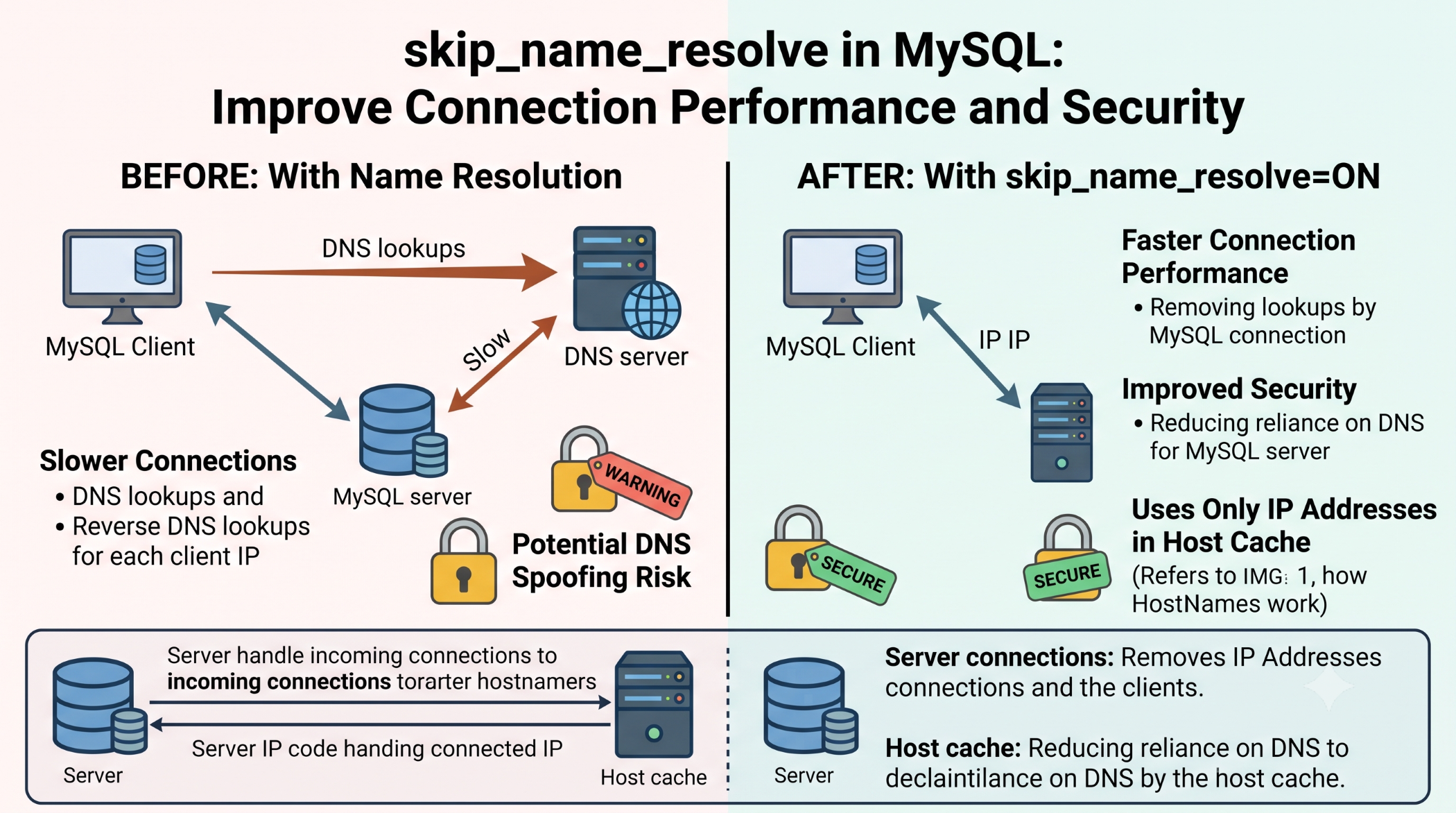
When a client connects to MySQL, the server may perform hostname lookups to determine the connecting host. On systems with slow or unreliable DNS, these lookups can contribute to connection delays.
The MySQL skip_name_resolve option disables hostname resolution for client connections. MySQL recommends using IP addresses rather than hostnames in the account Host column when this option is enabled.
What Is skip_name_resolve?
You can check whether it is enabled with:
SHOW VARIABLES LIKE 'skip_name_resolve';When enabled, MySQL does not use DNS hostname resolution when matching client hosts.
You can enable it in the MySQL configuration file:
[mysqld]
skip_name_resolve=ON
The variable is a global startup setting and is not dynamic.
Why Use skip_name_resolve?
The main reason is to avoid DNS-related connection delays.
MySQL documentation specifically notes that if connections are slow because of DNS problems, enabling skip_name_resolve can be one possible solution.
It can be useful for:
- Reducing DNS-related connection delays.
- Avoiding unreliable hostname lookups.
- Simplifying host matching in controlled environments.
- Improving connection reliability when DNS is problematic.
Important Account Consideration
There is one important requirement.
When skip_name_resolve is enabled, MySQL account definitions using hostnames cannot be used for normal host matching. Accounts should instead use localhost, IP addresses, or appropriate IP-based host definitions.
For example:
CREATE USER 'appuser'@'192.168.1.10'
IDENTIFIED BY 'strong-password';
Before enabling the option on an existing server, review current user accounts carefully. Otherwise, applications may suddenly lose access.
skip_name_resolve vs skip_networking
These options are different.
skip_name_resolve disables hostname resolution while allowing normal network connections.
skip_networking disables TCP/IP connections to the server and permits only local connection methods such as Unix sockets or named pipes, depending on the platform.
Do not confuse the two settings.
Best Practices
Before enabling skip_name_resolve, check the Host values of your MySQL accounts and convert hostname-based accounts where necessary.
Test the change in a staging environment first, especially when applications, replication, monitoring tools, or remote administration depend on existing account definitions.
Conclusion
skip_name_resolve is a useful MySQL configuration option when DNS lookups are causing connection delays or reliability problems.
It can simplify host authentication by using IP addresses instead of hostname resolution, but it must be enabled carefully because existing hostname-based MySQL accounts may no longer work.
For production systems, review account definitions and test the configuration before applying it.