

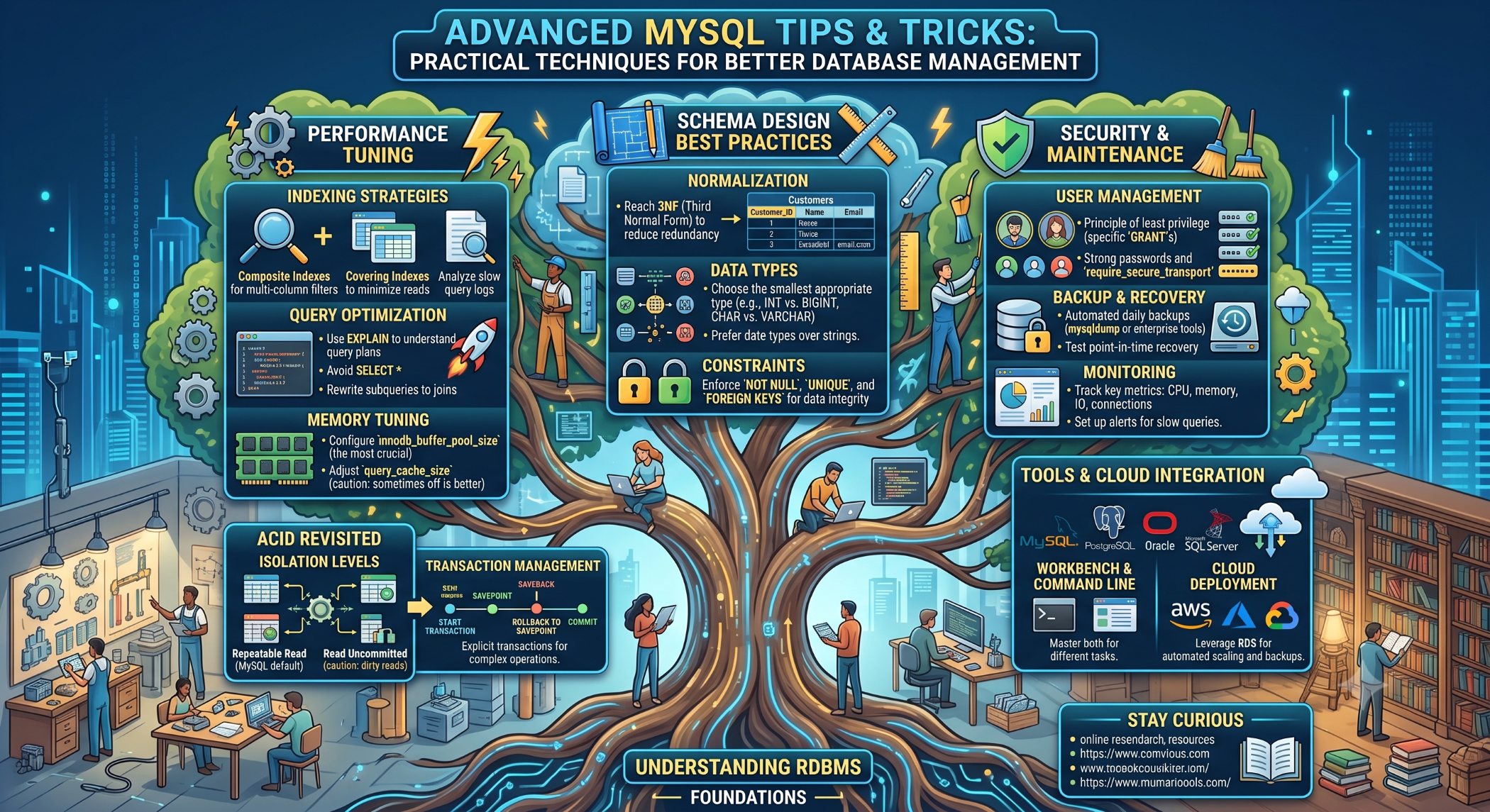
Tips and Tricks in MySQL: Practical Techniques for Better Database Management
MySQL is widely used for websites, web applications, e-commerce platforms, and business systems. As databases grow, developers need more than basic SQL knowledge to keep applications efficient, reliable, and easy to maintain.
A collection of practical MySQL tips and tricks can help developers work more effectively with queries, indexes, tables, data, and database administration.
Select Only the Data You Need
Avoid retrieving unnecessary columns from a table.
Instead of:
SELECT *
FROM customers;
use:
SELECT id, name, email
FROM customers;
Selecting only the required columns can reduce unnecessary data processing and transfer.
Use LIMIT for Large Result Sets
When you need only a small number of records, use LIMIT.
SELECT id, name
FROM products
ORDER BY created_at DESC
LIMIT 20;
This is especially useful for dashboards, search results, and pagination.
Use Indexes Carefully
Indexes can improve query performance when they support common search, filtering, sorting, and join conditions.
For example:
CREATE INDEX idx_users_email
ON users(email);
However, unnecessary indexes can increase storage requirements and add overhead to write operations.
Create indexes based on actual application queries rather than indexing every column.
Use EXPLAIN to Analyze Queries
The EXPLAIN statement helps developers understand how MySQL plans to execute a query.
EXPLAIN
SELECT id, name
FROM users
WHERE email = 'john@example.com';
It can help identify inefficient table scans, join behavior, and index usage.
Use WHERE Before GROUP BY
When possible, filter unnecessary rows before performing aggregation.
For example:
SELECT customer_id, COUNT(*) AS total_orders
FROM orders
WHERE status = 'completed'
GROUP BY customer_id;
Reducing the number of rows that must be grouped can improve efficiency.
Use JOIN Instead of Repeated Queries
When related information is required from multiple tables, a JOIN can often be more efficient and clearer than retrieving data separately.
SELECT
customers.name,
orders.id
FROM customers
JOIN orders
ON orders.customer_id = customers.id;
The correct approach depends on the data model and query requirements.
Use Transactions for Related Operations
When multiple database operations need to succeed or fail together, use a transaction.
For example:
START TRANSACTION;
UPDATE accounts
SET balance = balance - 100
WHERE id = 1;
UPDATE accounts
SET balance = balance + 100
WHERE id = 2;
COMMIT;
If an operation fails, the application can roll back the transaction where appropriate.
ROLLBACK;
Transactions are particularly important for operations that must maintain data consistency.
Use Appropriate Data Types
Choosing suitable data types can improve storage efficiency and make database design clearer.
For example, use an integer for numeric identifiers rather than storing them as strings.
Similarly, use appropriate date/time types for temporal data instead of storing dates as arbitrary text.
Keep Tables and Relationships Organized
Well-designed tables make applications easier to maintain.
Separate logical entities into appropriate tables and use primary and foreign keys to establish relationships.
For example:
Customers
↓
Orders
↓
Order Items
↓
Products
This reduces unnecessary duplication and provides a clearer data model.
Avoid Unnecessary Duplicate Data
Duplicating the same information across multiple tables can create consistency problems.
If a customer's email address is stored in several unrelated places, changing the address may require multiple updates.
A relational design can keep the authoritative value in one appropriate location and reference it where necessary.
Optimize Pagination
For applications displaying large datasets, pagination prevents the application from retrieving excessive amounts of data at once.
A simple approach is:
SELECT id, name
FROM products
ORDER BY id
LIMIT 20 OFFSET 40;
For very large datasets, developers should also consider pagination strategies that avoid increasingly expensive large offsets.
Use NULL Carefully
NULL represents the absence of a value and behaves differently from zero, an empty string, or false.
For example:
SELECT *
FROM users
WHERE phone IS NULL;
Do not use:
WHERE phone = NULL;
Understanding NULL behavior avoids unexpected query results.
Use Prepared Statements
Applications should use prepared statements or parameterized queries when working with external input.
For example, with PHP PDO:
$stmt = $pdo->prepare(
"SELECT id, name
FROM users
WHERE email = :email"
);
$stmt->execute([
'email' => $email
]);
This keeps data separate from SQL instructions and provides an important defense against SQL injection.
Monitor Slow Queries
When an application becomes slow, identify which SQL statements are actually consuming time or resources.
Monitor query execution, database load, indexes, and application behavior before making configuration changes.
Optimizing high-impact queries generally provides more value than making arbitrary database changes.
Backup Your MySQL Database
Regular backups are essential for protecting against accidental deletion, system failures, corrupted data, and other incidents.
A backup strategy should also include restore testing. A backup that cannot be restored when needed is not a dependable recovery solution.
Keep MySQL Updated
Using a supported MySQL version can provide access to security fixes, bug fixes, and improvements.
Before upgrading production, test compatibility with the application, drivers, frameworks, and database features being used.
Useful MySQL Commands
Some frequently useful commands include:
SHOW DATABASES;
SHOW TABLES;
DESCRIBE users;
SHOW INDEX FROM users;
SHOW PROCESSLIST;
These commands can help developers and administrators understand database structure, indexes, and active sessions.
Best Practices
Write queries around actual application requirements, use indexes strategically, analyze important SQL with EXPLAIN, keep result sets manageable, and use transactions for operations that require consistency.
Also protect database credentials, restrict user privileges, monitor performance, and maintain tested backups.
Conclusion
These MySQL tips and tricks can help developers write cleaner SQL, improve database performance, and manage relational data more effectively.
The most important principle is to understand the workload before optimizing. Good database design, efficient queries, appropriate indexes, secure access, monitoring, and reliable backups provide a stronger foundation than isolated configuration changes.


