

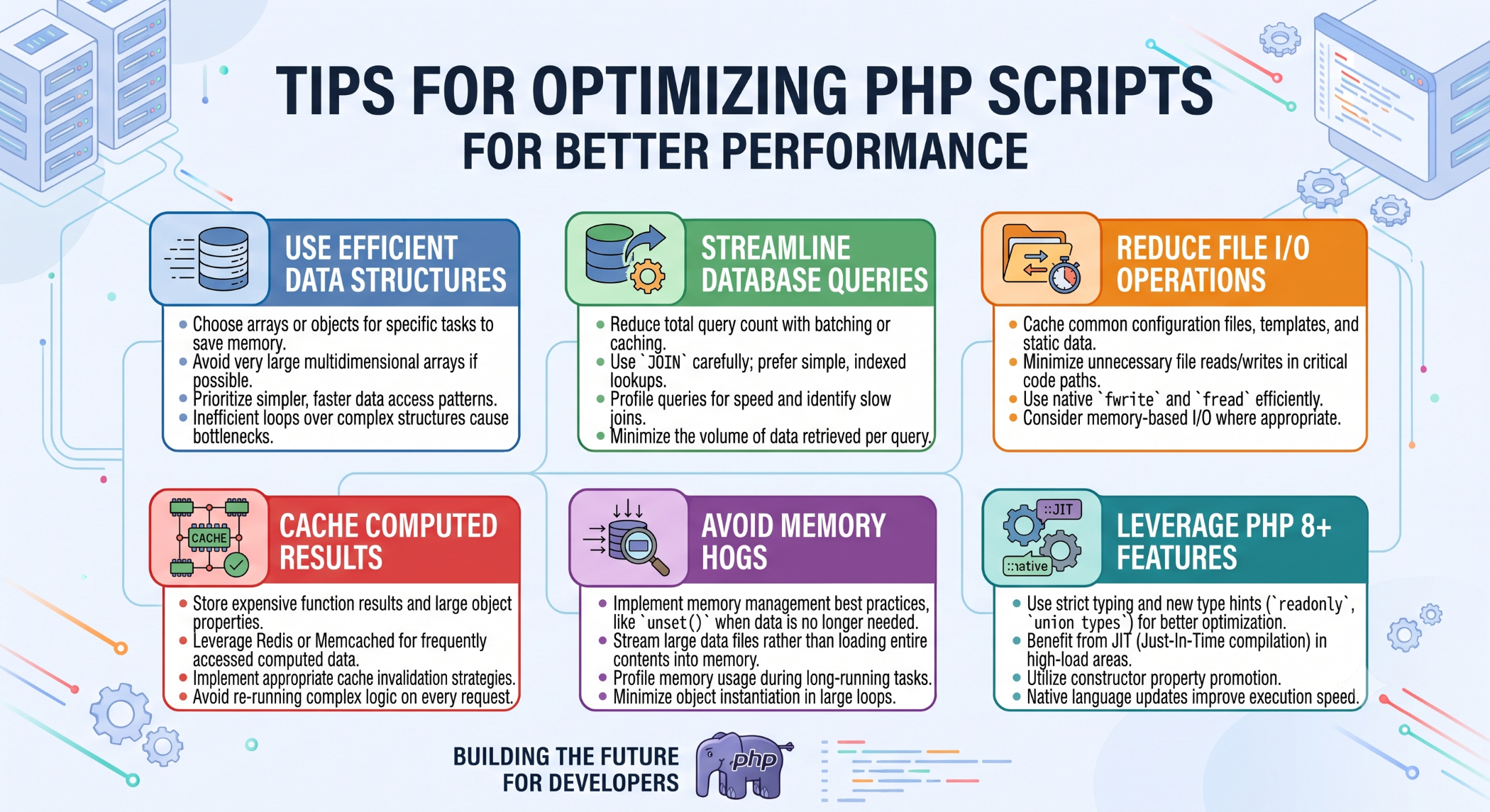
Tips for Optimizing PHP Scripts for Better Performance
PHP applications can become slower as code complexity, traffic, and data volume increase. Small inefficiencies repeated thousands of times can have a noticeable impact on application performance.
Optimizing PHP scripts involves improving code efficiency, reducing unnecessary processing, minimizing database operations, and using the PHP runtime effectively.
Avoid Unnecessary Processing
One of the simplest optimization techniques is to avoid work that the application does not actually need to perform.
Do not repeatedly calculate the same value when the result can be reused.
$total = calculateTotal($items);
// Reuse the calculated value
echo $total;
Reducing repeated operations can make application code more efficient and easier to understand.
Use Efficient Loops
Loops are common in PHP applications, especially when processing database results or collections of data.
Avoid unnecessary nested loops and repeated searches through the same dataset. Where appropriate, use suitable PHP array functions and data structures to simplify processing.
For larger datasets, consider whether the work can be moved into the database or processed asynchronously.
Optimize Database Queries
Many PHP applications spend more time waiting for databases than executing PHP code.
Retrieve only the columns you need:
SELECT id, name, email
FROM users
WHERE status = 'active';
Use appropriate indexes and analyze slow queries with tools such as EXPLAIN.
Reducing unnecessary database calls can often have a greater performance impact than making minor PHP syntax changes.
Use Caching
Caching can prevent the same expensive work from being performed repeatedly.
Depending on the application, you may cache:
Database results
API responses
Computed values
Frequently accessed application data
Rendered content
Caching should be designed with appropriate expiration and invalidation rules so users do not receive stale information.
Take Advantage of OPcache
OPcache can improve PHP performance by storing precompiled PHP bytecode in shared memory. This reduces the need to load and compile PHP scripts repeatedly.
For production applications, ensure OPcache is appropriately configured and monitored rather than relying on development-oriented settings.
Reduce Unnecessary Function Calls
Repeated calls to expensive operations can increase processing time.
Where a function performs costly work, calculate the result once and reuse it when possible.
However, optimization should not come at the cost of making the code difficult to understand. Maintainability should remain an important consideration.
Avoid Loading Unnecessary Data
Do not load large files, database results, or API responses when only a small portion is required.
For example, process large datasets in smaller batches where appropriate instead of loading everything into memory at once.
This can help reduce memory consumption and improve application stability.
Minimize External API Requests
External API calls introduce network latency and can become a major source of slow responses.
Where possible, cache reusable responses, combine related requests, and use background processing for operations that do not need to block the user's request.
Optimize Code, Not Just Hardware
Increasing server resources can provide temporary relief, but it does not fix inefficient application logic.
A better approach is to identify the actual bottleneck first.
Measure → Identify Bottleneck → Optimize → Test → Monitor
This prevents unnecessary infrastructure spending and helps ensure that optimization efforts address the real problem.
Use Profiling and Monitoring
Performance tuning should be based on measurements.
Monitor metrics such as:
PHP execution time
Request response time
Memory consumption
Database latency
CPU usage
External API response time
Profiling can help identify which functions or operations are consuming the most resources.
Keep PHP Updated
Using a supported PHP version can provide access to ongoing performance, security, and language improvements.
Before upgrading production applications, test compatibility with frameworks, libraries, and extensions.
Best Practices
Write simple and reusable code, reduce unnecessary database and network requests, use caching appropriately, configure OPcache, and profile applications before making significant changes.
Always test optimization changes with realistic workloads and confirm that functionality remains correct.
Conclusion
Optimizing PHP scripts is a combination of efficient coding, database optimization, caching, runtime configuration, and performance monitoring.
The most effective strategy is not to optimize every line of code. Instead, identify the operations that have the greatest impact on users and system resources, then improve those areas systematically.
With the right approach, PHP applications can become faster, more resource-efficient, and better prepared for future growth.


