

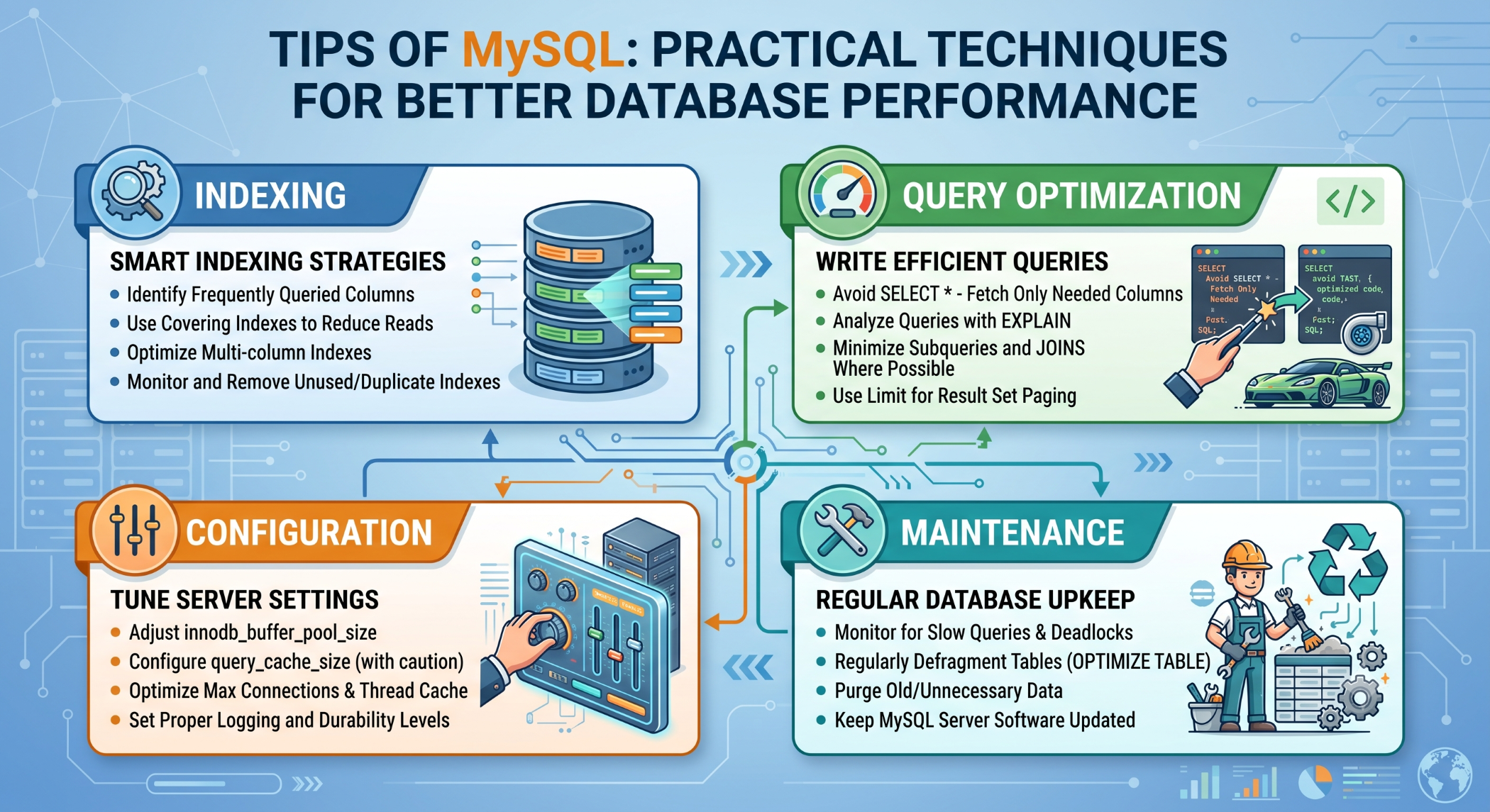
Tips of MySQL: Practical Techniques for Better Database Performance
MySQL is widely used for websites, e-commerce platforms, APIs, and business applications. As the amount of data and number of users increase, developers need to pay attention to database structure, query performance, security, and maintenance.
Applying a few practical MySQL tips can help create databases that are more efficient, reliable, and easier to manage.
Use Appropriate Data Types
Choosing the right data type is an important part of MySQL database design.
For example, numeric identifiers should generally use an appropriate integer type rather than a string. Dates should use suitable date and time types rather than arbitrary text.
Efficient data types can reduce storage requirements and make queries easier to manage.
Use Primary Keys
Every important table should have a clear way to identify individual records.
For example:
CREATE TABLE customers (
    id INT PRIMARY KEY AUTO_INCREMENT,
    name VARCHAR(100),
    email VARCHAR(150)
);
A primary key provides unique identification and can also be referenced by related tables.
Create Indexes Carefully
Indexes can improve query performance for frequently searched, filtered, joined, or sorted columns.
For example:
CREATE INDEX idx_customers_email
ON customers(email);
However, indexes are not free. Excessive indexing can increase storage usage and add overhead to data modification operations.
Create indexes based on actual query patterns and verify their usefulness with query analysis.
Use EXPLAIN
The EXPLAIN statement is a valuable tool for understanding how MySQL executes a query.
EXPLAIN
SELECT id, name
FROM customers
WHERE email = 'john@example.com';
It can help identify table scans, index usage, join strategies, and other execution details.
Use EXPLAIN when investigating queries that are slow or consume significant database resources.
Avoid SELECT *
Instead of retrieving every column:
SELECT *
FROM products;
retrieve only the fields that the application needs:
SELECT id, name, price
FROM products;
This can reduce unnecessary data processing and network transfer.
Use LIMIT for Large Queries
When an application only needs a limited number of results, use LIMIT.
SELECT id, name
FROM products
ORDER BY created_at DESC
LIMIT 20;
This is particularly useful for search results, dashboards, and paginated interfaces.
Optimize JOIN Queries
Applications often need to combine data from several related tables.
For example:
SELECT
    customers.name,
    orders.id,
    orders.order_date
FROM customers
JOIN orders
    ON orders.customer_id = customers.id;
Make sure the columns used in joins are appropriately indexed when required, and review the execution plan for frequently executed queries.
Use Prepared Statements
Applications should never directly concatenate untrusted input into SQL queries.
For example, PHP applications can use prepared statements:
$stmt = $pdo->prepare(
    "SELECT id, name
     FROM users
     WHERE email = :email"
);

$stmt->execute([
    'email' => $email
]);
Parameterized queries help keep user input separate from SQL instructions and are an important defense against SQL injection.
Use Transactions
When several database operations need to succeed or fail together, transactions help maintain consistency.
START TRANSACTION;

UPDATE accounts
SET balance = balance - 100
WHERE id = 1;

UPDATE accounts
SET balance = balance + 100
WHERE id = 2;

COMMIT;
If the operation cannot be completed safely, the application can use:
ROLLBACK;Transactions are particularly important for financial, inventory, and other consistency-sensitive operations.
Optimize Frequently Used Queries
Do not optimize every query equally. Focus first on statements that are executed frequently or have a significant impact on response time.
Review slow queries, execution plans, indexes, and database workload before making performance changes.
Use Caching Where Appropriate
Caching can reduce repeated database work for data that does not change frequently.
Depending on the application, cached information can include product data, configuration, API responses, or frequently accessed reports.
Caching should include a clear expiration or invalidation strategy so stale information is not returned unnecessarily.
Monitor Connections
Too many simultaneous connections can consume significant server resources.
Monitor connection usage and investigate inefficient connection handling before simply increasing the MySQL connection limit.
Application-side connection pooling and proper connection cleanup can help control unnecessary connection growth.
Keep the Database Secure
Database security should be considered throughout application development.
Use strong authentication, appropriate user privileges, secure credentials, encrypted connections where required, and regular updates.
Avoid giving application accounts more database permissions than they actually need.
Maintain Regular Backups
Regular backups protect against accidental deletion, corruption, hardware failures, and other data-loss events.
A reliable backup strategy should also include restore testing so that the organization knows the backup can actually be recovered when required.
Keep MySQL Updated
Using a supported MySQL version helps the application benefit from security fixes, bug fixes, and improvements.
Before upgrading a production database, test compatibility with the application's frameworks, drivers, queries, and integrations.
Monitor Database Performance
Regular monitoring can help identify problems before they affect users.
Useful areas to monitor include:
- Query execution time
- CPU usage
- Memory utilization
- Disk I/O
- Connection counts
- Database size
- Slow queries
Performance improvements should be based on measured problems rather than assumptions.
Best Practices
Use suitable data types, define primary and foreign keys, create indexes according to real workloads, optimize frequently executed queries, and use prepared statements for external input.
Combine database optimization with application caching, monitoring, security controls, and tested backups to maintain a reliable production environment.
Conclusion
Good MySQL development is about more than knowing SQL syntax. It requires attention to database design, indexing, query optimization, security, transactions, caching, monitoring, and backup practices.
By applying these practical MySQL tips, developers can build database-driven applications that are faster, safer, easier to maintain, and better prepared for future growth.


