

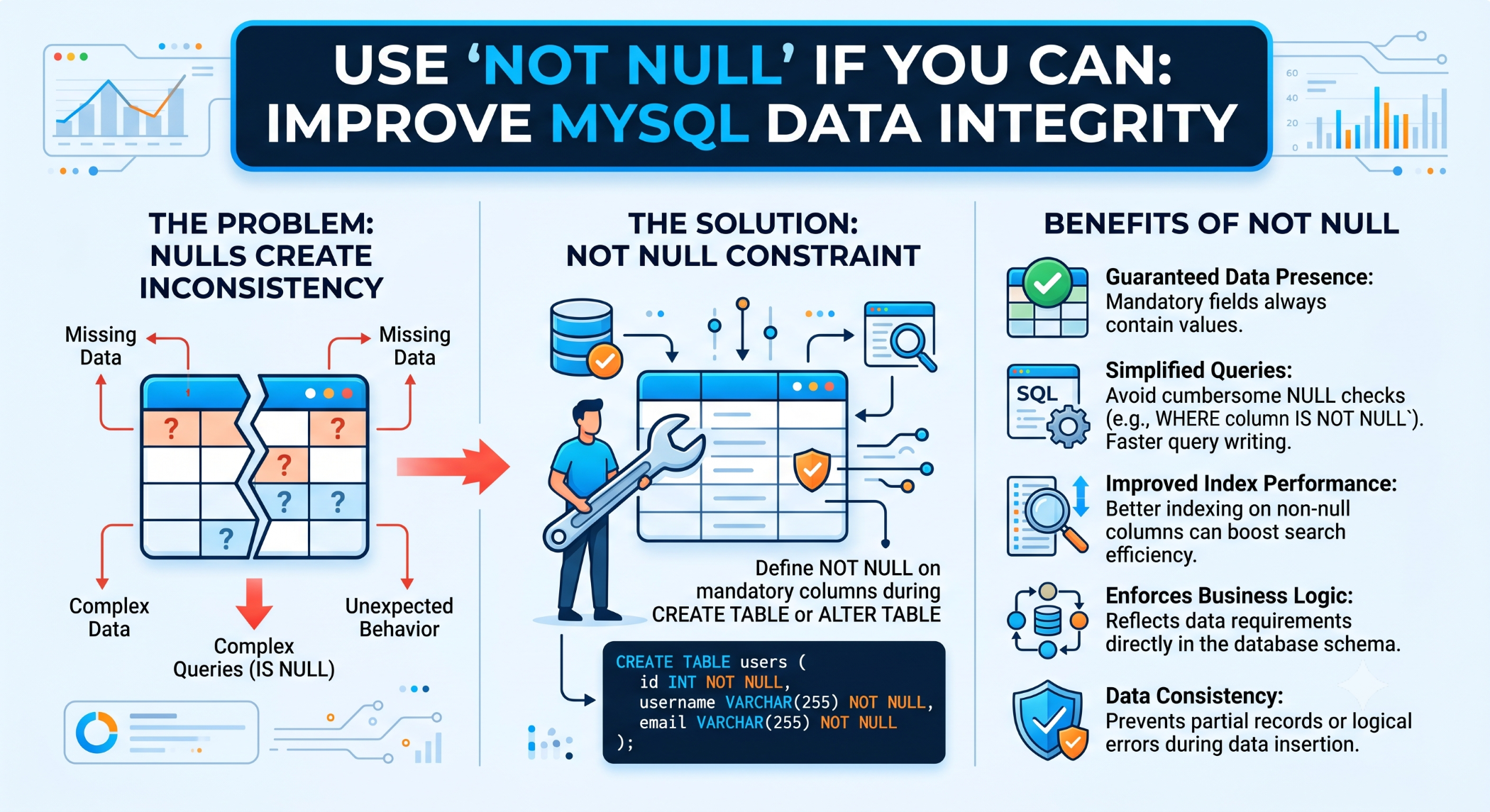
Use NOT NULL If You Can: Improve MySQL Data Integrity
Database design plays an important role in maintaining clean and reliable application data. One simple but useful MySQL constraint is NOT NULL, which prevents a column from storing NULL values.
When a value is mandatory for every record, defining the column as NOT NULL can make the database more predictable and help prevent incomplete data.
What Is NOT NULL?
The NOT NULL constraint specifies that a column must always contain a value.
For example:
CREATE TABLE users (
id INT PRIMARY KEY AUTO_INCREMENT,
name VARCHAR(100) NOT NULL,
email VARCHAR(150) NOT NULL
);
In this example, every user record must have a name and an email.
Why Use NOT NULL?
Using NOT NULL for required fields provides an additional layer of data protection.
It can help:
Prevent incomplete records.
Enforce business rules at the database level.
Reduce unexpected NULL values.
Simplify application logic.
Improve data consistency.
The database becomes responsible for enforcing a basic requirement instead of relying entirely on application code.
NOT NULL vs NULL
A nullable column can explicitly contain NULL, which represents the absence of a value.
For example:
CREATE TABLE customers (
id INT PRIMARY KEY AUTO_INCREMENT,
name VARCHAR(100) NOT NULL,
phone VARCHAR(30)
);
Here, name is required, while phone can be unknown or unavailable.
The distinction between NULL, an empty string, 0, and false should be considered carefully because they represent different states.
When Should You Use NOT NULL?
Use NOT NULL when a value is required for every record.
Good examples may include:
User ID
Product Name
Order Date
Customer ID
Status
The decision should come from the application's actual business rules.
If a value is genuinely optional, making it NOT NULL can make the database unnecessarily restrictive.
NOT NULL and Application Validation
Application-level validation is still important.
For example, a registration form can check whether an email address was entered before submitting the request.
However, the database should also enforce the requirement:
Application Validation
↓
Database NOT NULL Constraint
↓
Consistent Data
This provides protection even when data is inserted by another application, API, import process, or administrative tool.
Add NOT NULL to an Existing Column
You can modify an existing column using ALTER TABLE.
For example:
ALTER TABLE users
MODIFY name VARCHAR(100) NOT NULL;
Before applying this change, check whether existing rows contain NULL values.
You may first need to identify and correct those records:
SELECT *
FROM users
WHERE name IS NULL;
Only after resolving incompatible data should the constraint be added.
NOT NULL and Default Values
NOT NULL can be combined with a default value when there is a sensible default.
For example:
CREATE TABLE orders (
id INT PRIMARY KEY AUTO_INCREMENT,
status VARCHAR(30) NOT NULL DEFAULT 'pending'
);
This ensures that status always has a value while providing a default when one is not explicitly supplied.
A default value should only be used when it accurately represents the business rule.
NOT NULL and Database Design
Using NOT NULL appropriately can make the schema easier to understand.
For example:
CREATE TABLE products (
id INT PRIMARY KEY AUTO_INCREMENT,
name VARCHAR(150) NOT NULL,
price DECIMAL(10,2) NOT NULL,
description TEXT,
created_at DATETIME NOT NULL
);
From the schema itself, developers can immediately see which fields are mandatory and which are optional.
NOT NULL and Query Logic
Nullable columns require special handling in SQL.
For example:
SELECT *
FROM users
WHERE phone IS NULL;
or:
SELECT *
FROM users
WHERE phone IS NOT NULL;
When a column is guaranteed to contain a value, certain application and query logic can be simpler because the NULL case does not need to be handled.
Don't Use NOT NULL Blindly
NOT NULL should not be applied simply because nullable columns seem undesirable.
For example, optional information such as a secondary phone number, profile description, or apartment number may legitimately be unavailable.
The database schema should reflect the real business meaning of the data.
Best Practices
Use NOT NULL for fields that are genuinely mandatory, combine it with appropriate validation and default values where necessary, and review existing data before changing an established schema.
Keep nullable fields only when NULL represents a meaningful business state.
Conclusion
The NOT NULL constraint is a simple but powerful MySQL feature for maintaining data integrity. When a value is mandatory, enforcing that rule at the database level can prevent incomplete records and reduce unnecessary application complexity.
The principle is straightforward: use NOT NULL when you can, but only when the business rule truly requires a value.
A well-designed MySQL schema clearly distinguishes between required and optional data, creating a stronger foundation for reliable and maintainable applications.


