

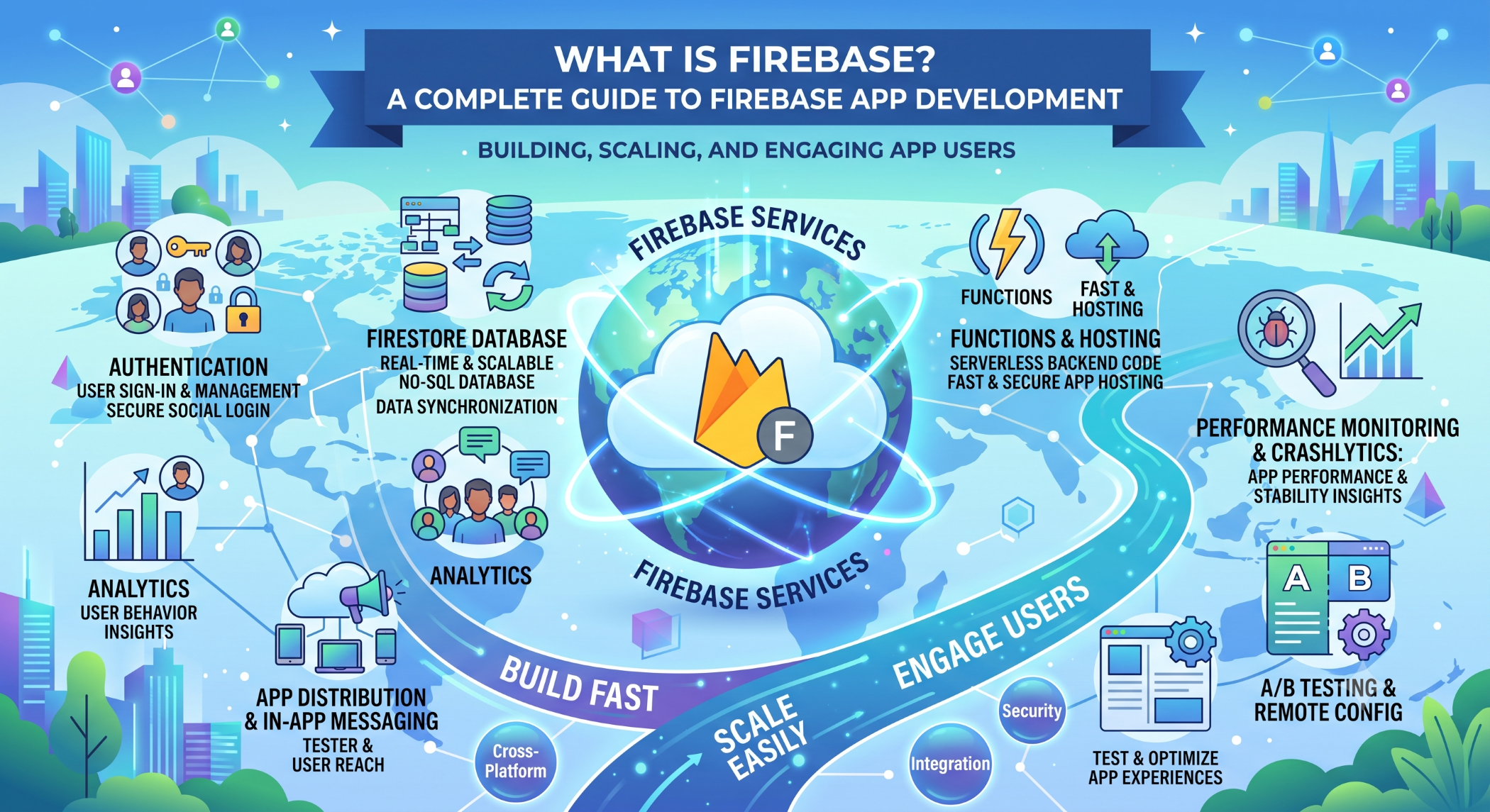
What Is Firebase? A Complete Guide to Firebase App Development
Developing a modern web or mobile application often requires several backend services, including authentication, databases, file storage, notifications, analytics, and application monitoring. Firebase provides a collection of managed services that can simplify many of these development requirements.
Firebase is Google's application development platform and can be used to build, release, monitor, and grow applications across supported web and mobile platforms.
What Is Firebase?
Firebase is a cloud-based development platform that provides tools and services for application development.
Instead of building every backend capability from scratch, developers can use Firebase services for common requirements such as:
User authentication
Cloud databases
File storage
Push notifications
Analytics
Application hosting
Crash reporting
Serverless backend functionality
The services used should be selected according to the application's architecture and business requirements.
Firebase Authentication
Authentication allows an application to identify and manage users securely.
Firebase Authentication supports multiple sign-in methods, including email and password and supported identity providers.
A typical authentication flow looks like:
User
↓
Sign In / Sign Up
↓
Firebase Authentication
↓
Authenticated Application
This allows development teams to implement common authentication functionality without building the entire identity system themselves.
Firebase Firestore and Realtime Database
Firebase provides two major database products with different capabilities.
Cloud Firestore is a NoSQL document database designed for application development, flexible data models, and querying.
Realtime Database is a NoSQL database focused on synchronizing data with connected clients in real time.
The appropriate option depends on the application's data structure, querying requirements, synchronization needs, and expected scale.
Firebase Cloud Storage
Applications frequently need to store images, documents, videos, and other files.
Cloud Storage for Firebase provides cloud-based file storage that can be integrated with Firebase Authentication and security rules.
For example, a rental application could allow authenticated users to upload property documents and inspection photographs.
Firebase Cloud Messaging
Firebase Cloud Messaging (FCM) allows developers to send notifications and data messages to supported Android, iOS, and web applications.
Businesses can use it for:
Order updates
Appointment reminders
New messages
Delivery notifications
Application alerts
Notifications should be relevant and should respect user preferences and platform requirements.
Firebase Hosting
Firebase Hosting provides hosting for web applications and static content.
It supports HTTPS and can be integrated with other Firebase services, making it useful for frontend applications and web experiences.
Firebase Analytics
Understanding how users interact with an application is important for product improvement.
Firebase provides analytics capabilities that can help teams measure application events and user engagement.
Analytics becomes more valuable when teams define clear business metrics and use the resulting information to guide product decisions.
Firebase Crashlytics
Application crashes can negatively affect user experience.
Firebase Crashlytics helps development teams identify and investigate crashes, allowing them to prioritize issues that affect real users.
This can make ongoing application maintenance more data-driven.
Firebase Cloud Functions
Firebase provides serverless backend functionality through Cloud Functions for Firebase.
Functions can respond to supported events such as HTTP requests, authentication events, and database changes.
A simplified workflow is:
Application Event
↓
Cloud Function
↓
Business Logic
↓
Database / API / Notification
This can be useful when backend processing is needed without maintaining a traditional application server for every function.
Benefits of Firebase
Faster Development
Firebase provides ready-to-use services that can reduce the amount of backend infrastructure developers need to build from scratch.
Integrated Services
Authentication, databases, storage, messaging, analytics, and other Firebase capabilities can be combined within an application.
Cross-Platform Development
Firebase supports services that can be integrated into web and mobile applications.
Managed Infrastructure
Firebase reduces the operational effort associated with managing certain backend services, allowing development teams to focus more on application functionality.
When Should You Use Firebase?
Firebase can be a good choice for:
Mobile applications
Web applications
MVPs and prototypes
Real-time applications
Applications requiring managed authentication
Applications needing integrated cloud services
It may be less suitable when an application requires highly specialized backend architecture, extensive infrastructure control, or specific data-processing requirements that are better handled with custom services.
Firebase Security
Security should be designed from the beginning of the project.
Use authentication, authorization, security rules, secure APIs, and appropriate access controls. Database and storage rules should reflect the actual permissions of each type of user.
Client-side checks should never be the only protection for sensitive data.
Firebase and Application Architecture
Firebase services can be used as the primary backend for some applications or combined with a custom backend.
For example:
Mobile / Web App
↓
Firebase Authentication
↓
Custom API / Firebase Services
↓
Database
↓
External Business Systems
The architecture should be based on the application's functionality, scalability, integrations, security requirements, and long-term maintenance strategy.
Firebase at Solace Infotech
Firebase can support Solace Infotech's web and mobile application development capabilities by providing services such as authentication, cloud databases, storage, notifications, analytics, and serverless backend functionality.
Depending on the project, Firebase can be used independently or integrated with custom APIs, PHP, Node.js, cloud infrastructure, MySQL, and other technologies.
Best Practices
Define the application's data model and security requirements before selecting Firebase services. Monitor database operations, storage, bandwidth, and other resource usage as the application grows.
Use appropriate security rules, keep credentials and privileged configuration away from client applications, and test authentication and data-access scenarios thoroughly.
Conclusion
Firebase provides a broad collection of managed services that can simplify the development of modern web and mobile applications.
From authentication and databases to storage, notifications, analytics, hosting, and serverless functions, Firebase can reduce development effort and accelerate application delivery.
However, Firebase is not automatically the right solution for every project. Businesses should evaluate their architecture, data requirements, scalability, security, integrations, cost, and long-term technology strategy before adopting the platform.


