

Why Most Mobile Apps Fail
Developing a mobile application requires more than creating attractive screens and publishing an app to the App Store or Google Play. A successful application needs to solve a genuine user problem, provide a smooth experience, perform reliably, and continue delivering value after launch.
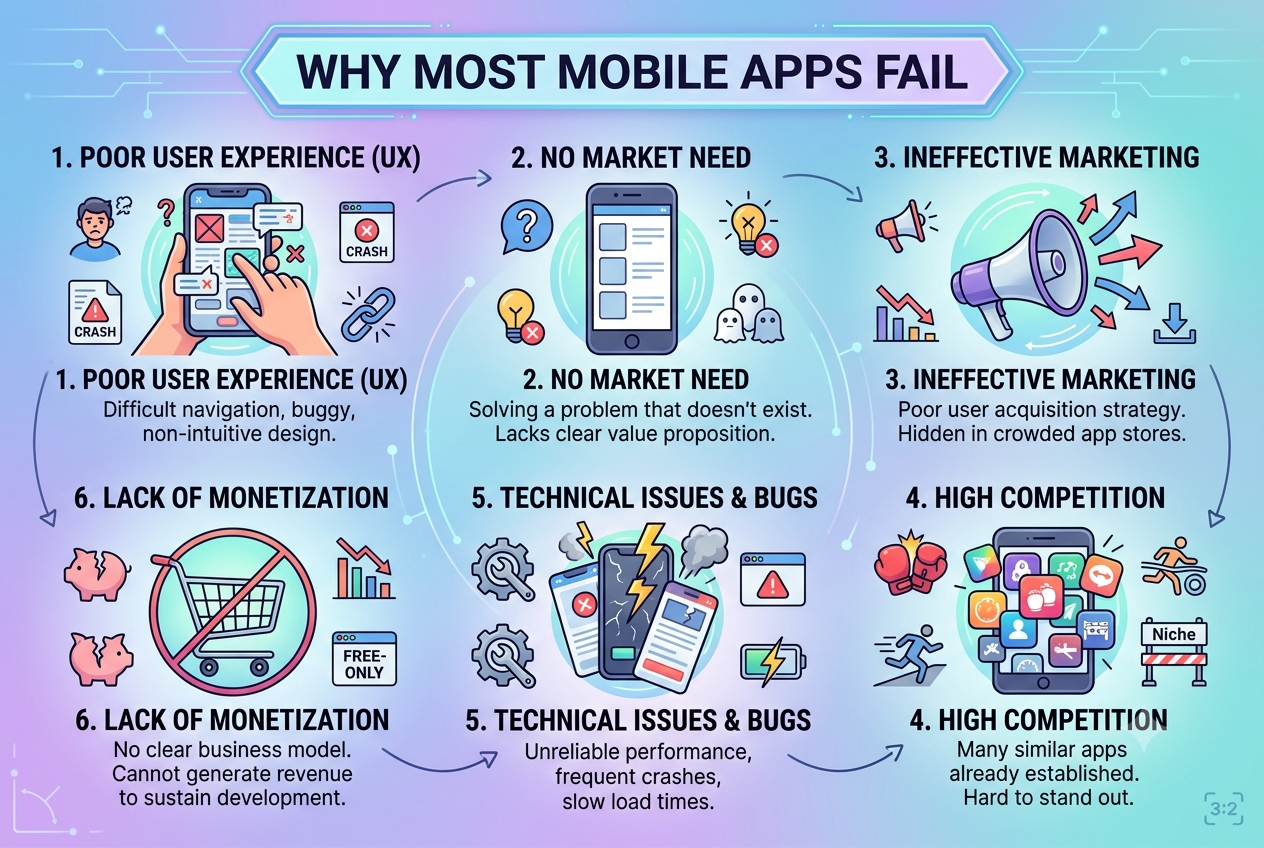
Many mobile apps struggle because businesses focus heavily on development while overlooking product strategy, user research, usability, performance, testing, marketing, and long-term maintenance.
App success should also be measured beyond downloads. Metrics such as sessions, retention, crashes, and ongoing engagement provide a clearer picture of whether users continue finding value in an application. Apple, for example, provides retention and usage analytics to help developers understand how users interact with their apps after installation.
1. Lack Of Clear Product-Market Fit
One of the biggest reasons an app fails is that it does not solve a sufficiently important problem for its target users.
Businesses sometimes begin development with an idea without validating:
Who the target users are
What problem the app solves
How frequently users experience the problem
What alternatives already exist
Why users would choose the new application
Whether users are willing to pay for the solution
Before development begins, businesses should validate the concept through user interviews, competitor research, prototypes, surveys, and MVP testing.
A technically excellent application cannot compensate for a product that users do not need.
2. Trying To Build Too Many Features
Feature overload can make an application expensive, complicated, and difficult to use.
Businesses may attempt to include:
Multiple payment options
Social features
Advanced dashboards
Loyalty programs
AI functionality
Complex reporting
Numerous integrations
Extensive customization
in the first release.
Instead, development should focus on the core user journey. An MVP can help businesses validate the most important functionality before investing heavily in secondary features.
Additional capabilities can be introduced based on actual user feedback and business priorities.
3. Poor User Experience
Users expect mobile applications to be intuitive.
Common UX problems include:
Complicated navigation
Too many screens
Confusing menus
Long forms
Unclear buttons
Poor error messages
Difficult registration
Excessive permissions
Inconsistent design
A user should be able to understand what to do next without extensive instructions.
Businesses should test important user journeys before launch, including registration, login, search, checkout, booking, payment, and account management.
4. Slow Application Performance
Performance has a direct impact on user experience.
Slow startup times, delayed API responses, laggy animations, excessive loading screens, and unresponsive interfaces can discourage users from continuing to use an application.
Android's performance guidance identifies startup latency, rendering problems, memory usage, and other performance issues as important areas to monitor.
Developers should optimize:
Application startup
API communication
Database queries
Images and media
Memory usage
Rendering
Background processes
Network requests
Performance testing should happen throughout development rather than only immediately before release.
5. Bugs And Application Crashes
Frequent crashes can quickly damage user confidence.
Problems may occur because of:
Poor error handling
Unhandled exceptions
Memory issues
Network failures
Device compatibility problems
Incorrect API responses
Third-party dependencies
Insufficient testing
Google's Android vitals provides crash and ANR metrics because application stability is an important part of app quality.
Businesses should implement crash monitoring and investigate problems by app version, device, operating system, and affected user flows.
6. Insufficient Testing
Testing only the basic happy path is not enough for a production mobile application.
Applications should be tested across different:
Devices
Screen sizes
Operating system versions
Network conditions
User accounts
Permissions
Languages
Connectivity scenarios
Testing should include:
Functional testing
UI testing
API testing
Regression testing
Performance testing
Security testing
Compatibility testing
Usability testing
Automated testing can also help teams repeatedly validate important workflows as new versions are released.
7. Ignoring Different Devices And Network Conditions
Users do not always have the latest smartphone or a fast internet connection.
An application that works perfectly on a developer's device may behave differently on:
Older phones
Low-memory devices
Different screen sizes
Slow mobile networks
Unstable Wi-Fi
Different OS versions
Network failures should be treated as realistic operating conditions rather than rare exceptions. Android's guidance specifically notes that network exceptions can occur naturally as users move between Wi-Fi and mobile coverage.
Applications should provide appropriate loading states, retry mechanisms, offline handling, and meaningful error messages.
8. Complicated Onboarding
The first few minutes of the user experience can have a major impact on whether someone continues using an application.
Requiring users to complete a long registration process before they understand the application's value can create unnecessary friction.
A better onboarding experience should:
Explain the core value quickly
Minimize unnecessary steps
Request permissions when they are relevant
Avoid unnecessary information collection
Allow users to reach useful functionality quickly
Provide clear guidance where necessary
Apple's App Store analytics specifically recommends reviewing onboarding when retention is low because onboarding helps users understand how to use an application and its value.
9. Poor Security And Privacy
Mobile applications frequently handle sensitive information such as:
Personal information
Payment details
Location data
Authentication credentials
Business information
Health or financial information
Weak security can result in data exposure, unauthorized access, and loss of customer trust.
Development teams should implement:
Secure authentication
Encryption
Secure API communication
Appropriate access controls
Secure local storage
Input validation
Token protection
Dependency management
Security testing
Security should be considered from the beginning of development rather than added shortly before launch.
10. Poor Backend Architecture
A mobile application is often only one part of a larger system.
The backend may handle:
Authentication
Business logic
Databases
Payments
Notifications
File storage
Third-party integrations
Analytics
If the backend is poorly designed, the mobile application may suffer from slow response times, unreliable functionality, scalability problems, or data inconsistencies.
The application architecture should therefore be planned as a complete system rather than treating the mobile application as an isolated product.
11. Lack Of User Feedback
Businesses sometimes continue developing based on internal assumptions rather than actual user behavior.
After launch, teams should monitor:
Retention
Sessions
Feature usage
Crash rates
App reviews
Support requests
Conversion rates
User drop-off points
Apple's analytics tools allow developers to examine usage, retention, crashes, and other dimensions by factors such as app version, device, region, and acquisition source.
This information can help identify which parts of the application need improvement.
12. Weak App Store And Google Play Strategy
Building an application is only one part of the product journey.
Businesses also need to consider:
App name
Description
Screenshots
App icon
Keywords
Reviews
Ratings
Localization
Store compliance
Release updates
Even a useful application can struggle to gain visibility if its store presence does not clearly communicate its value.
Regular maintenance is also important. Apple currently evaluates apps to ensure they remain functional, current, and compliant with review requirements.
13. No Long-Term Maintenance Plan
Launching an app does not mean the development process is finished.
Operating systems, devices, APIs, libraries, security requirements, and user expectations continue to change.
A long-term maintenance strategy should include:
Bug fixing
OS compatibility updates
Security updates
Dependency updates
Performance optimization
Feature improvements
Analytics reviews
Infrastructure monitoring
For Android applications, platform changes can introduce new behavior that developers need to address as target SDK requirements evolve.
14. Choosing Technology Without Considering Requirements
Technology decisions should be based on the application's actual requirements.
Depending on the project, businesses may consider:
Native Android
Native iOS
Flutter
React Native
Backend-as-a-Service
Custom backend development
Cross-platform development can be efficient for many business applications, while native development may be more appropriate when an application depends heavily on platform-specific capabilities or specialized hardware.
The technology should support the product rather than determine the product.
How To Increase The Chances Of Mobile App Success
Businesses can reduce the risk of failure by following a structured process:
Identify a genuine user problem.
Research the target market.
Validate the product idea.
Define a focused MVP.
Create and test prototypes.
Select technology based on requirements.
Build a scalable architecture.
Test continuously.
Monitor performance and crashes.
Launch with a clear acquisition strategy.
Collect real user feedback.
Continuously improve the application.
Conclusion
Most mobile apps do not fail because mobile technology itself is incapable of delivering a good product. Failure often comes from a combination of unclear product requirements, poor user experience, excessive features, performance problems, inadequate testing, security weaknesses, and insufficient post-launch improvement.
Successful mobile app development requires a product-focused approach. Businesses need to understand their users, prioritize the right features, build a reliable technical foundation, measure real-world performance, and continuously improve the application after launch.
The goal should not simply be to launch a mobile app. The goal should be to build an application that users understand, trust, use repeatedly, and find valuable.


