

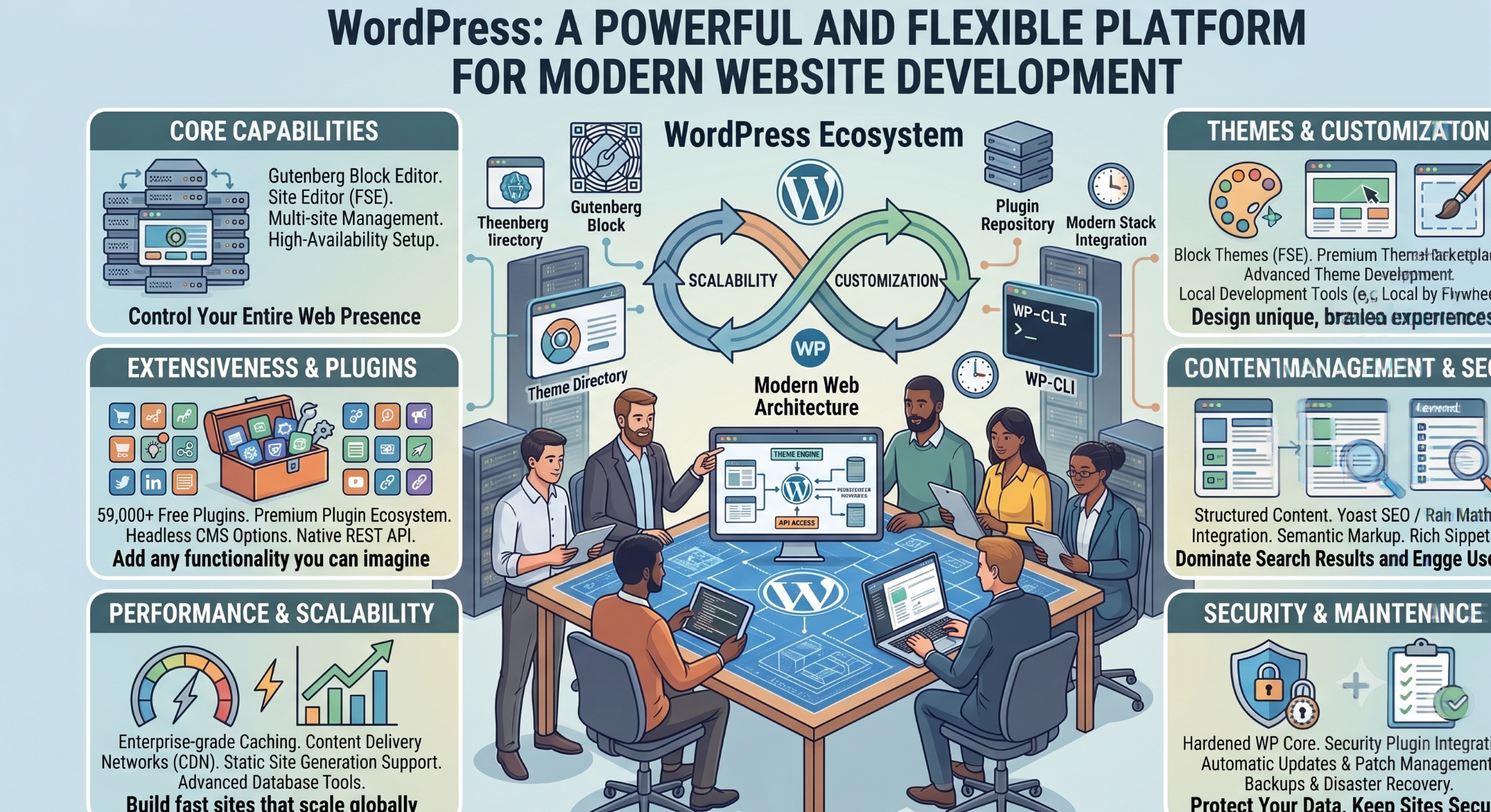
What Is WordPress?
WordPress is an open-source publishing platform and content management system used to create and manage websites. It provides tools for publishing content, managing media, customizing website appearance, and extending functionality through themes and plugins. WordPress also provides developer APIs that can support custom applications and integrations.
Because of its flexibility, WordPress can be used for blogs, corporate websites, portfolio sites, online publications, e-commerce websites, membership platforms, and customized business solutions.
Why Is WordPress Popular?
One of WordPress's key strengths is its flexibility.
A business can start with a relatively simple website and later add functionality as requirements grow. Themes can control presentation, while plugins can extend the platform with additional features. WordPress describes its plugin ecosystem as a way to extend existing functionality and customize sites for different requirements.
This makes WordPress useful for organizations that want to manage content while still having opportunities for customization.
WordPress as a Content Management System
A content management system allows users to create, organize, edit, and publish digital content.
WordPress provides tools for pages, posts, media, categories, tags, and other content types. Its documentation includes dedicated publishing and media-management capabilities for website administrators.
For businesses, this means marketing and content teams can manage much of their website content without requiring developers for every routine update.
WordPress Themes
Themes control many aspects of a website's presentation and layout.
A theme can influence page structure, typography, colors, navigation, templates, and responsive behavior. WordPress also supports block-based themes and provides tools for customizing the appearance of websites.
Businesses can start with an existing theme and customize it, or develop a custom theme around a specific brand and user experience.
WordPress Plugins
Plugins extend the functionality of WordPress.
A plugin can add features such as contact forms, SEO functionality, analytics, e-commerce capabilities, caching, security controls, membership functionality, integrations, and custom business workflows.
The official WordPress documentation explains that plugins are designed to add functionality to the core platform while allowing users to tailor websites to their needs.
However, adding too many plugins without proper evaluation can increase maintenance and compatibility considerations. Businesses should select plugins based on functionality, security, support, performance, and long-term maintenance requirements.
WordPress for Business Websites
WordPress can be used to create professional business websites that communicate services, products, company information, case studies, blogs, and contact details.
Because content can be managed through the administration interface, marketing teams can regularly update pages and publish new material.
A business website can also be integrated with CRM platforms, email marketing systems, analytics tools, lead-generation systems, payment services, and other external applications.
WordPress for E-Commerce
WordPress can also support e-commerce through extensions and specialized platforms such as WooCommerce.
An e-commerce implementation can include product catalogs, customer accounts, shopping carts, checkout, payment processing, inventory management, promotions, and order management.
For larger e-commerce businesses, the architecture should be evaluated carefully for performance, security, integrations, transaction volume, and operational requirements.
WordPress Customization
One of the major benefits of WordPress is that it can be customized far beyond a basic blog.
Developers can create custom themes, plugins, templates, blocks, post types, integrations, and business workflows.
Customization becomes particularly useful when a business has requirements that cannot be met effectively through standard themes and plugins.
For example, a company may require a custom customer portal, specialized content workflow, external API integration, advanced search, or a unique reporting system.
WordPress and the REST API
WordPress includes a REST API that allows applications to interact with WordPress content using JSON over HTTP.
The API can expose posts, pages, media, taxonomies, users, and other WordPress resources, subject to the relevant permissions and authentication requirements.
This makes WordPress useful beyond traditional websites.
Developers can use the REST API to connect WordPress content with mobile applications, JavaScript frontends, external systems, or custom applications. WordPress specifically documents use cases such as standalone applications and alternative frontends.
Headless WordPress
WordPress can also be used in a headless architecture.
In this model, WordPress acts primarily as the content-management backend while a separate frontend is responsible for presenting the content.
The WordPress REST API makes this possible by allowing an external application to retrieve and manage WordPress content programmatically.
A headless implementation can be useful when a business wants WordPress's content-management capabilities while using a separate frontend technology such as React or another JavaScript framework.
WordPress Security
Security is an important consideration for every WordPress website.
Businesses should keep WordPress core, themes, and plugins appropriately updated and use strong authentication and access-control practices. WordPress's official documentation includes dedicated security and maintenance guidance for protecting and maintaining websites.
Other useful security practices include secure hosting, HTTPS, backups, monitoring, controlled administrator access, secure plugin selection, and regular vulnerability reviews.
Security should be treated as an ongoing process rather than a one-time configuration.
WordPress Performance
Website performance affects user experience and operational efficiency.
Poor performance can result from oversized images, inefficient plugins, excessive scripts, poorly optimized databases, inadequate hosting, or unnecessary third-party requests.
Performance optimization can include image compression, caching, database optimization, content delivery networks, efficient code, suitable hosting, and minimizing unnecessary assets.
The exact optimization strategy should be based on the actual causes of performance problems rather than adding optimization tools without measurement.
WordPress Scalability
WordPress can support websites ranging from small business sites to much larger content-driven platforms, but scalability depends on architecture and implementation.
As traffic increases, organizations may need better hosting, caching, optimized databases, efficient plugins, CDN integration, monitoring, and architectural improvements.
Scalability should be considered according to expected traffic, content volume, integrations, and business requirements.
WordPress and SEO
WordPress provides a strong foundation for publishing search-friendly content, but SEO performance does not happen automatically.
Businesses still need to focus on high-quality content, appropriate page structure, metadata, internal linking, performance, mobile usability, accessibility, and technical SEO.
Plugins can assist with some SEO workflows, but the overall website structure and content strategy remain important.
WordPress for Mobile-Friendly Websites
Visitors may access WordPress websites from smartphones, tablets, and desktops.
Responsive design helps ensure that content and navigation adapt to different screen sizes.
Themes and custom frontend development should be tested across relevant devices and browsers to ensure that users receive a consistent experience.
WordPress Maintenance
A WordPress website requires ongoing maintenance.
Maintenance can include updates, security reviews, backups, performance checks, plugin management, content changes, monitoring, and compatibility testing.
Organizations should also maintain a recovery strategy so that important website information can be restored in case of infrastructure problems, accidental changes, or security incidents.
WordPress and Third-Party Integrations
Modern business websites often need to communicate with external systems.
WordPress can be integrated with CRM systems, payment gateways, marketing platforms, email services, analytics systems, inventory systems, customer-support software, and other APIs.
The REST API and WordPress's broader API capabilities provide structured ways for developers to interact with content and extend the platform.
WordPress Development for Custom Business Requirements
Standard WordPress functionality may be enough for many websites, but businesses with specialized workflows can benefit from custom development.
For example, a company may require:
Custom user roles and permissions
Custom dashboards
Advanced forms and workflows
Third-party API integrations
Custom reporting
Membership functionality
Document management
Industry-specific features
These requirements can be implemented through custom plugins, themes, blocks, APIs, and backend services.
WordPress and Modern Development
WordPress continues to evolve as a development platform. Its developer ecosystem includes themes, plugins, APIs, blocks, command-line tools, and other development resources. Current WordPress developer documentation also highlights ongoing updates to its APIs and block-related capabilities.
This means WordPress can be used both as a conventional CMS and as part of more customized application architectures.
Common WordPress Mistakes
One common mistake is installing plugins without considering whether they are necessary.
Another is modifying a production website without a backup or testing environment.
Ignoring updates can create security and compatibility risks.
Poor hosting can also become a performance bottleneck.
Businesses should additionally avoid treating WordPress as a one-size-fits-all solution. The platform is flexible, but complex requirements may require custom architecture and development.
When Should You Choose WordPress?
WordPress can be a suitable option when a business needs a content-driven website with an easy-to-use administration experience and a flexible extension ecosystem.
It can work well for corporate websites, blogs, publishing platforms, marketing websites, portfolio sites, and many e-commerce scenarios.
For highly specialized applications, businesses should compare WordPress with other frameworks and platforms based on requirements such as application complexity, scalability, integrations, security, and long-term maintenance.
How Solace Infotech Can Help
Solace Infotech can support businesses with WordPress development, customization, integration, and ongoing maintenance.
A professional WordPress implementation should begin with understanding the business requirement, selecting an appropriate architecture, choosing themes and plugins carefully, implementing custom functionality where required, and planning for security, performance, and future maintenance.
Conclusion
WordPress has grown far beyond its origins as a blogging platform.
Its combination of content management, themes, plugins, developer APIs, and customization capabilities allows businesses to build many types of digital experiences.
It can support simple websites as well as more sophisticated solutions involving custom development and external integrations.
However, successful WordPress development still depends on thoughtful planning. Security, performance, maintainability, scalability, plugin selection, and user experience should all be considered from the beginning.
When implemented appropriately, WordPress can provide businesses with a flexible foundation for managing content, engaging customers, and building modern digital experiences.


