

Introduction
Open-source software has changed the way businesses and developers build digital products. Instead of relying entirely on proprietary software controlled by a single vendor, open-source projects allow developers and organizations to access, study, modify, and share software according to its license.
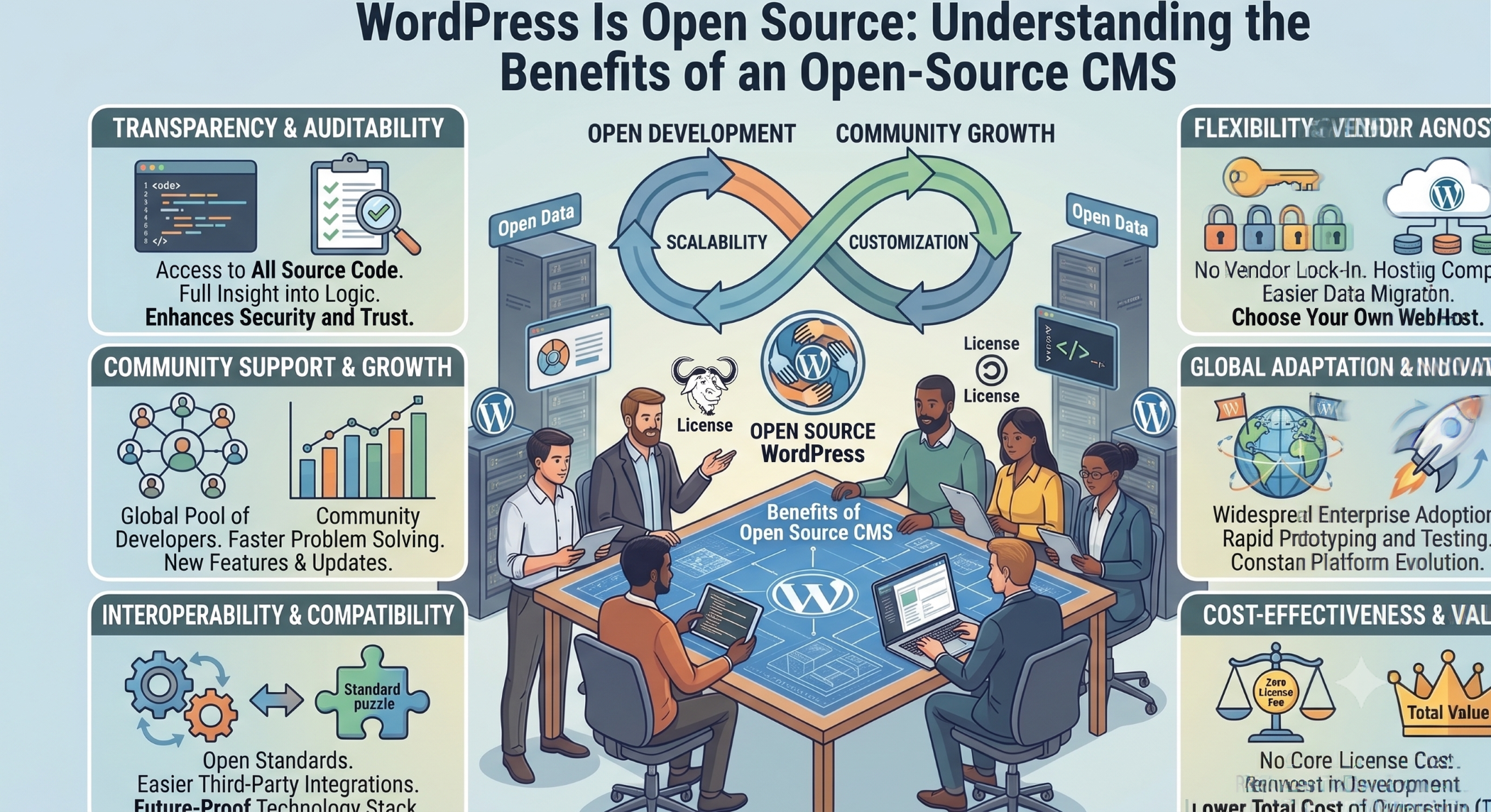
WordPress is an open-source project and is licensed under the GNU General Public License, GPLv2 or later. Its official project documentation describes WordPress as software built by a global community and designed to give users the freedom to build, change, and share.
This open-source foundation is one of the reasons WordPress can be customized for a wide variety of websites and business requirements.
What Does Open Source Mean?
Open-source software provides access to its source code and grants users specific freedoms defined by its license.
For WordPress, the GPL provides four fundamental freedoms: users can run the software for any purpose, study and modify it, redistribute copies, and distribute modified versions under the applicable license terms.
This is important because businesses are not limited to using WordPress exactly as it is provided. Developers can examine how the software works and build customized functionality around it.
WordPress and the GPL License
WordPress is distributed under GPLv2 or later. The official WordPress license page explains that the GPL permits users to use, copy, modify, and redistribute the software under the conditions of the license.
The GPL is about software freedom, not simply whether software costs money. Open-source software can be used commercially, customized, and distributed while remaining subject to the license requirements.
This distinction is important for businesses considering WordPress as a foundation for a website or application.
Why Is WordPress Open Source?
WordPress was created as an open-source publishing project and has evolved through contributions from developers, designers, writers, translators, testers, and other members of its global community.
The WordPress project describes its mission around democratizing publishing and emphasizes freedom to build, change, and share.
The community-driven model allows the platform to continue evolving while giving developers opportunities to contribute improvements to the core project.
Benefits of WordPress Being Open Source
Freedom to Customize
One of the biggest benefits of open-source WordPress is customization.
Developers can modify themes, create plugins, customize templates, extend functionality, and integrate external systems.
A business is therefore not restricted to the standard WordPress experience.
Custom development can support specialized business requirements such as customer portals, advanced forms, dashboards, integrations, membership systems, and custom workflows.
No Core Software License Fee
WordPress itself is distributed as GPL-licensed open-source software rather than as proprietary software requiring a traditional license fee for the core application.
However, building and operating a WordPress website can still involve other costs, including hosting, domain registration, premium themes or services, custom development, maintenance, security, and third-party integrations.
Therefore, “open source” should not be confused with “free to operate.”
Large Developer Community
Open-source projects benefit from community participation.
WordPress has a large global contributor community that works on software development, documentation, translation, testing, design, and other aspects of the project.
For businesses, a broad ecosystem can make it easier to find developers, access learning resources, evaluate plugins, and find solutions to common implementation problems.
Extensive Plugin Ecosystem
Plugins are one of the most important parts of the WordPress ecosystem.
They can add functionality without requiring every feature to be developed from scratch.
WordPress provides an official plugin directory and developer guidelines, including licensing and security requirements for plugins hosted in the directory.
Plugins can support functionality such as SEO, forms, analytics, e-commerce, caching, security, memberships, and external integrations.
Theme Customization
WordPress themes provide another layer of flexibility.
Businesses can use existing themes for quicker implementation or create customized themes around their brand, content structure, and user experience.
Developers can also build custom templates and blocks when standard theme functionality does not meet the requirement.
Ability to Modify the Source Code
Open-source access gives developers the ability to understand how the platform works and make appropriate changes within the boundaries of the license.
This can be particularly valuable when a business requires functionality that cannot be achieved through standard configuration.
Instead of waiting for a proprietary vendor to introduce a feature, developers can evaluate whether the functionality can be implemented through custom development.
Avoiding Complete Vendor Dependency
With proprietary software, businesses can sometimes become heavily dependent on a vendor's roadmap, pricing, or product decisions.
WordPress's open-source model provides greater control over the software and its customization.
Organizations can host WordPress themselves, select their own development partners, and customize the platform according to their requirements.
This does not eliminate third-party dependencies completely, but it can reduce dependence on a single software vendor.
WordPress Can Be Used Commercially
Open source does not mean that software cannot be used for commercial purposes.
The GPL explicitly grants the freedom to run the program for any purpose, subject to the license's conditions.
Businesses can therefore use WordPress for corporate websites, e-commerce businesses, publishing platforms, customer portals, marketing websites, and other commercial applications.
Open Source and Innovation
Open-source software encourages collaboration.
Developers can contribute improvements, report bugs, develop plugins, create themes, write documentation, and share solutions.
This collaborative environment can help ideas spread quickly across the ecosystem.
The WordPress project itself emphasizes contributions from people around the world as a central part of its development model.
WordPress Security and Open Source
A common misconception is that open-source software is automatically insecure because its source code is publicly available.
Security depends on how software is developed, configured, maintained, and monitored.
WordPress provides dedicated security and maintenance documentation, while its official plugin guidelines require plugin developers to address security issues and can result in vulnerable plugins being closed until problems are resolved.
Businesses should still keep WordPress core, themes, and plugins updated, use strong authentication, control administrator access, maintain backups, and monitor their websites.
Open Source Does Not Mean Automatically Secure
The open-source model provides transparency and the ability to review and improve software, but security still requires proper implementation.
Poorly maintained plugins, weak passwords, outdated software, insecure hosting, and improperly configured websites can create vulnerabilities.
Security should therefore be treated as an ongoing responsibility.
WordPress Open Source and E-Commerce
WordPress can also serve as a foundation for commercial e-commerce solutions.
Businesses can extend WordPress with e-commerce platforms and custom plugins to support product catalogs, orders, customer accounts, payment integrations, inventory, shipping, and other workflows.
Open-source access makes it possible to customize these experiences according to specific business requirements.
WordPress Open Source and APIs
WordPress also supports APIs that enable developers to integrate external applications and services.
The WordPress REST API allows applications to interact programmatically with WordPress content and provides a foundation for custom and headless implementations.
This means WordPress can be used as more than a traditional website CMS. It can also function as part of a larger application architecture.
Headless WordPress
The open-source nature of WordPress combined with its APIs makes headless WordPress possible.
In a headless architecture, WordPress can manage content on the backend while another technology handles the frontend experience.
This can be useful for organizations that want WordPress's content-management capabilities while building a customized frontend using modern JavaScript frameworks or other application technologies.
WordPress and Custom Development
Open source is particularly valuable when custom development is required.
Developers can create custom plugins, themes, API integrations, blocks, user roles, workflows, and other features.
For example, an organization could connect WordPress with its CRM, build a custom membership portal, integrate an external payment system, or create a specialized content workflow.
This flexibility makes WordPress suitable for businesses with requirements that extend beyond a standard website.
Open Source and Long-Term Control
Long-term control is an important consideration when selecting a technology platform.
Businesses should consider what happens if their development partner changes, if a third-party service becomes unavailable, or if a product roadmap changes.
With open-source software such as WordPress, the core platform remains available under its open-source license, giving organizations greater control over how the software is hosted, customized, and maintained.
Challenges of Open-Source WordPress
Open source also comes with responsibilities.
Businesses need to manage updates, plugin compatibility, security, backups, hosting, and maintenance.
The large plugin ecosystem can provide many options, but selecting poorly maintained or unnecessary plugins can increase complexity.
Custom development should therefore be approached carefully, with attention to maintainability and long-term support.
WordPress Open Source vs Proprietary CMS
A proprietary CMS is typically controlled by a specific vendor, which determines the software's roadmap, licensing, and many aspects of customization.
WordPress provides greater openness and flexibility because the core software is released under the GPL and can be modified and redistributed according to its license.
The appropriate choice depends on business requirements, but open-source WordPress can be particularly attractive to organizations that value customization and greater control over their technology platform.
Is WordPress Suitable for Businesses?
WordPress can be suitable for businesses that need a flexible CMS with a large ecosystem and extensive customization opportunities.
It can support corporate websites, blogs, publishing platforms, e-commerce websites, membership sites, marketing websites, and customized digital experiences.
The platform should still be evaluated against requirements such as security, scalability, performance, integrations, content management, and future maintenance.
How Solace Infotech Can Help
Solace Infotech can help businesses develop and customize WordPress-based solutions according to their specific requirements.
Custom WordPress development can include theme customization, plugin development, API integrations, e-commerce functionality, performance optimization, security improvements, and ongoing maintenance.
A professional implementation should focus not only on installing WordPress but also on creating an architecture that is secure, maintainable, scalable, and aligned with business goals.
Conclusion
WordPress is open source, and that openness is one of its most important strengths.
Its GPL license provides users with the freedom to run, study, modify, and redistribute the software according to the license terms.
For businesses, this can mean greater customization, access to a broad ecosystem, reduced dependence on a single proprietary platform, and the ability to build solutions around specific requirements.
At the same time, open source comes with responsibility. Businesses still need to manage security, updates, hosting, plugins, backups, performance, and maintenance.
When those responsibilities are handled properly, WordPress can provide a flexible and powerful foundation for modern websites and digital applications.


